


Your best blog post is probably fighting your second best one right now. Neither of them knows it, and you probably don’t either, until rankings start bouncing between page one and page three and nobody can explain why. That fight has a name. If you’ve been publishing content for more than a year, a few examples are almost certainly sitting on your site.
So what is keyword cannibalization? It happens when two or more pages on the same website target the same search query with the same intent, and Google can’t tell which one deserves the top spot. Instead of one strong page, you get two or three weak ones trading places. Clicks get split, links get split, and the page that should win keeps losing to its own sibling.
This guide walks through the whole thing in plain language. You’ll see what cannibalization is and what it isn’t, how it damages traffic, why it keeps happening to careful sites, how to find it with free and paid tools, and how to fix each case without breaking anything else. There are three real-life walkthroughs, a list of mistakes that make things worse, and a prevention routine you can run every quarter. Beginners can follow every step, and if you’ve done SEO for years, the mistakes section will probably still catch you out.
What You Will Learn in This Guide
- The exact meaning of keyword cannibalization, explained with an everyday example
- How competing pages split links, clicks, and rankings
- Which situations look like cannibalization but are actually fine
- The six most common causes behind it
- How to spot it using Google Search Console, Ahrefs, Semrush, Screaming Frog, and a spreadsheet
- A step-by-step fix: merge, redirect, canonicalize, re-target, relink, or remove
- Three realistic walkthroughs from blogs, stores, and local service sites
- How to stop it from coming back, plus the mistakes that make it worse
- Answers to 12 questions people actually search for
TL;DR
- Keyword cannibalization means two or more pages on one site compete for the same query and the same search intent.
- The damage is split links, unstable rankings, the wrong page showing up, and diluted click through rates.
- Two pages ranking for one keyword is not automatically a problem. Same intent is the problem.
- Google Search Console’s Performance report, filtered by query and grouped by page, is the fastest free way to find it.
- Fixes depend on the case: merge and 301, canonical, re-target one page, rework internal links, or remove.
- A keyword map and a quick pre-publish check prevent most cases before they exist.
What Is Keyword Cannibalization? The Plain-English Definition
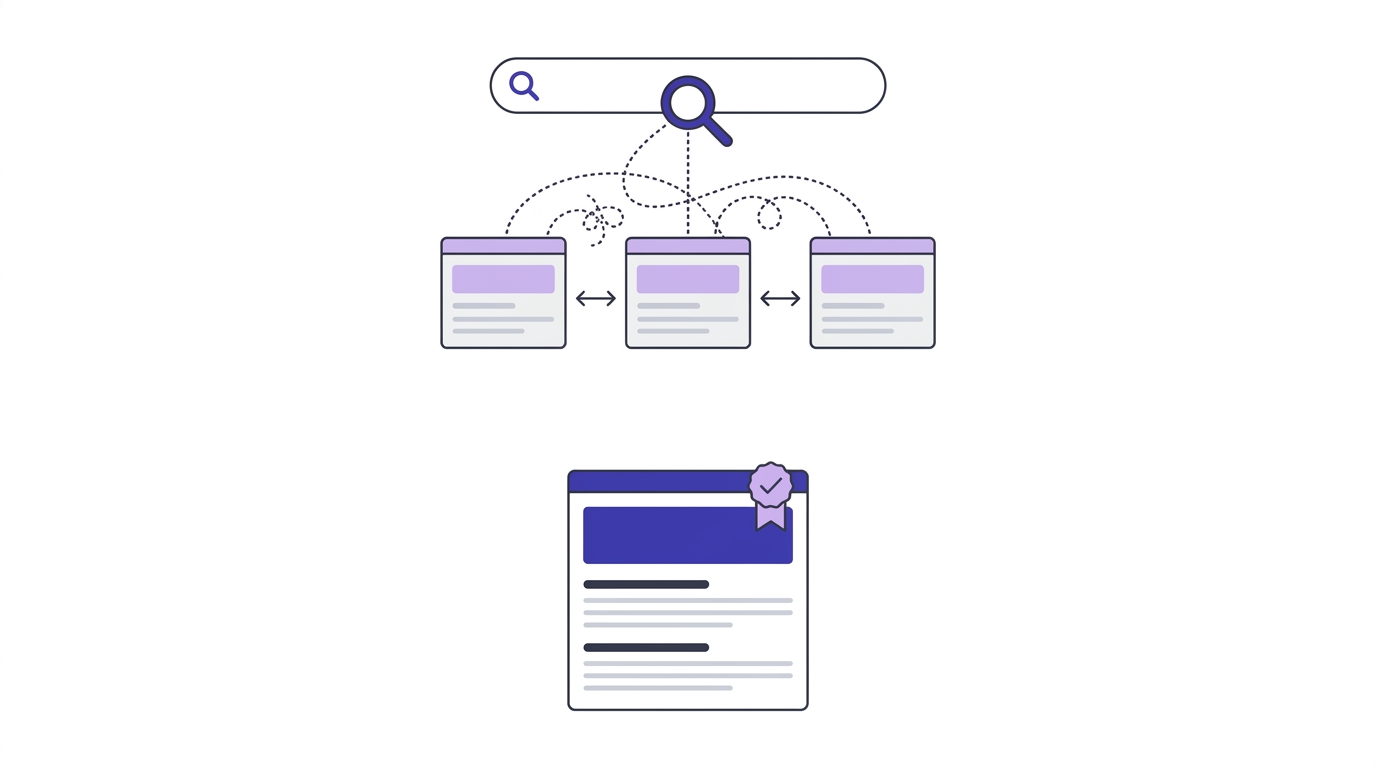
What is keyword cannibalization in the simplest terms? It’s your own pages stealing rankings from each other. The idea is easy to say and surprisingly easy to miss on a real site, so this section starts with a clean definition and a picture you can keep in your head.
The Simple Definition
Keyword cannibalization is when multiple URLs on your website compete for the same search term, and search engines have to choose between them. Because the pages overlap in topic and purpose, none of them gets the full strength it would have if there were only one clear candidate.
Notice the two ingredients: the same query and the same intent. Matching words alone don’t do it. Two pages can both mention “email marketing” a hundred times and never collide, because one teaches beginners and the other sells software. Cannibalization starts when a searcher could land on either page and be equally satisfied. That overlap is the whole problem.
Why It’s Called Cannibalization
The name comes from the idea of something feeding on its own kind. In marketing, the term was used for products that eat into the sales of another product from the same company. SEO borrowed it because the effect looks similar: one page’s visibility comes at the expense of another page you own.
Here’s the thing, though. Unlike a lost sale, nobody on your team chose this. It’s an accident of publishing. Nobody sat down and decided to compete with themselves. Posts pile up over two or three years, and one day the site has five articles circling the same keyword.
A Quick Example Anyone Can Picture
Imagine a shoe store with a blog. In January the team publishes “How to Choose Running Shoes.” In June they publish “Best Running Shoes for Beginners.” In October they publish “Running Shoe Buying Guide.” Three posts, three titles, and underneath all of them the same question: which running shoes should I buy?
Google now has three nearly equal candidates. It might rank one in position 9, swap in another next week at position 14, and show the third only for odd long-tail searches. A single, well-built guide would likely have sat in the top five.
Why Google Struggles to Pick a Winner
Google’s job is to match a query with the single page that best answers it. When your site offers three pages with similar titles, similar headings, and similar internal links, the signals that normally break a tie, like relevance and authority, are spread thin across all three.
So Google tests. It rotates pages in and out, watches how searchers respond, and keeps adjusting. That rotation is what site owners see as rankings that won’t settle. Sometimes Google picks the page you’d never choose, like a thin old post instead of your best guide, simply because it had slightly more links pointing in.
How Keyword Cannibalization Hurts Your SEO

Knowing what is keyword cannibalization is one thing, but the reason people fix it is the damage. The effects are rarely dramatic overnight. They show up as slow stalls, odd ranking charts, and content that never quite performs, which is exactly why it goes unnoticed for so long.
Link Equity Gets Split Between Pages
Links are still one of the strongest ranking signals. When other sites link to your content, they link to whichever page they happen to find. If three of your pages cover the same topic, those links end up scattered. Ten backlinks might become four, three, and three.
Compare that to a competitor with one page and ten links. Their page looks stronger even though your site, as a whole, earned the same amount of attention. Internal links work the same way. If your team links to different versions of the same topic from different posts, the authority gets divided instead of stacking up behind one URL.
Rankings Bounce Around and Never Settle
Watch a cannibalized keyword in a rank tracker like Semrush Position Tracking or Ahrefs Rank Tracker and the pattern is easy to spot. Position 8 this week, position 23 next week, a different URL showing up each time. The chart looks like a heart monitor.
That instability costs real traffic. A page sitting steadily at position 6 earns far more clicks than a page that alternates between position 6 and position 25. And because the URL keeps changing, it’s hard to learn which version actually resonates. You can’t improve something that keeps disappearing and getting replaced.
The Wrong Page Ends Up Ranking
This one hurts the most in business terms. Say you sell a product and also have a blog post about it. If the blog post ranks for the buying keyword instead of the product page, a searcher ready to buy lands on a long article with no clear add-to-cart button.
Some of them will scroll, hunt for the link, and eventually convert. Many won’t. The page that should earn money is invisible while the page that earns attention but little revenue takes the spot. Fixing cannibalization often lifts conversions before it lifts traffic.
Weaker Click Through Rates and Wasted Crawling
When Google shows two of your pages for one query, they can end up with near-identical titles. Searchers see the repetition and click neither with confidence, or they click the wrong one. Titles that blur together don’t sell the click.
There’s also crawling. Google only spends so much time on a site, and large sites with many overlapping pages burn some of it re-checking content that adds nothing new. For a small blog this barely matters. For a store with thousands of URLs, tidying duplicates helps Google reach pages that matter faster.
What Keyword Cannibalization Is Not: Myths Worth Dropping

A lot of SEO panic comes from treating any overlap as a crisis. Before running off to delete posts, it helps to know what keyword cannibalization is not. Some of the most commonly flagged “problems” are fine, and fixing them can do more harm than good.
Two Pages Ranking for One Keyword Is Not Always Bad
Seeing two of your URLs in the top 10 for the same query can feel alarming. But if one holds position 2 and the other holds position 6, your site is taking up two slots on page one. That’s good for traffic and for brand presence.
Google has said for years that it tries to avoid stuffing a result page with many listings from one domain, but showing two is normal. The question to ask is whether the combined result is better than what one page would earn alone. If the answer is no, you have a problem. If the answer is yes, leave it.
Using the Same Keyword Twice Is Not the Problem
Mentioning a keyword on several pages is natural. A guide on email marketing will mention “email list” a dozen times, and so will a post about newsletter design. Nobody should avoid a word just because another page uses it.
What matters is which page is built to rank for it. One page should be the clear answer for the main phrase. Others can use the phrase in passing and link back to that main page. That structure is exactly how topic clusters work, and they’re healthy, not cannibalized.
Similar Topics Are Not the Same Intent
“What is keyword cannibalization” and “how to fix keyword cannibalization” share vocabulary but promise different things. One defines, the other instructs. Google often sees these as separate needs, and ranking two separate pages for them is reasonable.
The test is simple. Open Google, search both phrases, and compare the results. If different kinds of pages show up for each, they’re different intents, and your two pages can coexist. If the exact same pages show up for both searches, Google treats the queries as one, and your two articles are probably competing.
Branded Queries and Sitelinks Often Look Messy but Are Fine
Search for a brand name and you’ll often see its homepage, an About page, and a few product pages all in the results. That’s Google doing its job for a navigational search. A homepage and a pricing page both appearing for a brand query is not cannibalization.
People get confused here when Search Console shows many URLs for the brand term. Filter branded queries out of any cannibalization audit. Focus on non-branded queries where you want one page to clearly own the answer.
Why Keyword Cannibalization Happens
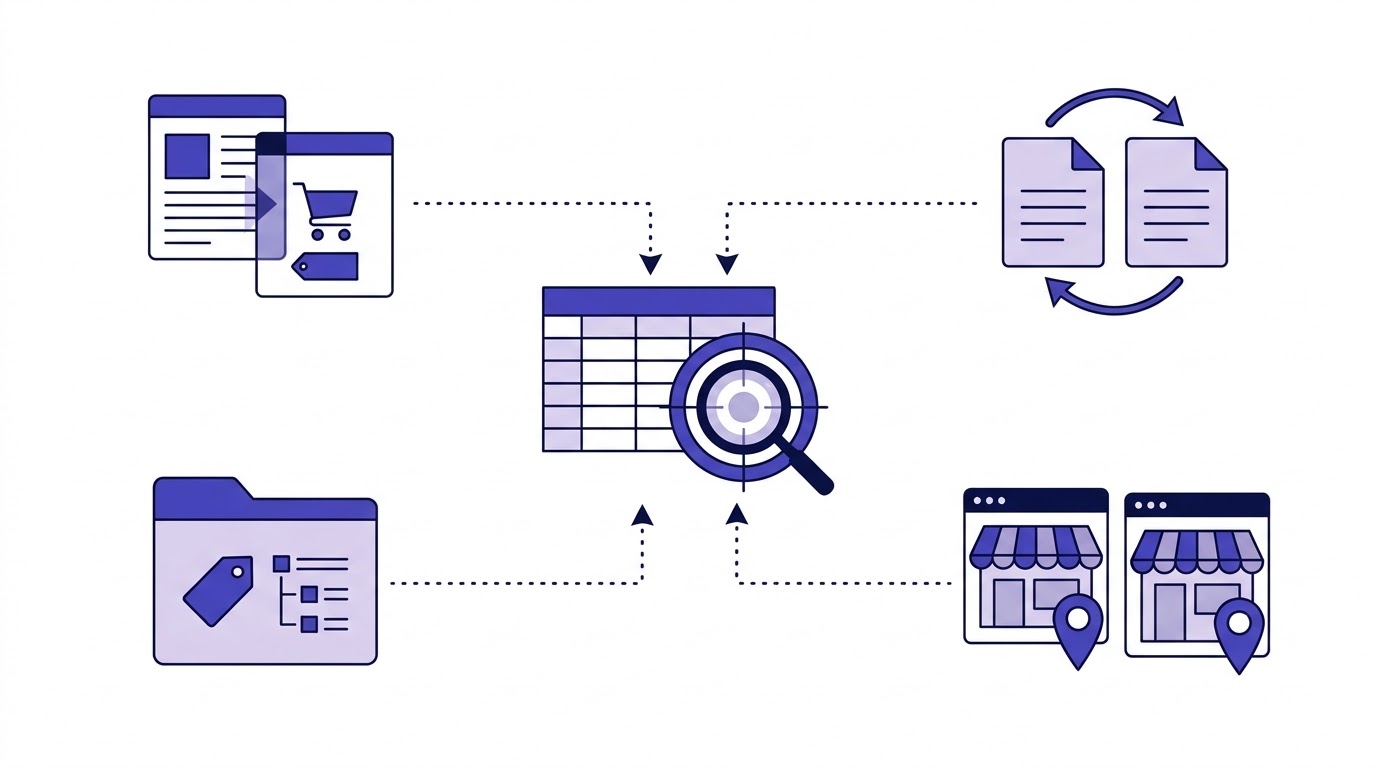
Cannibalization almost never starts with bad intentions. It’s the side effect of growth: more writers, more posts, more pages, and no shared map. Understanding the usual causes helps you spot them quickly, and it helps you stop recreating them after a cleanup.
Publishing Without a Keyword Map
The most common cause is simple. Nobody wrote down which page targets which keyword, so nobody can check before publishing something new. After 80 or 100 posts, even the person who wrote them can’t remember every angle already covered.
A keyword map is just a spreadsheet with three columns: URL, main keyword, and search intent. That’s it. When a new idea comes up, the first step is searching the sheet. If the keyword is already there, the new idea either becomes an update to the old page or gets a clearly different angle.
Blog Posts Competing With Product or Service Pages
Content teams love writing about products. SEO teams want those product pages to rank. Without coordination, the blog post “Best CRM Software for Small Business” can outrank the actual CRM landing page for a commercial phrase, even though the landing page is the one that makes money.
This happens because blog posts attract natural links, have more words, and update more often. The fix isn’t to stop blogging. It’s to decide in advance which keywords belong to commercial pages and which belong to informational posts, then write the blog to answer questions instead of selling.
Old Posts and Refreshes Left Behind
Plenty of sites rewrite a topic instead of updating the original. A 2021 guide gets a “new and improved” 2025 sibling, but the old one stays live. Now two guides compete, and the older one often wins because it has had more time to collect links.
The cleaner approach is updating the existing URL, changing the content, and keeping the address. If a rewrite really needs a new URL, redirect the old one. Leaving both live is how a tidy site slowly turns into a crowded one.
Tags, Categories, and Filter URLs
CMS platforms like WordPress and Shopify generate pages automatically. Tag pages, category archives, and filtered product listings can all end up optimized, accidentally, for the same words as your main content. A tag called “running shoes” might sit next to a category called “Running Shoes” and a blog post with the same title.
Because these pages are created by the system and not by a person, they’re easy to forget. Review them in a crawl. Noindex the ones that add no value, and make sure the pages you want to rank have the strongest internal link support.
Near-Duplicate Location or Product Pages
Local businesses and big stores run into this constantly. A plumber creates 30 city pages with the same text and only the city name swapped. A store creates ten near-identical product variations with the same description. Google sees pages that answer the same query with the same words.
Each page needs a real reason to exist: local details, unique photos, specific pricing, actual reviews. If a page has nothing unique to say, merging it into a stronger parent page is usually the better move.
How to Find Keyword Cannibalization on Your Site
Detection is where many guides get vague. In practice, there are five dependable methods, from a five-minute free check to a proper audit. Start with the cheap ones. Many sites find their worst problems before they ever open a paid tool.
Start With a Quick Site Search
Type site:yourdomain.com "your target keyword" into Google. This shows every indexed page on your site that mentions the phrase, ordered roughly by relevance. If five pages with similar titles appear, something is worth investigating.
This method is rough. It doesn’t prove cannibalization, and it can’t show rankings. But it takes thirty seconds and gives a fast sense of how many pages touch a topic. Use it as a warm-up, then confirm with data from Search Console before changing anything.
Use Google Search Console (the Best Free Method)
Open Search Console, go to Performance, and set the date range to the last three or six months. Click a query you suspect is cannibalized, then switch to the Pages tab. If two or more URLs show impressions for the same query, you’ve found a candidate.
Look at the numbers. A healthy case has one page with the bulk of impressions and clicks. A cannibalized case shows impressions split, say 1,400 for one URL and 1,100 for another, with average positions that sit close together. Then flip to the Queries tab for each URL and compare.
Use Ahrefs or Semrush
Semrush Position Tracking has a dedicated Cannibalization report. Add your domain, add your keywords, and the tool flags any keyword where more than one URL has been ranking. It’s the quickest paid shortcut.
Ahrefs works differently. In Site Explorer, open the Organic Keywords report, export it, and check which keywords list more than one URL over time. The position history graph helps too: when two URLs alternate on the same line, that’s classic cannibalization. These tools cost money, but the position history is something Search Console only partly offers.
Crawl Titles and H1s With Screaming Frog
Screaming Frog SEO Spider crawls your site like a search engine would. After a crawl, open the Page Titles and H1 tabs and look for duplicates or near-duplicates. If six pages carry the same title tag, there’s a good chance they target the same keyword.
The free version handles up to 500 URLs, which covers most small sites. Export the list to a spreadsheet and sort by title. Pages that share the same first four or five words deserve a closer look.
Build a Simple Spreadsheet Check
If you want full control, combine exports. Pull Search Console data (query, page, clicks, impressions, position) into Google Sheets, then build a pivot table with queries as rows and page URLs as the columns. Any query with more than one page showing meaningful impressions is flagged.
This is slower, but it works for any site, and it teaches you how the data actually behaves. Add a column for search intent and mark each pair as “true conflict” or “fine.” That small step prevents you from fixing problems that aren’t problems.
How to Fix Keyword Cannibalization Step by Step
Once the problem is confirmed, the fix depends on what’s actually going on. There’s no single move that works every time. The sequence below runs from decision to cleanup, and each step builds on the one before it.
Step 1: Decide Which Page Should Win
Before touching anything, choose the page that should own the keyword. Check four things: which URL has the most backlinks, which has the best engagement, which fits the intent most closely, and which ranks higher on average.
Usually the winner is obvious, but not always. Sometimes the older post has the links while the newer one has the better content. In that case, keep the URL with the links and move the better content onto it. Write the decision in your keyword map so it doesn’t get lost.
Step 2: Merge Content and 301 Redirect
If two pages cover the same ground, combine them. Take the best sections of the weaker page, fold them into the stronger one, and then set a 301 redirect from the weaker URL to the winner. A 301 tells Google the move is permanent and passes most of the link value across.
Make the merged page genuinely better, not just longer. Cut repeated sections, update stats, add anything missing. In WordPress, plugins like Redirection or Rank Math handle redirects. Then resubmit the winning URL in Search Console using URL Inspection and Request Indexing.
Step 3: Use a Canonical Tag When Both Pages Must Stay
Sometimes you can’t delete a page. A product might have several variants, or a printable version might need to exist. Here, add a canonical tag on the secondary page pointing to the main one: <link rel="canonical" href="https://example.com/main-page/">.
A canonical is a hint, not a command. Google usually follows it when the pages are truly similar. It does not work well when the content is meaningfully different, so don’t use it as a shortcut for pages that should simply be separate.
Step 4: Re-Target the Weaker Page
If both pages deserve to exist, change the weaker one. Pick a related keyword with a different intent, then rewrite the title, headings, intro, and body around it. For example, a post stuck competing for “email marketing” could be refocused on “email marketing for restaurants.”
Be honest about the rewrite. Changing only the title tag won’t fool anyone. The content, examples, and structure need to answer a different question. After the update, link the new page back to the main one with descriptive anchor text so Google understands the relationship.
Step 5: Fix Internal Links and Anchor Text
Internal links tell Google which page matters. Search your site for links that point to the losing page using a crawl or a site search, and repoint them to the winner where it makes sense. Use anchor text that matches the main keyword naturally.
Also check navigation, footers, and sidebar widgets. They often link to the wrong version for years. And when you add new links from now on, point them at the winner every time. This step costs almost nothing and tends to move rankings faster than people expect.
Step 6: Noindex or Delete Only When Nothing Else Works
Some pages have no reason to exist. A thin tag page, an expired promotion, a doorway-style location page with no unique content. If it brings no traffic, no links, and no value, deleting it (with a redirect if it has any history) or adding a noindex tag is fine.
Don’t make this the default, though. Deleting a page with backlinks and no redirect throws that link value away. Always check backlinks and traffic first. If there’s any doubt, merge and redirect instead.
What Is Keyword Cannibalization in Real Life? Three Walkthroughs
Definitions are fine, but patterns click faster with examples. These three scenarios are composites of what shows up on real blogs, stores, and local business sites. The numbers are illustrative, but the pattern in each one is genuine.
A Blog Post Outranking the Product Page
A small skincare brand sells a vitamin C serum. Their product page targets “vitamin C serum.” They also have a blog post titled “Best Vitamin C Serum for Glowing Skin” that has picked up several links from beauty bloggers. Search Console shows the blog post at position 7 and the product page at position 19 for the same query.
The blog post gets clicks but almost no sales. The fix: rewrite the blog post to focus on “how to use vitamin C serum” and “vitamin C serum benefits,” then add a clear link to the product page with anchor text like “our vitamin C serum.” The product page gets stronger internal links and a better title. Over eight to twelve weeks, the product page typically climbs.
Two Guides That Say the Same Thing
A marketing blog published “How to Write a Blog Post” in 2022 and “Blog Writing Tips for Beginners” in 2024. Both walk through outlining, drafting, and editing. Both rank between positions 12 and 30, swapping places every few weeks.
The right call is merging. The 2022 post has more backlinks, so it becomes the winner. The writer folds the best 2024 sections into it, refreshes the examples, and 301 redirects the newer URL. For more real traffic stories like this, the case studies hub shows how this kind of cleanup plays out.
City Pages With Copy-Paste Content
An electrician in a mid-size city built 20 service area pages. Each page has the same 400 words, with only the suburb name changed. Google isn’t sure which one deserves to rank for “electrician near me” type searches, so none of them do well.
The better structure is one strong main page, plus a handful of local pages that actually have local content: photos of real jobs in that suburb, local permit rules, named customer reviews. Pages with nothing unique get merged into the main one. Fewer pages, stronger pages.
How to Prevent Keyword Cannibalization Before It Starts
Fixing cannibalization is satisfying, but preventing it is cheaper. A little structure at the planning stage stops most overlaps from ever reaching the live site. None of this requires expensive software.
Keep a Living Keyword Map
A keyword map is a spreadsheet listing every important URL, its main keyword, its secondary keywords, and its intent. Keep it shared, so writers and editors see the same version. Update it every time a page is published, merged, or removed.
Good maps stay simple. If the sheet needs a manual to understand, nobody will use it. Five columns is plenty: URL, primary keyword, intent, status, last updated. Anyone planning content should check it before writing a single word.
Check Before You Publish Anything New
Before approving a new article, run two quick checks. First, search your own keyword map and site:yourdomain.com "keyword" in Google. Second, search the target keyword in Google and ask whether your existing pages already match what’s ranking.
If a close match exists, update that page. If the intent is clearly different, publish the new piece and link it to the old one. This takes ten minutes and saves hours of cleanup later. For more on choosing keywords the right way, the SEO learning hub covers the research side in detail.
Write Briefs Around Intent, Not Just Keywords
A content brief that only lists a keyword invites overlap. A better brief states the searcher’s goal, the format that’s ranking (guide, list, comparison, tool), and what makes this page different from the ones already on the site.
Writers then know what question the page answers and what it leaves to others. Two briefs for similar topics should look visibly different. If they don’t, that’s a flag to merge the ideas before anyone writes anything.
Run a Quarterly Cannibalization Audit
Every three months, export Search Console data and check your top 50 non-branded queries for multiple ranking URLs. Skim the list, mark true conflicts, and handle them in order of traffic impact.
Quarterly is frequent enough to catch problems early and rare enough not to become a burden. Free tools like those on the admeducation tools page can speed up some of the checking. Put the audit on the calendar, because otherwise it won’t happen.
Mistakes That Make Keyword Cannibalization Worse
Plenty of well-meaning cleanups end up making things worse. Here are the mistakes that show up again and again, so you can skip them.
Deleting Pages Without a Redirect
It feels clean to delete a weak page. But if that page had backlinks, deleting it without a 301 throws the link value away and leaves visitors on a 404. Rankings for the winning page can even dip afterward, because some of its support vanished.
Always check backlinks in Ahrefs, Semrush, or Search Console’s Links report before removing anything. If a page has any links or traffic, redirect it to the closest relevant URL instead.
Redirecting to an Irrelevant Page
Sending every deleted URL to the homepage is a common shortcut. Google often treats this as a soft 404 and ignores the redirect, so the link value doesn’t pass. Visitors also end up somewhere unrelated and leave.
A redirect should go to the page that most closely matches the old one’s content. If no good match exists, a 410 (gone) response is more honest than a forced redirect.
Canonicalizing Pages That Should Be Different
Some people add canonical tags everywhere as a catch-all. But if two pages are genuinely different, Google may ignore the canonical, and the weaker page can still get indexed or confuse the signals even more.
Canonicals work for near-identical pages. For pages with different content but overlapping targeting, re-target one of them instead. Pick the right tool for the situation.
Fixing Everything at Once and Never Measuring
A big cleanup across fifty pages at once makes it impossible to know what worked. Rankings move for lots of reasons, and without a clear before and after, it’s guesswork.
Do the fixes in small batches. Note the date, the URLs involved, and the baseline clicks and positions. Check again at four, eight, and twelve weeks. Patience matters here, because Google needs time to recrawl and reprocess.
Conclusion
So, what is keyword cannibalization after all the detail? It’s a self-inflicted wound: your own pages splitting links, clicks, and rankings because they answer the same question. Most sites have a little of it. The sites that do well are the ones that notice it early and make deliberate choices about which page owns which topic.
The next step is small. Open Google Search Console today, pick your three best queries, and check whether more than one URL shows up for each. If it does, decide on a winner and apply one of the fixes above. For more practical guides like this one, browse the Learn hub and keep going from there.
Frequently Asked Questions
What is keyword cannibalization in SEO?
Keyword cannibalization is when two or more pages on the same website target the same keyword and the same search intent. Search engines then have to choose between them, which can split rankings, links, and clicks across the pages instead of concentrating them on one strong URL.
Is keyword cannibalization always bad?
No. If two of your pages rank in the top 10 for a query and each serves a slightly different purpose, that can actually increase your visibility. It becomes a problem when the pages swap positions, rank lower than a single page would, or when the wrong page ranks for the searcher’s need.
How do I check for keyword cannibalization?
The easiest free method is Google Search Console. Open Performance, filter by a query, and click the Pages tab to see which URLs get impressions. If several pages share impressions with similar positions, investigate. Paid options include the Semrush Position Tracking Cannibalization report and Ahrefs organic keyword exports.
How does keyword cannibalization affect rankings?
It spreads backlinks and internal link signals across several pages, causes unstable rankings, and can lead Google to show a less useful page for a query. The overall result is usually lower positions and fewer clicks than one consolidated page would earn.
Does Google penalize keyword cannibalization?
No. Google doesn’t issue a penalty for it. The damage is indirect: weaker pages, split signals, and wasted opportunity. It’s a performance problem, not a manual action or spam violation.
How many pages can rank for the same keyword?
There’s no fixed limit, but Google generally shows only one or two results from the same domain in most searches. Having more pages target the same query rarely helps. One strong page that fully answers the search is usually the better strategy.
Should I delete pages that are cannibalizing each other?
Not as a first move. Check backlinks and traffic first. In many cases it’s better to merge the content into the stronger page and set up a 301 redirect. Delete only when a page has no value, no links, and no traffic.
Should I use a canonical tag or a 301 redirect?
Use a 301 redirect when the weaker page doesn’t need to exist anymore. Use a canonical tag when both pages must remain accessible, such as product variations. A canonical is a hint that Google can ignore, while a 301 is a firm instruction.
How long does it take to see results after fixing cannibalization?
Typically four to twelve weeks, depending on how often Google crawls your site and how big the changes are. Larger sites with more authority tend to see changes faster. Track clicks, impressions, and average position at set intervals to measure it properly.
Can internal links cause keyword cannibalization?
Yes, indirectly. If internal links use the same anchor text to point at several different pages, Google gets mixed signals about which page is the main one. Pointing your internal links at a single winning page with consistent anchor text helps clear that up.
Do category and tag pages cause cannibalization?
They can. Automatically generated category and tag archives often target the same words as your main content. If those pages add no unique value, set them to noindex or reduce their prominence so your main page is clearly the best answer.
What is the difference between keyword cannibalization and duplicate content?
Duplicate content means the text itself is the same or very similar across URLs. Keyword cannibalization is about overlapping targeting, even when the text is different. Two well-written but different articles can still cannibalize each other if they answer the same question.
Can a blog post cannibalize a product page?
Yes, and it happens often. A blog post with more backlinks and more content can outrank a product page for a buying keyword. The fix is to refocus the blog post on informational queries and link it to the product page so the product page gets the stronger signal.