

Picture a business owner in Mumbai with ₹30,000 to spend on ads this month. One friend says Google Ads is the only thing that brings real customers. Another swears Meta Ads is cheaper and way easier. Both sound sure. Neither is lying.
Google Ads vs Meta Ads is the question almost every beginner hits first, and most answers online dodge it with “it depends.” That’s true, but it’s useless on its own. What it depends on is something you can figure out in about ten minutes once you understand how each platform actually works.
So that’s what this guide does. It starts from zero: what paid ads are, how each platform decides who sees what, what you’ll really pay, and which one fits your business, your budget and your goal. By the end, you’ll know where to put your first rupee, when to add the second platform, and how to test it without burning money. It’s written for business owners, freelancers, marketing students and anyone who’s been told “just run some ads” with no further explanation.
One thing before we start. The honest answer to “which one?” is often “both, but not at the same time.” The sections below show why.
Quick Answer: Which Platform Fits You?
Some people want the answer first and the reasoning later. Fair enough. The table below gives a fast read on which platform to start with, based on your situation. Every row gets unpacked in the sections that follow, so treat this as a map, not a verdict.
| If your situation is… | Start with | Why (one line) |
|---|---|---|
| People already search for what you sell | Google Ads | Captures existing demand |
| Product is new, visual or impulse-driven | Meta Ads | Creates demand |
| Local service business | Google Ads (Search) | High-intent “near me” queries |
| D2C or fashion brand | Meta Ads | Visual discovery |
| Limited budget, need leads fast | Depends (see the budget section) | Budget changes the answer |
| Scaling past ₹1L+/month | Both | Full-funnel coverage |
Key Takeaway: Google Ads harvests demand. Meta Ads manufactures it. Everything else in this guide is an extension of that one idea.
What Is Paid Advertising? The Basics Before the Comparison
Paid advertising means you pay a platform to put your message in front of people, instead of waiting for them to find you. Organic reach is free but slow and unpredictable. Your Instagram post might reach 200 people or 2,000, and you don’t control which. With paid ads, you pick who sees it, you set a budget, and results start within hours, not months.
There are two main ways platforms charge you:
- Pay per click (CPC): You pay only when someone clicks your ad. Showing up without a click costs nothing.
- Pay per thousand impressions (CPM): You pay every time your ad is shown 1,000 times, whether anyone clicks or not.
Both Google and Meta support both models, though Google Search is mostly click-based and Meta ads are often optimised and billed around impressions.
Then there’s the auction. Every time someone opens a page or types a search, the platform runs a quick auction among advertisers who want to reach that person. The winner isn’t simply the highest bidder. Both platforms also weigh how good and relevant your ad is. We’ll go through each platform’s version later, so for now just remember that a bigger budget doesn’t automatically beat a better ad.
Here are the terms you’ll see everywhere, each with a rupee example so they stick.
| Term | What it means | Rupee example |
|---|---|---|
| Impression | Your ad was shown once | 10,000 impressions = shown 10,000 times |
| Click | Someone tapped or clicked the ad | 200 clicks from those 10,000 impressions |
| CTR (click-through rate) | Clicks divided by impressions | 200 / 10,000 = 2% |
| CPC (cost per click) | Spend divided by clicks | ₹4,000 spend / 200 clicks = ₹20 |
| CPM (cost per 1,000 impressions) | Spend per thousand views | ₹4,000 / 10 = ₹400 |
| CPL (cost per lead) | Spend divided by leads | ₹4,000 / 20 leads = ₹200 |
| CPA (cost per acquisition) | Spend divided by customers | ₹4,000 / 4 customers = ₹1,000 |
| Conversion | The action you want (call, form, purchase) | 20 form fills |
| ROAS (return on ad spend) | Revenue divided by ad spend | ₹12,000 revenue / ₹4,000 = 3 |
All numbers in that table are made up to show the math. They’re not benchmarks.
What Is Google Ads? How It Works
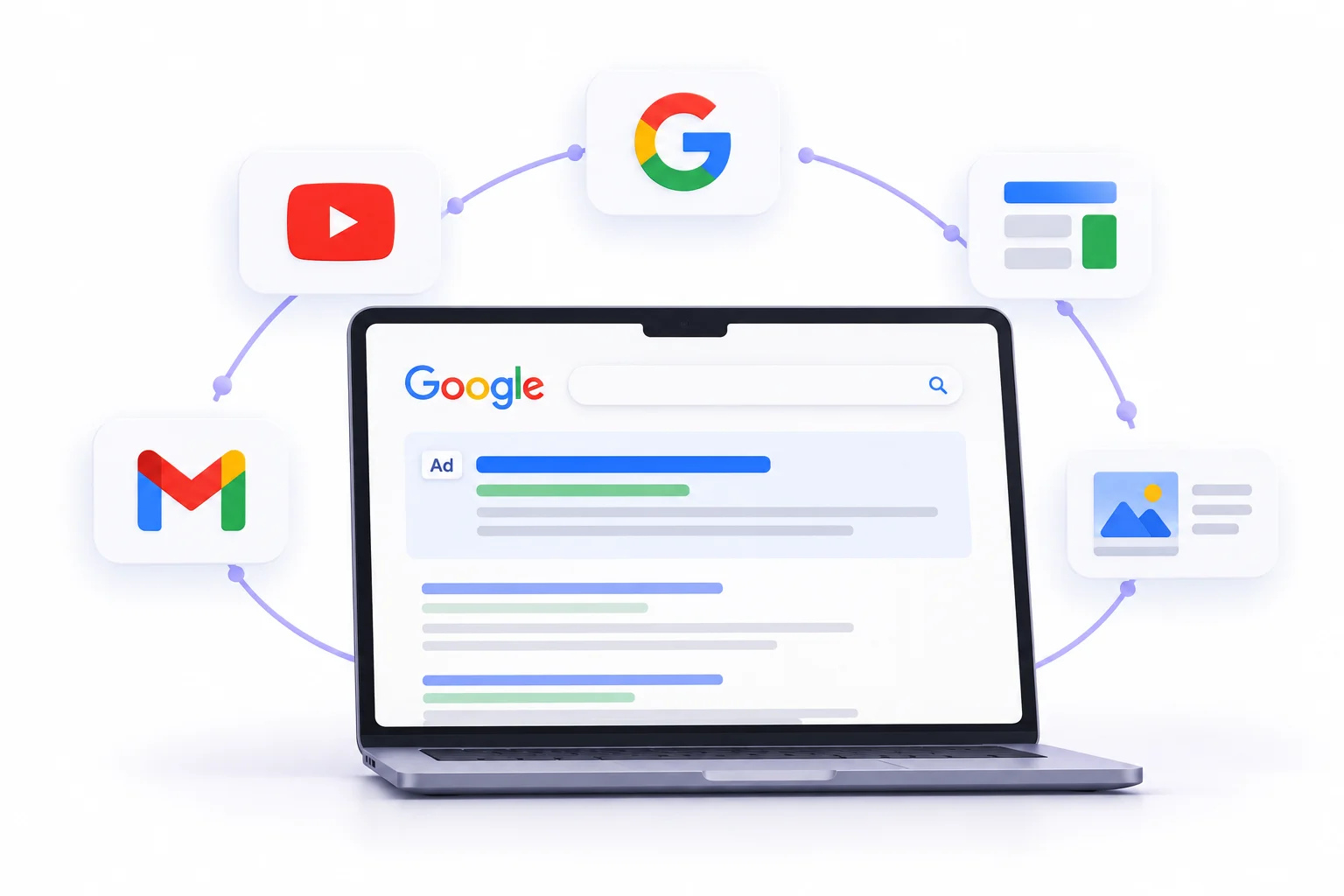
Google Ads is the platform that puts your ad in front of people on Google Search, YouTube, Gmail, millions of partner websites and apps. When most people say “Google Ads,” they mean the text ads at the top of search results. But that’s one slice of it.
1. Intent-Based Advertising Explained
Here’s the core of it. Someone types “best coaching classes in Mumbai for CA foundation” into Google. That person has a need right now. They’re not scrolling for fun. They’re looking, and if your ad shows up at that moment, you’re answering a question they just asked.
That’s intent-based advertising. You don’t convince anyone they have a problem. You show up when they already know. This is why Google Search tends to convert well even when clicks cost more.
2. Campaign Types and Where Ads Appear
Google Ads isn’t one thing. It’s a set of campaign types, each showing ads in different places.
| Campaign type | Where it shows | Best for | Beginner-friendly? |
|---|---|---|---|
| Search | Google search results | Capturing people actively searching | Yes, start here |
| Display | Websites and apps in Google’s network | Awareness and remarketing | Moderate |
| Video (YouTube) | YouTube videos and other video placements | Storytelling, reach | Moderate |
| Shopping | Product listings in search and Shopping tab | Online stores with a product feed | Moderate (needs Merchant Center) |
| Performance Max | Across Google’s inventory, automated | Conversion goals with good data | Tricky without conversion tracking |
| Demand Gen | YouTube, Discover, Gmail | Visual, discovery-style campaigns | Moderate |
| App | Search, Play Store, YouTube, more | App installs | Moderate |
If you’re new, Search is the one to learn first. It’s the easiest to understand and the easiest to judge, because you can literally read the searches that triggered your ads.
3. How the Google Ads Auction Works
Every search triggers an auction. Your position depends on something called Ad Rank. Roughly, Ad Rank comes from your bid, the quality of your ad and landing page, and the context of the search. Google also factors in the expected impact of ad extensions (the extra bits like call buttons and sitelinks).
Quality Score is the diagnostic Google shows you on a 1 to 10 scale for keywords. It’s built from three things:
- Expected click-through rate: How likely people are to click your ad for that keyword.
- Ad relevance: How closely your ad matches what the person searched.
- Landing page experience: Whether the page you send people to is useful, relevant and loads properly.
Quality Score is a diagnostic, not a number plugged straight into each auction. The real-time Ad Rank uses live signals. But a poor Quality Score is a reliable warning that something is off.
Why does this matter for your wallet? Because a lower bidder with a better ad can outrank a higher bidder with a sloppy one. And you generally pay just enough to hold your position, so better quality tends to lower what you pay per click. This is the reason two advertisers bidding on the same keyword can pay very different prices.
4. Keyword Match Types
Match types control how closely a search has to match your keyword before your ad can show.
- Exact match: Triggers for searches with the same meaning as your keyword, including close variations. Tightest control.
- Phrase match: Triggers for searches that include the meaning of your keyword, with extra words around it.
- Broad match: Triggers for a wide range of related searches, even when they don’t contain your keyword.
Now the edge case that burns beginners. Broad match combined with automated bidding can work well when you’ve got solid conversion data and a strong negative keyword list. Without those, it finds searches you never wanted. Say you run a coaching institute and bid on “CA coaching Mumbai.” With sloppy broad match and no negatives, you might pay for clicks from people searching “free CA notes” or “CA teacher job vacancy.” Those people will never enrol. Negative keywords are how you tell Google what to ignore, and building that list is half the job.
5. Strengths and Limits
What Google Ads does well:
- Reaches people at the exact moment of need.
- Gives you clear, measurable results tied to specific keywords.
- Works fast. Search campaigns can produce leads within days.
- Works for almost any business where people search before buying.
Where it falls short:
- It can’t create demand. If nobody searches for what you sell, there’s nothing to capture. A brand-new product category might get 30 searches a month, and no budget fixes that.
- Costs per click can get high in competitive categories.
- Volume is capped by search demand. You can’t spend ₹5 lakh on a keyword only 300 people search for.
Practitioner Tip: Open the search terms report within the first 7 days of any Search campaign. It shows the actual queries that triggered your ads. Add the irrelevant ones as negative keywords right away. This single habit saves more money than any bidding trick.
Google Ads vs Meta Ads: The Core Difference Explained
Here’s the one mental model that makes the rest of this guide click: intent versus interruption.
On Google Search, someone asks a question and your ad answers it. On Meta (Facebook and Instagram), someone is scrolling through photos of their cousin’s wedding and your ad shows up between posts. They weren’t looking for you. You earned their attention for a second, and your job is to make that second count.
That difference changes everything. Search ads answer a question. Social ads start a conversation. Search is a pull. Social is a push.
Demand capture vs demand generation
Let’s make it concrete with two made-up businesses.
A coaching institute in Mumbai teaching CA Foundation. Every year, thousands of students and parents search for coaching options. The demand already exists. Google Search puts the institute in front of people ready to compare and enrol. That’s demand capture.
A new D2C snack brand selling a millet-based namkeen nobody has heard of. Nobody is typing “millet namkeen brand” into Google, because they don’t know it exists. Meta lets the brand show appetising videos to people who like healthy snacks, and plant the idea. That’s demand generation.
Same ₹10,000. Totally different behaviour. On Google, the money goes toward people already shopping. On Meta, it goes toward making people want something in the first place.
The “Meta is awareness, Google is sales” myth
You’ll hear this one constantly: “Meta is for awareness, Google is for sales.” It’s a decent starting point and a bad rule.
Meta runs plenty of direct-response campaigns that sell products straight from the feed. Lots of D2C brands get most of their sales from Meta. And Google isn’t only bottom-of-funnel either. YouTube and Demand Gen campaigns work on discovery.
A better way to put it: Google is strongest when people are searching. Meta is strongest when people need to be shown. Whether either one “sells” depends on your offer, your creative and your landing page.
What Is Meta Ads? How It Works
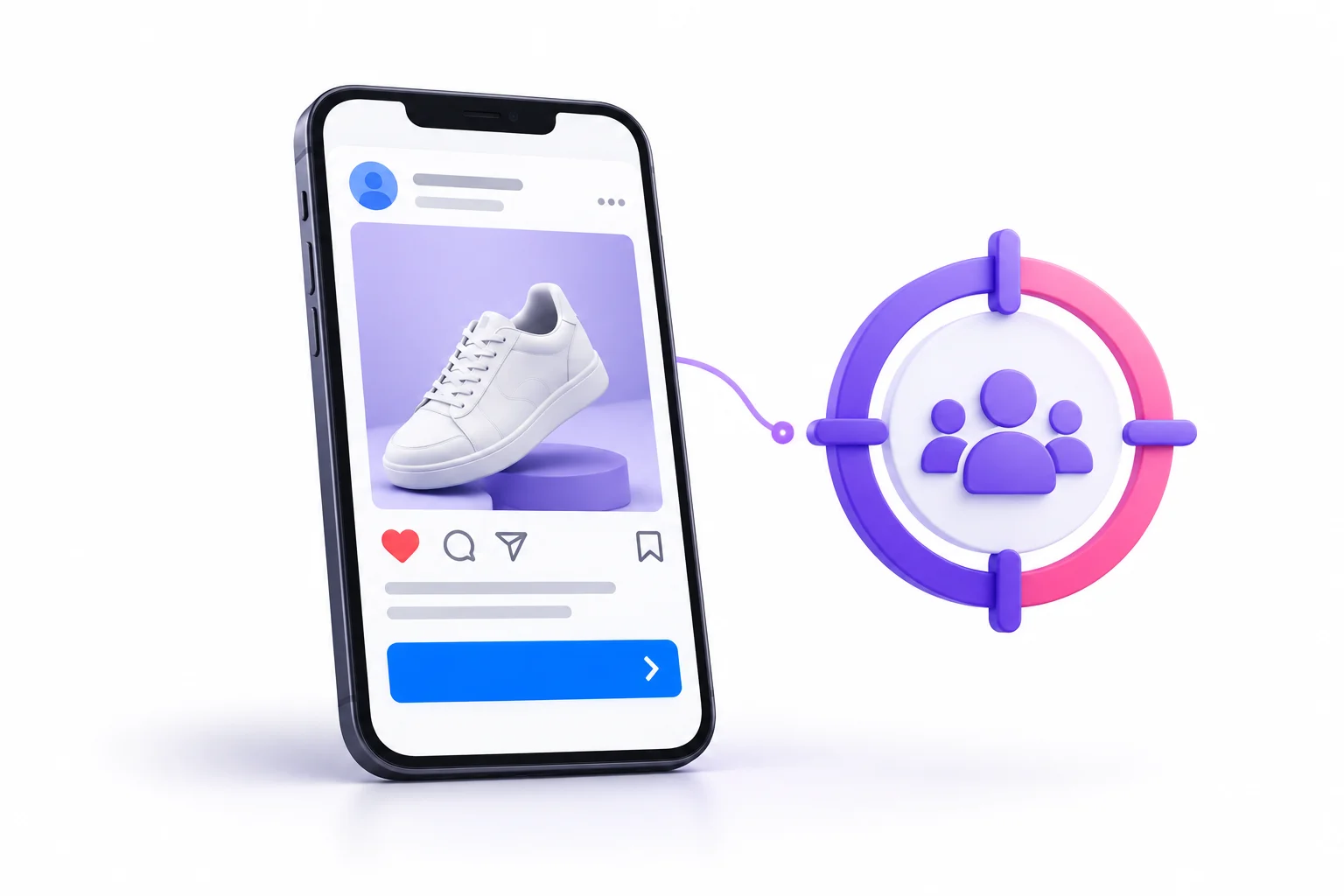
Meta Ads is the system that places your ads on Facebook, Instagram, Messenger and Meta’s partner apps and sites. You manage it through Meta Ads Manager (or the simplified Meta Business Suite).
1. Interest, Behaviour and Lookalike Targeting Explained
Meta knows a lot about its users: what they follow, what they engage with, their rough age and location, and how they behave across its apps. You use that to build audiences:
- Demographics and location: Age, gender, city, even a radius around your shop.
- Interests and behaviours: People who engage with topics like fitness, personal finance or bridal fashion.
- Custom audiences: People who already know you, such as website visitors, your customer list, or people who engaged with your Instagram page.
- Lookalike audiences: Meta finds new people who resemble a source audience, like your best customers.
Lookalikes are one of the most useful features on any ad platform. You hand Meta a list of 1,000 people who bought from you, and it goes looking for people with similar patterns. The quality of your source list decides the quality of the result.
2. Placements
A placement is where your ad physically appears. Meta shows ads across several surfaces.
| Placement | Format | Typical use |
|---|---|---|
| Facebook Feed | Image, video, carousel | Broad reach, older demographics |
| Instagram Feed | Image, video, carousel | Visual brands, younger audiences |
| Instagram Stories and Facebook Stories | Full-screen vertical image or video | Quick, immersive offers |
| Reels (Instagram and Facebook) | Short vertical video | Discovery, entertainment-style ads |
| Messenger | Inbox ads, stories | Retargeting, conversations |
| Audience Network | Third-party apps and sites | Extra reach, often lower quality |
| WhatsApp (as the destination) | Click-to-WhatsApp ads start a chat | Lead conversations in India |
Automatic placements let Meta decide where to show ads for the cheapest results. Manual placements give you control. Beginners usually do fine on automatic, then review placement reports to see where money is being wasted.
3. Campaign Objectives
When you create a Meta campaign, the first big choice is the objective. It tells Meta what to optimise for. The six options are:
- Awareness: Show the ad to as many people as possible.
- Traffic: Send people to a website or app.
- Engagement: Get likes, comments, shares, messages or video views.
- Leads: Collect contact details through forms or conversations.
- App promotion: Drive app installs or in-app actions.
- Sales: Drive purchases or other conversion events.
Pick the wrong one and the algorithm quietly optimises for the wrong people. Choose Traffic when you want sales, and Meta will find people who love clicking links. They won’t necessarily be people who buy. This is one of the most common reasons beginners say “Meta doesn’t work.”
4. How the Meta Auction Works
Meta’s auction uses a “total value” idea. It combines three things:
- Your bid: What you’re willing to pay for the result you chose.
- Estimated action rates: How likely it thinks this person is to take your desired action.
- Ad quality: Signals like feedback, engagement and how clear or misleading the ad seems.
So an ad people actually enjoy can win auctions against a bigger budget. Creative quality isn’t a nice-to-have. It directly affects what you pay.
5. Advantage+ and Automation
Meta has pushed automation hard under the Advantage+ label: Advantage+ audience, Advantage+ placements and Advantage+ sales campaigns. The platform picks audience, placements and creative combinations for you.
The upside: less setup, and the algorithm often finds pockets of buyers you wouldn’t have guessed. The downside: less control, and when results are good, it’s hard to know exactly why. Also, automation depends on what you feed it. Poor tracking or weak creative gives it nothing to work with.
6. Pixel and Conversions API Basics
To optimise for sales or leads, Meta has to know when those happen. Two tools do that:
- Meta Pixel: A small piece of code on your website that reports visitor actions from the browser.
- Conversions API (CAPI): A server-to-server connection that sends events directly from your site or CRM to Meta.
Browsers and phone privacy settings limit what the Pixel can see. CAPI fills some of that gap. If your tracking is thin, Meta is optimising half blind, and results suffer. Getting this set up properly before spending real money is worth the effort.
7. Strengths and Limits
What Meta Ads does well:
- Puts visual offers in front of huge audiences.
- Creates demand for products people didn’t know they wanted.
- Retargets website visitors and past customers effectively.
- Click-to-WhatsApp and lead forms suit how many Indian customers prefer to enquire.
Where it falls short:
- Creative fatigue. The same ad shown to the same people gets ignored fast. Frequency climbs, CTR drops, costs rise.
- It depends heavily on strong visuals and video. A weak image wastes the whole budget.
- People aren’t looking to buy, so lead quality can vary a lot.
Practitioner Tip: Creative is the new targeting. Test three to five genuinely different angles, not three to five tweaks of one idea. For a coaching institute, that could be a results angle, a faculty angle, a fee-and-scholarship angle, a parent-worry angle and a student-story angle. Meta can only learn what works if you give it real options.
Head-to-Head Comparison Across 10 Factors
A table can tell you what differs. It can’t tell you why it matters or where it breaks. So here’s the master table first, then a short explanation under each factor.
| Factor | Google Ads | Meta Ads |
|---|---|---|
| User intent | High (searching) | Low to medium (browsing) |
| Targeting basis | Keywords, queries, audiences | Demographics, interests, behaviours |
| Ad formats | Text, shopping, video, display | Image, video, carousel, reels, lead forms |
| Creative effort | Moderate | High |
| Typical cost behaviour | Higher CPC, higher intent | Lower CPM/CPC, lower intent |
| Learning phase | Present, shorter for Search | Present, sensitive to edits |
| Funnel stage strength | Bottom and middle | Top and middle |
| Tracking and attribution | Strong click-based | Weaker after privacy changes |
| Scalability | Limited by search volume | Limited by creative and audience size |
| Speed of first results | Fast for Search | Fast, but needs optimisation data |
User intent
On Google Search, the user has typed a need. On Meta, the user was doing something else. Intent drives everything downstream: conversion rates, lead quality, how much persuasion your ad has to do. The edge case: branded searches (“your brand name”) carry the strongest intent of all, and Meta retargeting can reach warm visitors with similar intent.
Targeting basis
Google targets by what people search, plus audience layers on top. Meta targets by who people are and what they do. Targeting on Google is about words, so keyword choice and negatives matter most. On Meta, it’s about people, so audience quality and creative do the targeting work. Meta’s broad targeting with strong signals now often beats tiny hand-built audiences, which surprises people.
Ad formats
Google Search ads are mostly text, so copy is your whole creative. Meta lives on images and video. Google also runs Shopping, YouTube and Display. Meta adds carousels, Stories and Reels. The edge case: Google’s Performance Max and Demand Gen use images and video too, so creative matters more on Google than it used to.
Creative effort
Search ads need good headlines and relevant landing pages. Meta needs a steady supply of fresh visuals and video. A small business with no designer can launch Search in an afternoon. Running Meta well means producing new creative regularly. This is the hidden cost people forget to budget for.
Typical cost behaviour
Clicks on Google Search commonly cost more than clicks on Meta, because advertisers compete for high-intent searches. But a cheaper click isn’t a cheaper customer. The cost breakdown section below works through this with an example. The edge case: a very competitive Google category can have clicks so expensive that Meta becomes the only workable option, even with weaker intent.
Learning phase
Both platforms need time and data to optimise. Meta’s learning phase is well known: ad sets need roughly 50 optimisation events in about a week to exit it, and big edits can reset it. Google’s smart bidding also needs conversion data to learn. The mistake on both: changing budgets, audiences or bids every two days. Constant edits mean the system never settles.
Funnel stage strength
Google Search is strong near the point of decision. Meta is strong at the start and middle: attention, interest, consideration. This isn’t a hard rule, since Meta retargeting closes sales and YouTube builds awareness, but it explains why many businesses use both.
Tracking and attribution
Google ties a click to a conversion fairly directly, and it connects neatly with Google Analytics. Meta’s tracking took a hit when privacy changes limited what apps and browsers share, which is why CAPI matters. The edge case: both platforms often claim credit for the same sale. That’s normal and we’ll deal with it in the measuring results section.
Scalability
Google scales until it runs out of searches. Meta scales until it runs out of fresh creative and fresh audiences. If a keyword has 500 monthly searches, no budget makes that bigger. If your Meta ad is stale, more budget just burns faster.
Speed of first results
A Search campaign can generate enquiries within a day or two of launch. Meta can also spend and deliver within hours, but results usually improve after the system has a few days of data and you’ve tested creative. Neither is instant magic, and neither should be judged on day three.
Cost Breakdown: What Will You Actually Pay?
Cost is where most beginners get confused, because the headline numbers lie. A ₹6 click looks better than a ₹40 click. Until you see what each one produces.
How CPC, CPM, CPL and CPA differ
- CPC tells you what a visit costs.
- CPM tells you what attention costs.
- CPL tells you what an enquiry costs.
- CPA tells you what a customer costs.
Only the last two relate to money coming in. Comparing CPC across platforms is like comparing the price of a shop’s footfall to the price of a sale. Different things.
Why a “cheap” click can cost more per sale
Here’s a worked example. All numbers are illustrative, made up to show the logic, not real benchmarks.
Say a coaching institute spends ₹20,000 on each platform.
| Google Search | Meta Ads | |
|---|---|---|
| Spend | ₹20,000 | ₹20,000 |
| Cost per click | ₹40 | ₹10 |
| Clicks | 500 | 2,000 |
| Landing page conversion rate | 5% | 2% |
| Leads | 25 | 40 |
| Cost per lead | ₹800 | ₹500 |
| Lead-to-student rate | 25% | 10% |
| Students enrolled | 6.25 | 4 |
| Cost per student | ₹3,200 | ₹5,000 |
Meta wins on cost per click and cost per lead. Google wins on cost per student, because the leads were warmer. Change the assumptions (better Meta follow-up, a weaker Google landing page) and the result flips. That’s the point. Don’t judge by the first number you see. Follow the money to the end of the funnel.
What moves your costs
- Industry and competition: Insurance, loans, real estate and education tend to be expensive. Local services in smaller cities are often cheaper.
- Quality and relevance: Better ads and landing pages lower costs on both platforms.
- Creative quality: On Meta, ads people engage with get rewarded in the auction.
- Season: Around Diwali, wedding season and big sale periods, more advertisers bid, and costs usually rise.
- Targeting size: Tiny audiences tend to cost more because you’re competing for fewer people.
Realistic minimum budgets
Neither platform has a rule saying you must spend a certain amount, though Meta sets minimum daily budgets that vary by setup. The better question is: how much do you need to learn anything useful? Enough to get some conversions. If a lead costs ₹500 and you spend ₹3,000, you get six leads. That’s too few to judge. As a rough thinking tool, plan for enough budget to produce at least a few dozen conversions over your test window.
Key Takeaway: Judge platforms by cost per qualified lead or cost per customer. Never by cost per click.
Mapping Both Platforms to the Marketing Funnel
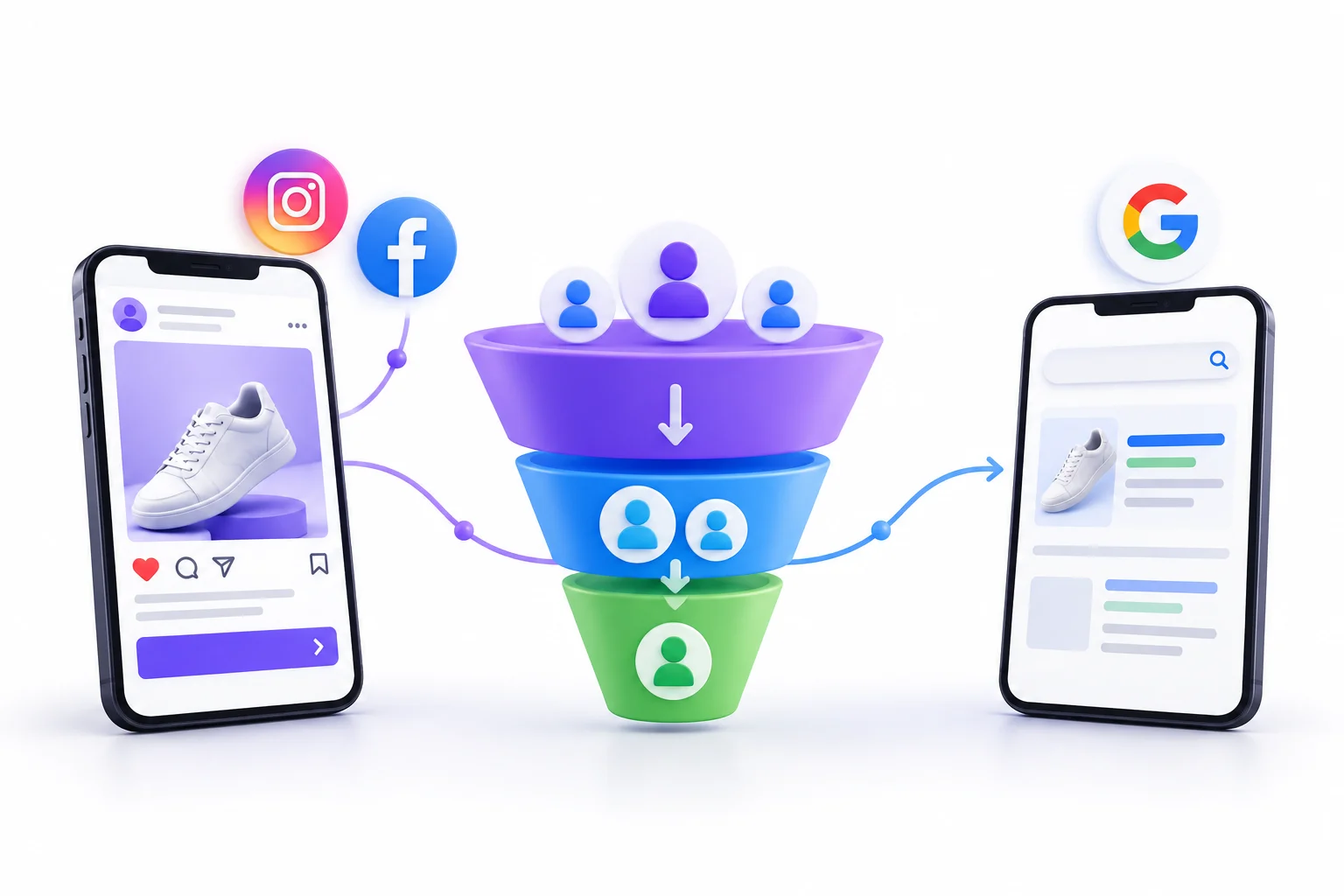
The funnel is just a way of describing where a person is in their decision.
- TOFU (top of funnel): They don’t know you yet, or don’t know they need you.
- MOFU (middle of funnel): They know the problem, and they’re comparing options.
- BOFU (bottom of funnel): They’re ready to act and just need a reason, a price or a nudge.
Here’s how the platforms line up.
| Funnel stage | Goal | Best platform | Campaign type | Metric to watch |
|---|---|---|---|---|
| TOFU | Get noticed | Meta, YouTube | Reach, video views, Reels | CPM, video view rate, reach |
| MOFU | Build interest, collect leads | Meta, Google Display or Demand Gen | Leads, traffic, engagement | CTR, CPL, landing page conversion rate |
| BOFU | Close the sale | Google Search, Meta retargeting | Search, Shopping, Sales | CPA, ROAS, conversion rate |
A single customer’s path often touches both. Someone sees your Instagram Reel on Tuesday, doesn’t act. On Friday they Google your brand name plus “fees” and click your Search ad. Meta started the journey and Google finished it. Reports from either platform alone will undervalue the other.
The edge case worth knowing: long sales cycles. In B2B and education, a decision can take weeks. Meta can keep nurturing people with useful content and reminders during that stretch, and Google picks them up when they finally search. If you only run Search, you miss the early stage. If you only run Meta, you can lose people who want to compare options on their own.
Which Platform Wins by Industry or Business Type?
Industry changes the answer more than almost anything else. Here’s a starting point.
| Business type | Recommended starting point | Reasoning |
|---|---|---|
| Local services (clinics, coaching, repair) | Google Search | “Near me” intent |
| Education and training institutes | Both, Search first | Search captures, Meta nurtures |
| E-commerce and D2C | Meta first, then Shopping | Discovery then capture |
| B2B and SaaS | Google Search | Problem-aware searchers |
| Real estate | Meta lead forms plus Search | Volume plus intent |
| Restaurants and events | Meta | Visual, local, impulse |
| App installs | Both | Different cohort quality |
LinkedIn Ads also exist and are popular for B2B targeting by job title, but they sit outside this comparison.
Three quick examples
A clinic in Indore. Someone with a toothache searches “dentist near me” and wants a booking today. Google Search is the obvious start. Meta might help later with awareness for cosmetic dentistry, where people don’t search urgently.
A fashion brand selling kurtis online. Nobody searches “that exact kurti I haven’t seen yet.” They discover it by scrolling. Meta puts the product in front of the right people, and Google Shopping can later catch people who search for the style or brand.
A real estate developer in Pune. Plenty of people casually browse and might respond to a project video on Instagram, so Meta lead forms bring volume. But serious buyers also search “2 BHK in Wakad,” so Search catches high-intent ones. Because lead quality from Meta can vary, follow-up speed matters a lot here.
Notice a pattern. The more your customers search before buying, the more Google leads. The more they need to be shown something, the more Meta leads.
Which Platform Should You Choose by Budget?
Budget changes the right call, and the most common mistake is spreading a small budget across both platforms. Each platform needs enough data to learn, and splitting thin money gives both of them scraps.
Three budget tiers
| Monthly budget | Recommended approach | Why |
|---|---|---|
| Under ₹15,000 | One platform only, tightly focused | Not enough data to split |
| ₹15,000 to ₹50,000 | One main platform plus a small retargeting slice (around 80/20) | Main platform learns, retargeting catches warm visitors |
| Above ₹50,000 | Both platforms, with a starting split like 70/30 | Enough volume to learn on each |
These are starting frameworks, not laws. If your business is local and urgent, the main platform will probably be Google Search. If it’s a visual product, probably Meta.
Why splitting a tiny budget backfires
Say you have ₹12,000 for the month and put ₹6,000 on each. If a conversion costs ₹500, you get about 12 conversions per platform at best. That’s not enough for either system to find patterns, and not enough for you to draw conclusions. One platform with ₹12,000 gives you a cleaner read.
Timeline expectations
Don’t judge on day two. Give a campaign a proper test window, usually a few weeks, with enough conversions to see a pattern. But also don’t wait forever. If a campaign has spent a meaningful amount, tracking is working and you’ve got zero qualified leads, something is broken, and it’s time to check the offer, the landing page and the targeting.
Idea: If budget is tight, run one platform properly for 30 days before adding the second. Learn one thing well first.
How to Use Google Ads and Meta Ads Together
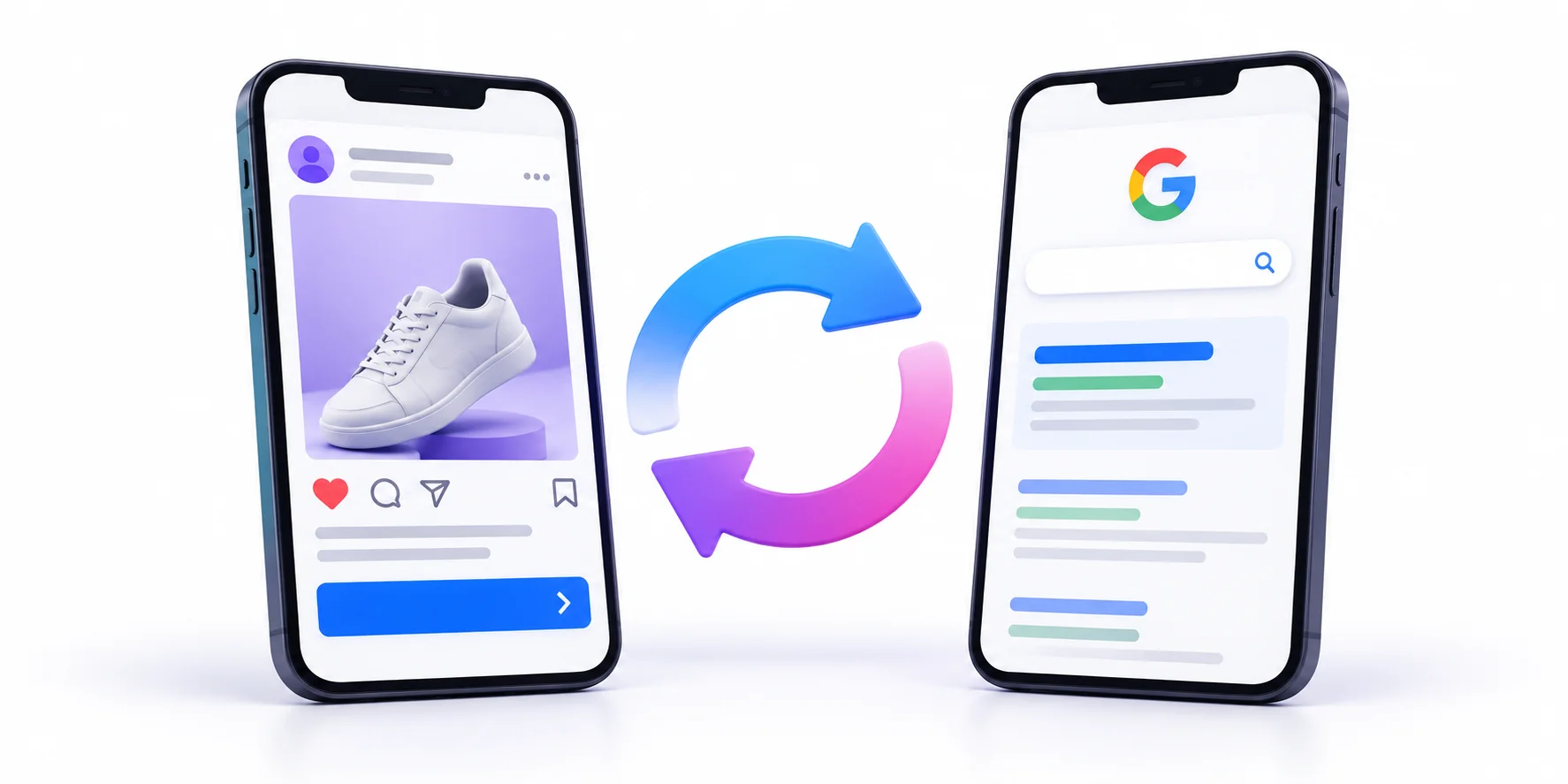
Once you’ve got a platform working and budget to spare, running both stops being a debate and becomes a system. Google Ads vs Meta Ads is a fair question when you’re starting out. Later, the better question is how they feed each other.
The full-funnel system
Meta builds the audience. Google harvests the intent. Meta puts your brand in front of people who never searched for you. Some of them go on to search for you or for the category, and that’s when Google Search is waiting. Without the Meta push, those searches might never have happened.
Retargeting loops
- Meta to Google: People who watched your video or visited your page on Meta can be later reached with Search and YouTube ads, and they’ll recognise you.
- Google to Meta: People who visited your site from Search but didn’t convert can be retargeted on Facebook and Instagram with a reminder or an offer.
Both directions rely on proper tracking and audience lists.
Audience sharing
You can upload customer lists to both platforms. On Meta, they power custom audiences and lookalikes. On Google, Customer Match uses your list for targeting and for helping automated campaigns understand who your best customers are. Google has also retired its old “similar audiences” feature, so audience signals and customer lists are what you work with now.
Budget split frameworks
A common starting split is around 70/30, with the larger share going to whichever platform is your main source. Then rebalance based on cost per customer, not cost per click. If Meta’s cost per qualified lead stays good as you scale, give it more. If Search runs out of volume, extra budget there is wasted, so move it.
Avoiding overlap and double counting
Three problems show up when you run both:
- Double-counted conversions: Both platforms report the same sale. Compare them against your own source of truth, like your CRM, GA4 or actual sales.
- Brand-search cannibalisation: If Meta drives someone to search your brand name, that Search click looks like a Google win. Look at the full journey before cutting Meta because Search “gets the credit.”
- Audience overlap: Showing the same ad to the same warm visitors on both platforms can annoy them and waste money. Use exclusions and different messages.
Measuring Results: Metrics, Tracking and Attribution
You can’t choose between platforms without measuring them the same way. This is where many campaigns quietly fail, so it’s worth being careful.
Metrics that matter by objective
| Metric | What it tells you | Red flag |
|---|---|---|
| CTR | Whether the ad gets attention | Very low CTR with high impressions suggests an ad or audience mismatch |
| CPC | What each visit costs | Rising CPC with no change in quality means more competition or lower relevance |
| CPM (Meta) | Cost of reaching people | Sudden jumps often come from season or small audiences |
| Conversion rate | Whether the page and offer work | Good clicks, poor conversion usually points to the landing page |
| CPL / CPA | Cost of a lead or customer | Rising steadily while spend stays flat |
| ROAS | Revenue per rupee spent | Looks fine but doesn’t cover margins |
| Frequency (Meta) | How often the same person sees the ad | Climbing frequency with falling CTR means creative fatigue |
| Impression share (Google) | How much of the available traffic you’re winning | Losing share to budget or rank tells you where the limit is |
Conversion tracking setup
Here’s what to set up before spending seriously:
- Google tag and conversion actions in Google Ads, so Google knows what counts as a result.
- Meta Pixel plus Conversions API, so Meta can see purchases and leads.
- GA4, as a neutral place to compare traffic and conversions across platforms.
- UTM parameters on every ad link, so you can see in analytics which campaign sent each visitor.
For leads that turn into calls or WhatsApp chats, track those too. If you’re only counting form fills, you’re undercounting.
Why the platforms disagree
Google and Meta each report conversions their own way. They use different attribution windows (how long after a click or view they still claim credit) and different rules about view-through (someone saw your ad but didn’t click, then converted later) versus click-through credit. Add the fact that both want to look good, and you’ll often see the same sale claimed twice. Neither is cheating. They’re just measuring through different lenses.
The practical fix: pick one source of truth, such as actual sales or CRM records, and use platform numbers as directional signals.
ROAS vs profit
A “good” ROAS can still lose money. Here’s an example with made-up numbers. A product sells for ₹1,000 and your gross margin is 40%, so you keep ₹400 per sale before ads. If you spend ₹500 to get that sale, the ROAS is 2 (₹1,000 / ₹500). That looks decent. But you earned ₹400 and spent ₹500, so you lost ₹100 per sale.
Break-even ROAS is 1 divided by your margin. At 40% margin, that’s 2.5. Anything under 2.5 loses money. This is why you need to know your margins before deciding what a “good” ROAS is.
A Simple Decision Framework: Five Questions to Choose
If you’ve read this far and still aren’t sure, answer these five questions honestly. Each answer nudges you toward Google, Meta or both.
- Do people already search for what you sell?
- Is your product visual or impulse-driven?
- How long is your buying cycle?
- What’s your monthly budget and how soon do you need results?
- Do you have creative capacity and a conversion-ready landing page?
| Question | Leans Google | Leans Meta | Leans Both |
|---|---|---|---|
| 1. Do people search for it? | Yes, lots of searches | Few or none | Some search, but you also want to reach new people |
| 2. Visual or impulse? | No, it’s a considered purchase | Yes, looks great on camera | Mixed |
| 3. Buying cycle | Short, urgent need | Longer, needs warming up | Long, with a final search before buying |
| 4. Budget and urgency | Small budget, need leads fast | Moderate budget, can test creative | Larger budget, can fund both |
| 5. Creative and landing page | Little creative capacity but a solid page | Strong creative capacity | Both in place |
Tally where your answers land. If four or five point to the same place, start there. If your answers are scattered, start with the platform that matches questions 1 and 4, because search demand and budget are the hardest constraints to change. Creative and landing pages can be improved. Search volume can’t.
India-Specific Considerations
A few things about Indian advertising don’t show up in global guides, and they affect your numbers.
Rupee budgeting and GST
Ad platforms bill in rupees for Indian accounts, but GST gets added on top of your spend (18% at the time of writing). So ₹10,000 of ad spend in the dashboard can mean ₹11,800 out of pocket. If your business is GST-registered, you may be able to claim input credit, so check with your CA. Plan your budget around the full amount, not the dashboard number.
Tier-2 and Tier-3 market behaviour
Cities like Mumbai, Pune and Indore don’t behave like Mumbai or Bengaluru.
- Language: A lot of people search in Hindi or Hinglish, or in regional languages. Check what they actually type before building your keyword list. Creatives in the local language often feel more trustworthy than polished English ones.
- Mobile-first: Many customers browse and enquire mainly on phones. Landing pages must load quickly on mobile data and make calling or messaging easy.
- Trust signals: Local proof like real photos, local testimonials and a visible address often matters more than slick branding.
WhatsApp as a conversion channel
Plenty of customers in India would rather message than fill a form. Click-to-WhatsApp ads on Meta open a chat directly, which fits how people already talk to local businesses. If you use them, be ready to reply fast. A lead that waits two hours for an answer has probably moved on.
Festive buying cycles
Diwali, wedding season, Navratri, Akshaya Tritiya and big sale periods push more advertisers into auctions, and both CPC and CPM usually rise. Plan budgets ahead and test creatives before the rush, not during it. Also be ready for strong demand spikes where being slow to respond costs real sales.
DPDP Act and lead data
India’s Digital Personal Data Protection Act, 2023 puts rules around how you collect and use personal data. For advertisers, that practically means:
- Tell people clearly what you’ll do with their details in lead forms.
- Get consent before following up in ways they didn’t expect, like adding them to a WhatsApp broadcast list.
- Collect only what you need.
- Store and handle lead data responsibly.
The specifics are detailed, so check with a legal advisor for your exact setup.
2026 Trends: How AI Is Changing Both Platforms
Both platforms are pushing automation harder every year.
On Google, Performance Max runs campaigns across Google’s inventory with AI choosing placements and combinations, and automated bidding and broader matching rely more on machine learning. On Meta, Advantage+ handles audience, placement and creative decisions for you.
Here’s what that means for beginners. There’s less manual control, and more weight on the inputs you provide: clear conversion tracking, quality creative, accurate customer lists, a strong offer. The machine optimises, but you’re still the one who decides what it optimises toward. Feed it junk signals, like counting any form fill as a conversion including spam, and it gets very good at finding more junk.
Privacy changes keep reducing what platforms can see through cookies and app tracking. That’s why first-party data (your own customer lists, CRM records and website events) matters more each year. The businesses that collect and organise their own data cleanly will have an edge in both platforms.
Your 30-Day Test Plan
Here’s a simple month-long plan to run a proper test without wasting money.
Week 1: Setup and tracking.
- Pick one primary platform based on the five-question decision framework above.
- Install and test conversion tracking (Google tag or Meta Pixel plus CAPI, and GA4).
- Add UTMs to every link.
- Fix your landing page: speed, mobile layout, one clear action.
- Prepare ad copy or creatives, with at least three different angles.
Week 2: Launch and initial tests.
- Launch with a budget large enough to produce meaningful conversions.
- Resist editing for the first few days.
- On Google, check the search terms report and add negatives.
- On Meta, watch delivery and early engagement without changing everything.
Week 3: Optimise.
- Pause the clearly weak ads, angles or keywords.
- Put more budget behind what’s producing qualified leads.
- Test one new angle or one new landing page change at a time.
Week 4: Decide.
- Compare cost per qualified lead or customer against your target.
- Check lead quality, not just lead count.
- Apply a simple rule: scale what beats your target cost, change what’s close but not there, pause what’s far off after fair spend.
- If the first platform is working and you’ve got budget, plan the second platform’s test, or a retargeting layer.
Conclusion
Google Ads vs Meta Ads comes down to one idea: Google captures demand that already exists, and Meta creates demand that doesn’t exist yet. Once that clicks, most of the decision makes itself.
If your customers search before they buy, like patients looking for a dentist, parents comparing coaching institutes or businesses shopping for software, start with Google Search. If your product needs to be seen to be wanted, like fashion, food or a new category, start with Meta. If you’ve got room in the budget and a business that needs both discovery and capture, run both, in a system where each one feeds the other.
Don’t pick based on which platform has cheaper clicks, which one a friend swears by or which one looks easier. Pick based on how your customers actually behave, and judge the result by cost per customer. Whichever you choose, get tracking right before spending, give the test a fair window and change one thing at a time.
Your next step today: answer the five questions from the decision framework section, choose one platform and write down the cost per qualified lead you need to hit. Then build the first campaign. Our Google Ads for beginners and Facebook Ads setup guides walk through the actual build, click by click.
Frequently Asked Questions
Is Google Ads or Meta Ads better for beginners?
Google Search is usually easier to understand at first, because you can see the actual searches that triggered your ads and judge results quickly. Meta is easy to launch but needs more creative work to do well. If you have little creative capacity, start with Search.
Which is cheaper, Google Ads or Meta Ads?
Clicks and impressions are often cheaper on Meta. But cheaper per click doesn’t always mean cheaper per customer. Compare cost per qualified lead or customer after both have run, since the answer changes by industry.
Can I run both at the same time?
Yes, and many businesses do. With a small budget, though, running both splits your data too thin. Start with one, get it working, then add the second.
Which platform gives faster results?
Google Search often produces enquiries within days, since you’re reaching people who are already looking. Meta can also deliver quickly, but results usually get better after a few days of data and some creative testing.
Which is better for lead generation?
Both work. Google tends to produce warmer leads for services people search for. Meta can produce larger lead volumes, especially with lead forms and click-to-WhatsApp ads, though quality varies, so follow-up speed matters.
What is the minimum budget to start?
Neither platform sets a fixed rule for how much you must spend, though Meta has minimum daily budgets depending on setup. A better test is whether your budget can produce enough conversions to learn from, at least a few dozen over your test window.
Do Meta Ads work for B2B?
They can, especially for building awareness, retargeting website visitors and promoting webinars or lead magnets. But Meta doesn’t target by job title as precisely as LinkedIn, and B2B buyers often search on Google when they’re ready to evaluate options.
How long before I should judge results?
Give a campaign a few weeks and enough conversions to see a pattern, not three days. If it has spent a meaningful amount with working tracking and still has no qualified leads, check the offer, landing page and targeting rather than waiting longer.