

Picture this. Someone placed their first order with you yesterday. The order confirmation is still sitting in their inbox. Then this morning they get your “Welcome! Here’s 10% off your first order” email. Same morning, a customer who has been buying from you for five years gets the exact same email.
One of them feels a little cheated. Why didn’t they get that discount yesterday? The other wonders if anyone at your company has any idea who they are.
Neither clicks. One of them unsubscribes. And the campaign report the next day looks basically like last week’s report, so nobody notices anything went wrong.
This happens on a lot of lists. Honestly, not because the people running them are lazy. It happens because “send to all subscribers” is the default button in almost every email tool, and defaults are sticky. You hit send to everyone once, it works okay, and then it becomes the habit.
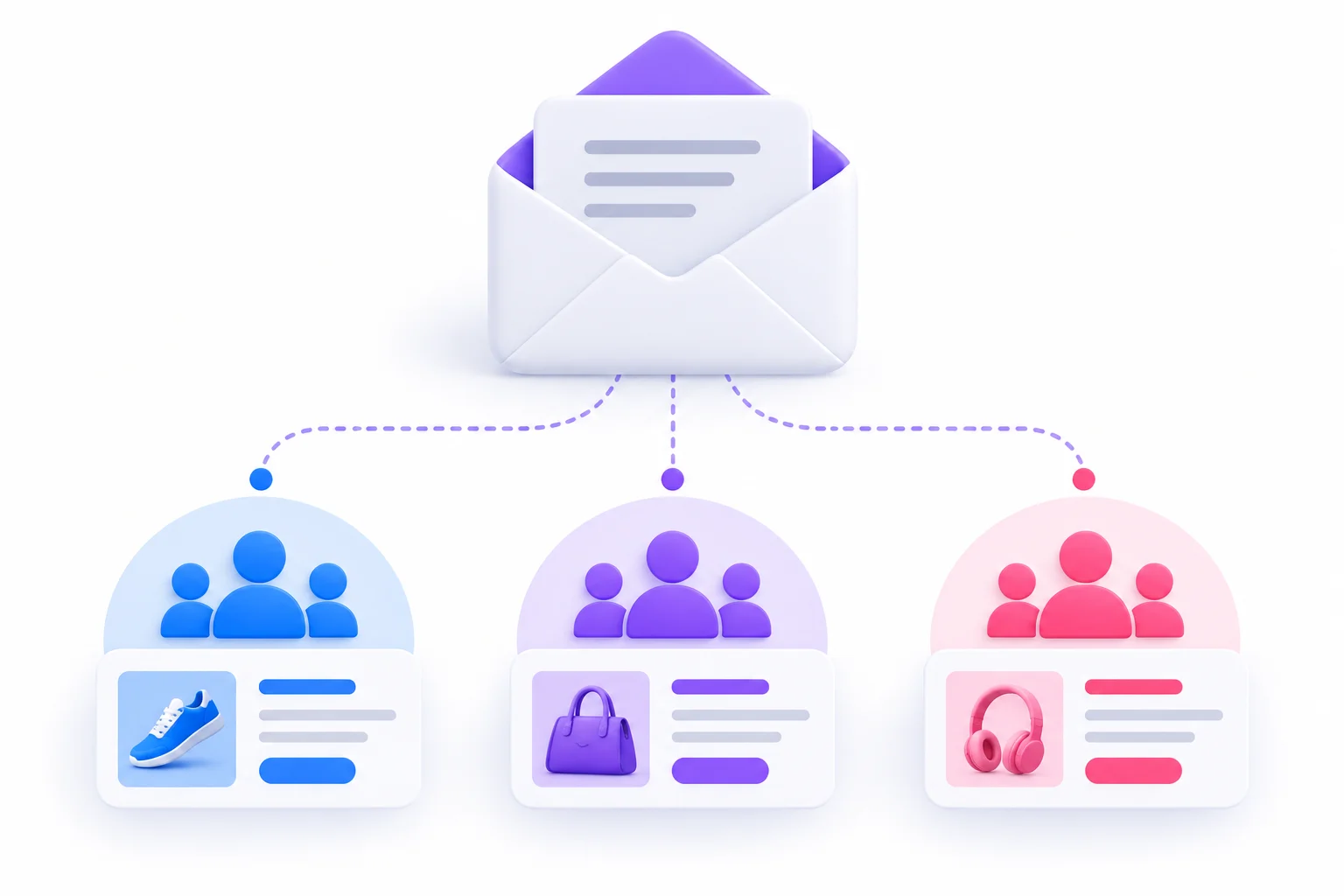
That’s the problem email segmentation fixes. Instead of writing one message for thousands of very different people, you write a few messages, each one for a group that actually has something in common. Maybe they bought the same thing. Maybe they clicked the same kind of content. Maybe they joined last week and still don’t know what you’re about.
This guide goes through the whole thing from zero. What a segment actually is, and how it’s different from a list or a tag. Where the data comes from. The main types of segments, with examples you can copy. How to build your first segments step by step, what to send each one, how to tell if any of it is working, and the mistakes that quietly ruin results. You don’t need a big team or an expensive tool for most of this. You need a clear goal and a bit of patience.
Key Takeaways
- A segment is a group of subscribers who share something, defined by rules your email tool applies for you.
- Start with three to five segments. Not forty.
- What people do (clicks, purchases, site visits) tells you far more about what they’ll do next than who they are.
- Open rates stopped being trustworthy in 2021. Judge segments by clicks, conversions and revenue.
- A segment has to be big enough to learn from and different enough to deserve its own email.
- Collect data with consent, and let subscribers tell you what they want.
What Is Email Segmentation?
Before building anything, it helps to get the vocabulary straight. A lot of beginners get stuck here, not because the idea is hard, but because email tools all use slightly different words for the same things. So this section covers the definition, the terms you’ll run into, and how segmentation relates to personalization and targeting, since people mix those up constantly.
A Simple Definition
Email segmentation is the practice of splitting your email list into smaller groups based on shared traits or behavior, then sending each group content that fits them. Those groups are called segments, and they’re usually built from rules like “bought something in the last 30 days” or “clicked a link about pricing.”
Think about a good teacher. Same lesson for the whole class, sure. But the kid in the front row who already gets it receives a harder problem, and the kid who was absent for three days gets a quick recap first. Nobody calls that unfair. It’s just teaching properly.
Segmentation is the email version of that.
One thing it isn’t: a way to send more emails. Usually the opposite happens. Each person ends up getting fewer emails overall, because they only get the ones that apply to them. The total number of campaigns you write might go up a bit. The number landing in any one inbox tends to go down.
Lists, Segments, Tags and Groups: What’s the Difference?
Here’s where the confusion starts. One tool calls your list an “audience.” Another calls segments “smart lists.” Another uses tags for everything. The labels change, but the underlying ideas are pretty consistent once you see them side by side.
| Term | What it is | Static or dynamic | Example |
|---|---|---|---|
| List / Audience | The full database of contacts | Static container | All newsletter subscribers |
| Segment | A filtered subset based on rules | Usually dynamic | Bought in the last 30 days |
| Tag | A label attached to a contact | Added manually or by automation | “Webinar attendee” |
| Group / Interest | A category the contact picks | Set by the subscriber | “Interested in SEO” |
A few things worth spelling out:
- The list is the container. Everyone lives here. It’s where consent, unsubscribe status and basic contact details sit.
- A segment is a saved filter. It doesn’t move anyone anywhere. It just shows you everyone who matches a rule right now. Most tools refresh these automatically, so when someone makes a purchase, they drop into “recent buyers” without you lifting a finger.
- A tag is a sticky note. It records a fact, like “attended the March webinar,” and stays on the contact until someone removes it. Tags are great raw material for segments.
- A group or interest is self-reported. The subscriber ticked a box saying what they want. That makes it some of the most reliable data you’ll ever have.
Beginner Tip: Keep one master list and build segments inside it. Running several separate lists creates duplicate contacts, can push up your bill on tools that charge per contact, and gets messy fast when someone unsubscribes from one list but not the others.
Segmentation vs Personalization vs Targeting
These three get used like they mean the same thing. They don’t. Each one answers a different question.
| Concept | Question it answers | Example |
|---|---|---|
| Segmentation | Who gets this email? | Only people who abandoned their cart |
| Personalization | What changes inside the email for each person? | Their first name, products they viewed |
| Targeting | What is this campaign trying to achieve? | Recover revenue from abandoned carts |
So a cart recovery campaign uses all three. The target is lost revenue. The segment is cart abandoners from the last 24 hours. The personalization is showing each person the exact item they left behind.
You can personalize without segmenting. “Hi Priya” on an email blasted to 40,000 people is personalization. It’s also kind of hollow, because the rest of the email is identical for everyone. And you can segment without personalizing much at all. A plain-text email to people who bought running shoes, about running shoes, doesn’t need anyone’s name in it to feel relevant.
Easiest way to remember it: segmentation decides who’s in the room. Personalization decides what you say to each person once they’re there.
Why Sending the Same Email to Everyone Stops Working
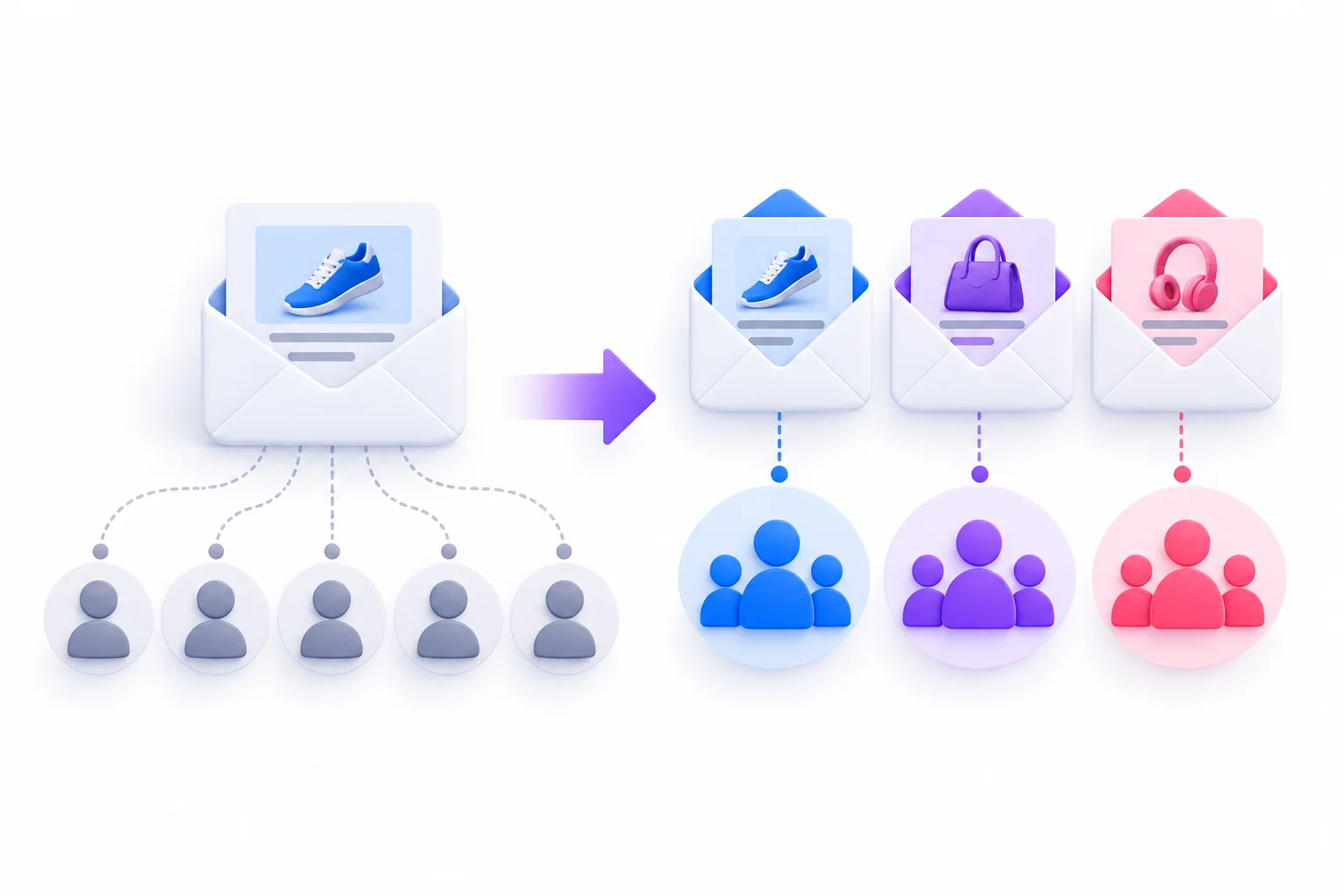
Look, one-size-fits-all emails don’t usually fail dramatically. That’s actually the problem. They fail slowly. Clicks drift down, unsubscribes creep up, and more mail starts landing in spam or promotions folders. Nothing breaks in a way that sets off alarms. The case for email segmentation isn’t really “it boosts results overnight.” It’s that the alternative keeps getting a little worse every month. Here’s why.
Relevance Drives Every Metric That Matters
Every number you care about in email marketing comes downstream of one question the reader asks in about two seconds: is this for me?
If the answer is yes, they open, read, maybe click. If the answer is no, they skip it. Skip enough of your emails and they stop noticing your name in the inbox at all. Some unsubscribe. A few hit “report spam” because it’s quicker than finding the unsubscribe link.
Segmentation raises the odds of a yes. Not because the writing is better, but because the email is about something the reader already showed interest in. A person who browsed laptop bags last week will pay attention to an email about laptop bags. Send that same email to someone who only ever bought phone cases and you’ve wasted their time and yours.
So then, clicks go up because the content matches. Conversions follow clicks. Revenue follows conversions. It’s not magic. It’s just fewer wasted sends.
Inbox Placement and Sender Reputation
This part gets ignored a lot, and it shouldn’t.
Mailbox providers like Gmail, Yahoo and Outlook decide where your emails land: inbox, promotions tab, or spam. They don’t publish exactly how, but engagement and complaints matter. When people consistently ignore or delete your emails, and some mark them as spam, the providers take that as a signal that your mail isn’t wanted. Future emails get filtered harder. And that affects everyone on your list, including your best customers.
In February 2024, Google and Yahoo tightened the rules for bulk senders. Google’s requirements, for example, apply to anyone sending more than 5,000 messages a day to Gmail addresses. They include:
- Authenticating your domain with SPF, DKIM and DMARC
- Offering one-click unsubscribe in marketing emails
- Keeping spam complaint rates below 0.3%, with Google recommending staying under 0.1%
That 0.3% ceiling is low. Three complaints per thousand emails delivered. Blast an irrelevant promotion to a big, cold list and you can get close to that in one send. Segmenting, especially holding back emails from people who haven’t engaged in months, is one of the most practical ways to stay comfortably under it. Sender rules do change, so check Google’s and Yahoo’s current guidelines before relying on specific numbers.
Fewer Unsubscribes and Complaints
People rarely unsubscribe because of a single email. They unsubscribe after a run of emails that felt like noise.
Segmenting cuts that noise. A customer who only buys gifts during festive seasons doesn’t need your weekly new-arrivals email in the middle of the year. A B2B prospect who downloaded a guide for small agencies doesn’t care about your enterprise security webinar. Leave them out of those sends and they stick around for the ones that do matter to them.
And an unsubscribe isn’t the worst outcome. A spam complaint is. Unsubscribes just remove someone. Complaints actively damage your sending reputation.
Better Data Over Time
This one’s underrated. Every segmented send teaches you something specific.
When you email everyone the same thing, you get one blended result. Say 2% of people clicked. Okay. Who? Why? Would a different group have clicked more with a different offer? You can’t tell.
When you send three versions to three segments, you get three results. Maybe repeat buyers clicked like crazy on early access but ignored the discount. Maybe new subscribers only clicked the “how it works” link. Now you know what each group responds to, and the next campaign gets better. Over a few months this compounds into a real understanding of your audience.
| Factor | One email to everyone | Segmented emails |
|---|---|---|
| Relevance | Low for most readers | High for each group |
| Engagement signals | Blended and vague | Clear and specific |
| Unsubscribe and complaint risk | Higher | Lower |
| What you learn per send | Very little | Something specific about each group |
| Effort | Low upfront, costly later | More planning, better returns over time |
The Data Behind Every Good Segment
A segment is only as good as the data behind it. You can’t build a “bought in the last 60 days” segment if your email tool has no idea what anyone bought. So before getting into types and rules, it’s worth understanding what kinds of data exist, where they come from, and which ones you can actually trust. This is the section most guides skip, and it’s why a lot of segmentation plans fall apart in week two.
Explicit vs Implicit Data
All subscriber data falls into two buckets.
Explicit data is what people tell you directly. Their name, job title, city, the topics they picked on a signup form, their answer to a survey. It’s clear and usually accurate, though people do sometimes fib or skip fields.
Implicit data is what their behavior tells you. Which emails they clicked, which pages they visited, what they bought, how often, how recently. Nobody filled in a form. You observed it.
Both matter. Explicit data tells you what someone says they want. Implicit data tells you what they actually do. When the two disagree, behavior usually wins. Someone might tick “interested in advanced tips” on signup and then only ever click beginner content. Trust the clicks.
Zero-Party, First-Party and Third-Party Data
You’ll hear these terms a lot, so here’s the plain version.
- Zero-party data is information a subscriber deliberately and proactively gives you. Preference center choices, quiz answers, “what are you shopping for?” survey responses. They know exactly what they’re sharing and why.
- First-party data is what you collect from your own channels as people interact with you. Purchases, site visits, email clicks, app usage. It’s yours, it’s directly connected to your business, and it’s usually accurate.
- Third-party data is bought or rented from someone else who collected it elsewhere. Demographic overlays, purchased lists, data broker files.
For email, zero and first-party data are the foundation. They’re more accurate, they reflect real interest in your business specifically, and the consent picture is clearer. Third-party data tends to be stale, loosely matched and legally murky. And purchased email lists are a deliverability disaster waiting to happen, since those people never asked to hear from you.
Where to Collect Segmentation Data
Most businesses already sit on more usable data than they realize. It’s just scattered across a store platform, a CRM, a support inbox and an email tool that don’t talk to each other.
| Source | What you learn | Example segment |
|---|---|---|
| Signup form fields | Role, interest, location | B2B marketers in a specific country |
| Preference center | Topics, preferred frequency | Wants the weekly digest only |
| Welcome survey or quiz | Goals, pain points, experience level | Beginners vs advanced users |
| Purchase or CRM data | What, when and how much they bought | Repeat buyers |
| Website and app tracking | Pages viewed, features used | Visited the pricing page twice this week |
| Email engagement | Clicks, inactivity | No clicks in 90+ days |
| Support and sales conversations | Objections, product fit | Trial users who reported setup problems |
A quick note on each:
- Signup forms are the first and easiest place to collect something. But every extra field lowers the number of people who finish the form. Pick fields you’ll actually use.
- Preference centers let existing subscribers update what they want. Link to it from every email footer, not just buried behind the unsubscribe link.
- Welcome surveys and quizzes work because new subscribers are at peak curiosity. They just joined. They’re more willing to answer a question now than they’ll ever be again.
- Purchase and CRM data is gold. If your store or CRM can sync with your email tool, set that up before anything else.
- Website tracking usually needs a tracking script from your email tool installed on your site, and it only works for people your tool can identify, typically because they clicked through from an email or logged in.
- Email engagement is collected automatically. You don’t have to do anything except use it.
- Support and sales notes are the most ignored source. If your sales team keeps hearing “too expensive for a small team,” that’s a segment waiting to happen.
Progressive Profiling: Ask a Little at a Time
Long signup forms kill signups. Ask for name, email, company, role, company size, budget and interests all at once, and plenty of people just close the tab.
Progressive profiling fixes this by spreading the questions out. Ask for an email address on signup. Ask one question in the welcome email. Ask another when they download something. Ask their role when they register for a webinar. Over a few weeks you build a full profile, and nobody ever felt interrogated.
The rule of thumb: every question should have an obvious payoff for the subscriber. “What topics interest you?” makes sense because they’ll get better emails. “What’s your annual revenue?” on a newsletter signup feels nosy unless you explain why.
Pro Tip: Put a single question in your welcome email, like “What brings you here?”, with three clickable answers. Each link applies a tag when clicked. You get segmentation data with zero forms, and subscribers barely notice they answered anything.
Why Open Rates Are No Longer Reliable Segment Data
Here’s something that catches a lot of people out.
In September 2021, Apple released Mail Privacy Protection with iOS 15. When it’s turned on, Apple Mail downloads email content, including the invisible tracking pixel that email tools use to count opens, through its own servers, often before the person ever looks at the email. So your email tool records an open whether the email was read or not.
What this means in practice: a chunk of your “opens” are fake. Some of your “highly engaged” subscribers may never have read a single email. And segments built on opens, like “opened in the last 30 days,” are inflated and unreliable.
So build engagement segments on things that require a real human action:
- Clicks
- Site visits from email
- Purchases or sign-ups
- Replies
- Form submissions
Opens aren’t totally useless. They can still flag sudden drops worth investigating. But don’t decide who’s engaged based on them.
The Main Types of Email Segmentation
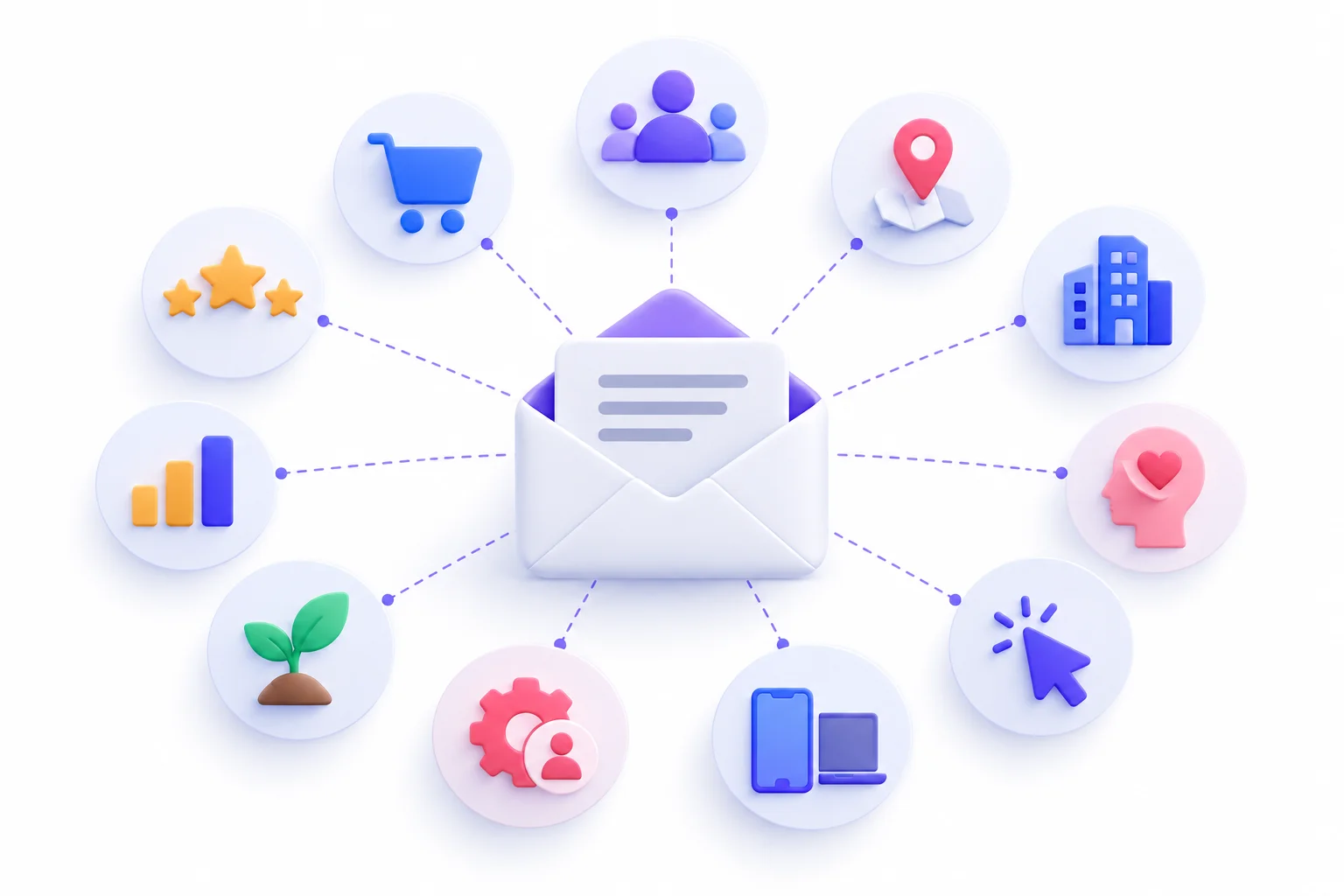
There are dozens of ways to slice a list, but nearly all of them fall into about ten types. You won’t use all ten. Most businesses get good results from three or four. Knowing all of them just helps you pick the right ones for what you’re trying to do. For each type below: what it is, the data you need, when it works best, and an example.
Demographic Segmentation
What it is: Grouping people by who they are. Age range, gender, job title, income bracket, education level.
Data needed: Signup form fields, CRM records, surveys.
When it works best: When your product genuinely differs by demographic. A clothing brand with separate men’s and women’s lines. A course built specifically for students vs working professionals.
Example: A finance newsletter splitting readers into “early career” and “approaching retirement” and sending each different guides on saving.
Honestly, demographics are overrated as a starting point. They describe people. They don’t predict much. Two 32-year-old women in the same city might want completely different things from you. Use demographics where your offer actually changes by group, and don’t lean on them for much else.
Geographic Segmentation
What it is: Grouping by location. Country, region, city, time zone, climate, language.
Data needed: Signup form fields, shipping addresses, or location estimates from your email tool.
When it works best: Local events or stores, region-specific pricing or shipping, seasonal products (winter coats sell in different months depending on hemisphere), send-time optimization across time zones, and festivals or sales that only matter in some places, like Diwali, Ramadan, Thanksgiving or Black Friday.
Example: A retailer emailing only subscribers within a set distance of a new store about its opening weekend.
It’s also handy for compliance. Rules about consent and marketing differ between countries, and knowing where someone is helps you treat them correctly.
Firmographic Segmentation (B2B)
What it is: Demographics, but for companies. Industry, company size, revenue band, location of headquarters, and the contact’s role in buying decisions.
Data needed: Form fields, CRM records, data enrichment tools.
When it works best: B2B companies selling to different industries or company sizes.
Example: A project management software company sending a case study about a 10-person design agency to small agency contacts, and a security and compliance guide to contacts at companies with 1,000+ employees.
The founder of a five-person startup and the procurement lead at a large company care about completely different things, even if they’re looking at the same product.
Psychographic Segmentation
What it is: Grouping by values, interests, attitudes and motivations. Why people buy, not just what they buy.
Data needed: Quizzes, surveys, preference choices. Sometimes inferred from the content people engage with.
When it works best: Lifestyle brands, fitness, travel, food, and anything where motivation varies a lot between customers.
Example: A fitness brand sorting people into “training for a race,” “trying to lose weight,” and “just want to feel less stiff at my desk,” then sending each group different content.
It’s harder to collect than demographics, but often more useful. Someone’s reason for buying shapes what messaging will land with them.
Behavioral Segmentation
What it is: Grouping by what people do. Pages they visit, products they view, content they download, emails they click, features they use.
Data needed: Website tracking, email engagement data, product or app usage data.
When it works best: Pretty much always. This is the most consistently useful type.
Example: Everyone who visited your pricing page twice in the past week but didn’t sign up gets an email answering common pricing questions.
Strategy Callout: If you can only invest in one type of segmentation, make it behavioral. What someone did yesterday predicts what they’ll do tomorrow far better than their age or job title.
Purchase History Segmentation
What it is: Grouping by buying behavior. First-time vs repeat buyers, which categories they buy from, how much they spend, how long since their last order.
Data needed: Ecommerce platform or CRM data synced to your email tool.
When it works best: Ecommerce, subscription businesses, anyone with repeat purchase potential.
Example: Customers who bought a 30-day supply of a product 25 days ago get a reminder to reorder.
A big chunk of purchase-based segmentation boils down to three questions: how recently did they buy, how often do they buy, and how much do they spend? That’s the basis of RFM segmentation, which gets its own section further down.
Lifecycle Stage Segmentation
What it is: Grouping by where someone is in their relationship with you.
Data needed: CRM stages, purchase history, signup dates, engagement data.
When it works best: Every business, honestly. The stages just have different names.
A typical lifecycle looks something like this:
| Stage | Who they are | Goal of your emails |
|---|---|---|
| New subscriber | Just joined | Introduce yourself, set expectations |
| Lead / prospect | Interested, hasn’t bought | Build trust, handle objections |
| First-time customer | Bought once | Get the second purchase |
| Repeat customer | Bought a few times | Deepen the relationship |
| Loyal / VIP | Buys often, spends well | Reward them, ask for referrals |
| At risk | Buying less than before | Re-engage before they drift |
| Lapsed | Stopped buying | Win them back or let them go |
Example: First-time customers get a short series explaining how to get the most out of what they bought, with a soft nudge toward a complementary product.
The “first to second purchase” jump deserves extra attention. A one-time buyer who never comes back is just a transaction. A two-time buyer is starting to become a customer.
Engagement-Based Segmentation
What it is: Grouping by how actively people interact with your emails.
Data needed: Email engagement data from your tool, ideally clicks rather than opens.
When it works best: For list health and deliverability, every business should have this.
Common groups:
- Active: clicked in the last 30 to 60 days
- Cooling: last click was 60 to 90 days ago
- Inactive: no clicks in 90+ days
- Never engaged: joined but has never clicked anything
The exact cut-offs depend on how often you send. A brand emailing daily should use shorter windows than a monthly newsletter.
Example: Inactive subscribers stop getting regular promotions and instead receive a short re-engagement series. If they still don’t respond, they get removed.
Preference-Based Segmentation
What it is: Grouping by what subscribers have told you they want. Topics, product categories, email frequency.
Data needed: Preference center, signup checkboxes, clickable survey answers.
When it works best: Publishers, newsletters, multi-category retailers, any business sending lots of different content.
Example: A cooking site letting readers choose between “vegetarian recipes,” “quick weeknight meals,” and “baking,” and only sending each person their picks.
This is the most respectful form of segmentation. You’re not guessing. They told you. And when someone is about to unsubscribe, offering “fewer emails” or “only the topics you care about” saves a surprising number of them.
Device and Technographic Segmentation
What it is: Grouping by the technology people use. Mobile vs desktop email reading, operating system, email client, or the software tools a business uses.
Data needed: Email tool device reports, form fields, enrichment tools for B2B.
When it works best: Design decisions (if most of a segment reads on phones, keep the email short and the buttons big), app promotion, and SaaS companies with integrations.
Example: A SaaS company emailing only users whose company runs a specific CRM about a new integration with that CRM.
All Types at a Glance
| Type | Data source | Difficulty | Best for | Example email |
|---|---|---|---|---|
| Demographic | Forms, CRM | Easy | Products that vary by group | Role-specific newsletter |
| Geographic | Signup, shipping, IP | Easy | Local offers, timing | City event invite |
| Firmographic | Forms, enrichment | Medium | B2B | Enterprise case study |
| Psychographic | Quizzes, surveys | Medium | Lifestyle brands | Values-led campaign |
| Behavioral | Tracking | Medium | Intent targeting | Pricing page follow-up |
| Purchase history | Store or CRM | Medium | Ecommerce, subscriptions | Reorder reminder |
| Lifecycle | CRM, events | Medium | Every business | Onboarding series |
| Engagement | Email tool data | Easy | List health | Win-back email |
| Preference | Preference center | Easy | Content-heavy brands | Topic digest |
| Device / tech | Email tool, tracking | Easy | Design, SaaS | Integration guide |
How to Segment Your Email List, Step by Step
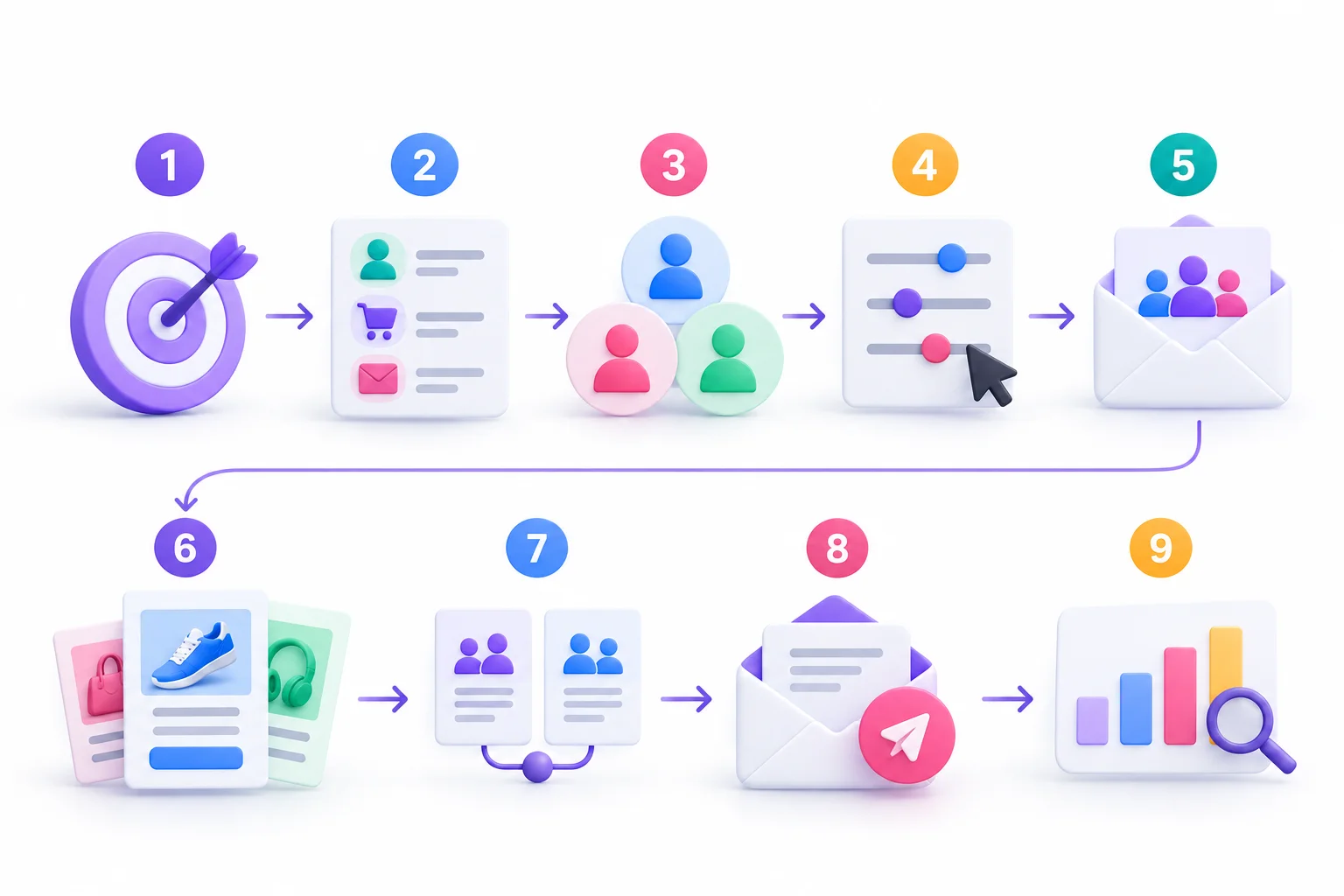
Okay. Enough theory. This is the part where you actually build something. These steps work whether you have 500 subscribers or 500,000, and whatever tool you use. The interface will look different, but the logic is the same everywhere.
Step 1: Start With a Business Goal, Not a Data Field
Most people start the wrong way. They open their email tool, see all the fields they could filter by, and start building segments because they can. “Let’s segment by age!” Why? “Because we have the data.”
Nope. Start with a goal instead. Something specific, like:
- Get more first-time buyers to make a second purchase
- Convert more free trial users to paid
- Win back customers who haven’t bought in six months
- Reduce unsubscribes from the weekly newsletter
Then ask: which group of people does this goal involve, and what would they need to hear? The segment falls out of the goal. Not the other way round.
Step 2: Audit the Data You Already Have
Before planning anything fancy, check what you’re actually working with. Open your email tool and look at:
- Which contact fields exist, and how many contacts actually have them filled in
- Whether purchase data is synced from your store or CRM
- Whether website tracking is installed and working
- What tags already exist (and whether anyone remembers what they mean)
- How engagement data looks over the last 90 days
A field that only 8% of contacts have filled in isn’t much use for segmentation. That’s normal, by the way. Most audits turn up gaps. The point is to know them before building a plan that depends on data you don’t have.
Step 3: Pick 3 to 5 Starter Segments
This is where people overdo it. They get excited and plan 25 segments, each needing its own content. Three weeks later, nobody has time to write for all of them, the segments go stale, and everything slides back to blasting the whole list.
Start with three to five. Pick the ones most tied to your goal from Step 1, plus an engaged and inactive split for list health. Get those working well. Add more once you’ve proven the first batch earns its keep.
Step 4: Write the Segment Rules (AND vs OR Logic)
Every segment is built from rules, and rules connect with a bit of simple logic. If this part feels technical, don’t worry. It’s simpler than it sounds.
| Logic | Meaning | Example rule | Result |
|---|---|---|---|
| AND | All conditions must be true | Bought shoes AND last purchase over 60 days ago | Narrow, precise group |
| OR | Any one condition can be true | Clicked an SEO email OR downloaded the SEO guide | Broad, inclusive group |
| NOT / Exclude | Remove anyone who matches | All customers, NOT purchased in last 30 days | Avoids over-mailing |
Here’s how it plays out. Say you want people interested in running gear who haven’t bought recently:
- Viewed running category OR clicked a running email (that’s interest)
- AND has not purchased in the last 45 days (that’s the “not recently” part)
Every AND you add makes a segment smaller. Every OR makes it bigger. If a segment comes out tiny, look for an AND you can relax or swap for an OR.
Step 5: Check Segment Size and Overlap
Once a segment is built, check two things.
Size. If a segment has 40 people in it, results will swing wildly from send to send, and you won’t learn much. If it’s 80% of your list, it’s probably not specific enough to change what you’d write. There’s no magic number, but a segment should be big enough to produce results you can read and different enough from the rest of the list to justify its own email.
Overlap. Most contacts qualify for more than one segment. A repeat buyer who’s also interested in running and also lives near your new store is in three segments. If you run three campaigns that day, they get three emails.
Common Mistake: A contact who qualifies for three segments can easily end up with three emails on the same day. Set exclusions or decide a priority order before you send, so each person gets one email per campaign.
Step 6: Map Content to Each Segment
Now decide what each segment actually receives. This sounds obvious, but skipping it leads to the most common segmentation failure: building five segments and sending all of them the same email with a different subject line.
A simple map helps:
| Segment | Message goal | Offer or content | Call to action |
|---|---|---|---|
| New subscribers (last 14 days) | Build familiarity | Brand story, bestsellers, how it works | Browse bestsellers |
| First-time buyers | Earn the second order | How to use the product, complementary item | Shop the add-on |
| Repeat buyers | Reward loyalty | Early access to new launch | Get early access |
| Inactive 90+ days | Re-engage or clean list | “Still want to hear from us?” | Stay subscribed |
If two segments end up with basically the same content, merge them. They don’t need to be separate.
Step 7: Choose Static or Dynamic Segments
Most tools offer two kinds of segment.
Static segments are a snapshot. Whoever matches the rules when you create it stays in it, and nobody new gets added. Good for one-time groups, like everyone who attended a specific event.
Dynamic segments update automatically. People join when they start matching the rules and leave when they stop. “Inactive for 90 days” should be dynamic, because people move in and out of it every day.
Default to dynamic for anything ongoing. Use static when you specifically want a frozen list.
Step 8: Send, Test and Compare
Now send. But build in a way to learn from it.
Two kinds of testing help here:
- A/B testing inside a segment. Send two versions of a subject line or offer to a single segment, split randomly, and see which performs better. This tells you what works for that group.
- Comparing against a control. Send the segmented email to most of a group and the generic, everyone version to a small random slice of the same group. This tells you whether segmenting actually helped. More on this in the measurement section.
Give each test enough time and enough people before deciding anything. A difference based on twelve clicks is mostly noise.
Step 9: Review and Refresh Monthly
Segments aren’t set and forget. Once a month, take half an hour to:
- Check which segments performed well and which didn’t
- Retire segments nobody has emailed in two months
- Merge segments whose results look identical
- Adjust rules if a segment has grown too broad or shrunk too small
- Add one new segment based on what you learned
That last one matters. Segmentation should evolve a bit every month based on what the data actually shows.
Worked Example: Segmenting a 5,000-Contact List From Scratch
Let’s make this concrete with a hypothetical. Picture a small skincare brand with 5,000 contacts, selling through its own online store. Until now, every email has gone to everyone.
The goal: More repeat purchases. Most customers buy once and disappear.
The data audit: Purchase data syncs from the store. About a third of contacts have bought something. No website tracking installed yet. A signup form asked for skin type, but only around half of contacts answered.
The starter segments:
- Engaged non-buyers: clicked in the last 60 days AND have never purchased
- One-time buyers: exactly one order, placed 20 to 60 days ago
- Repeat buyers: two or more orders
- Inactive: no clicks in 120 days AND no purchase in 120 days
What each one gets:
- Engaged non-buyers get an email answering the top questions from customer support, plus a skin type quiz link. They’re interested but hesitant, so the job is reducing doubt.
- One-time buyers get a “how’s it going?” email with tips for the product they bought, then a follow-up suggesting a product that pairs with it. Most of their products run out within a couple of months, so timing matters.
- Repeat buyers get early access to a new product launch before anyone else. No discount needed. They already like the brand.
- Inactive contacts stop getting promotions and get a short two-email re-engagement series. Anyone who doesn’t click gets removed.
What to measure: Second-purchase rate among one-time buyers (the main goal), revenue per recipient for each segment, and unsubscribe and complaint rates. To prove segmenting caused any change, hold back a small random group of one-time buyers who still get the regular generic emails, and compare.
Notice what didn’t happen here. No 20 segments. No AI. No fancy tool. Four segments, each tied to the goal, each getting genuinely different content. That’s enough to start.
Starter Segments Every List Should Have
Not sure where to begin? These ten segments work for most businesses with only small tweaks. You don’t need all of them on day one. Pick the ones that fit your goal and add the rest over time.
| Segment | Rule | Message to send |
|---|---|---|
| New subscribers | Joined in the last 14 days | Welcome series |
| Engaged readers | Clicked in the last 30 days | Best offers, new launches |
| Inactive | No click in 90+ days | Re-engagement, then sunset |
| First-time buyers | Exactly 1 order | Second-purchase nudge |
| Repeat buyers | 2+ orders | Loyalty perks, early access |
| High-value customers | Top spending band | VIP treatment |
| Cart or form abandoners | Started but didn’t finish | Reminder, answer objections |
| Lapsed customers | Last order is past their usual buying cycle | Win-back |
| Topic interest | Clicked a specific category | Category-focused content |
| Location-based | City or country field | Local events, time zone sends |
A couple of notes on using these:
- “High-value” is relative. It might be the top 10% of spenders, or anyone above a spend threshold that makes sense for your prices.
- “Usual buying cycle” depends on what you sell. Coffee beans might run out in a month. A mattress lasts years. Look at how long it typically takes your customers to reorder and set the lapsed window just past that.
- The abandoner segment is usually automated rather than emailed as a campaign. More on that in the automation section.
Pro Tip: Build the “engaged” and “inactive” segments first. They protect your deliverability straight away, and they show you very quickly how big your real, active audience is. It’s often smaller than the total list size suggests.
Segmentation Ideas by Business Type
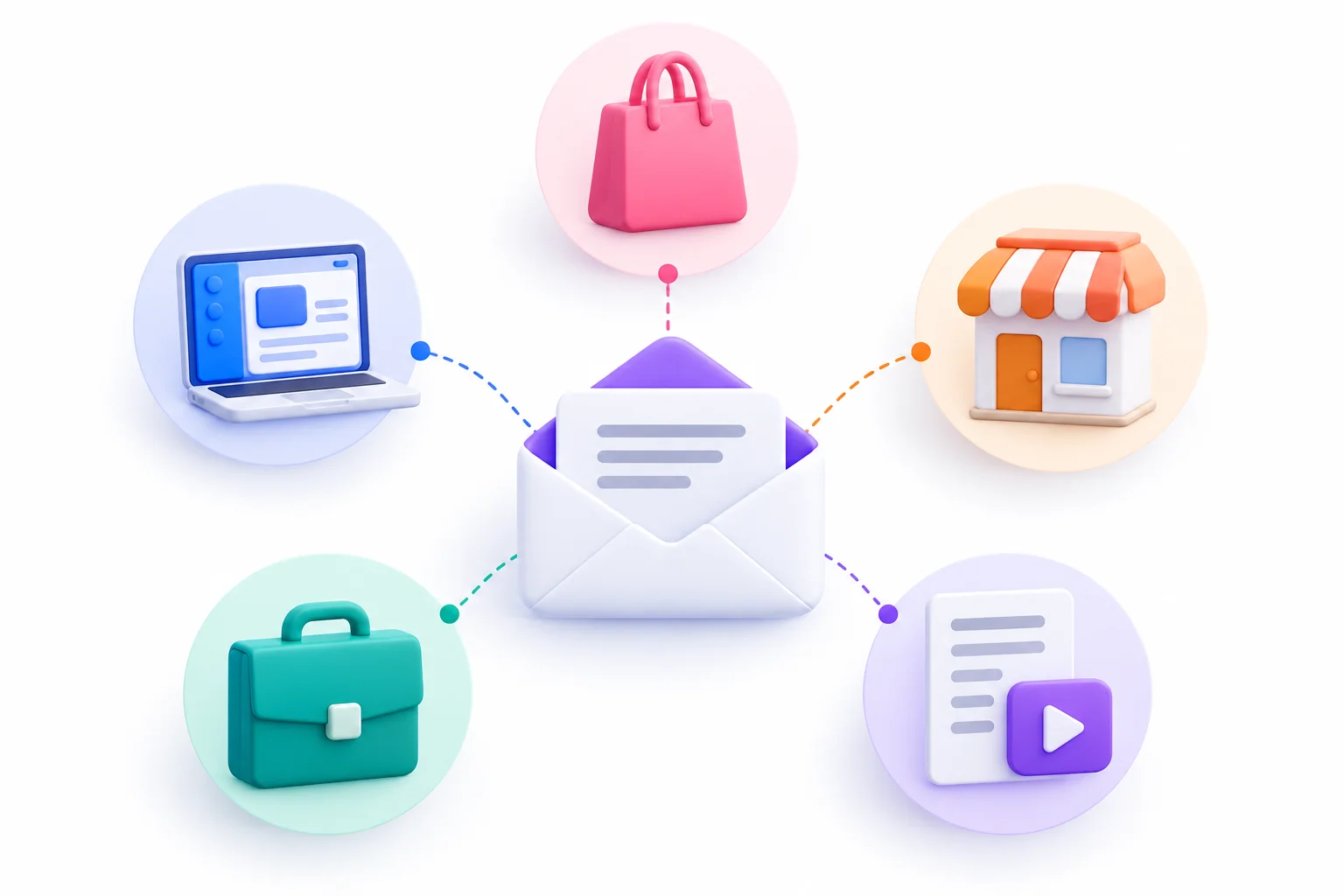
Good email segmentation looks different depending on what you sell and who you sell to. An online store, a SaaS company and a local dental clinic all have different data, different buying cycles and different goals. Here’s what tends to work for each.
Ecommerce and D2C Brands
Ecommerce has the richest data to work with, because every purchase tells you something.
- Category browsers: People who viewed a category repeatedly but didn’t buy. Send them bestsellers or reviews from that category.
- Replenishment buyers: Anyone who bought a consumable. Time a reminder for just before it typically runs out.
- Discount-sensitive vs full-price buyers: Some customers only ever buy during sales. Others buy at full price whenever something new drops. Sending discounts to full-price buyers just gives away margin for nothing.
- Seasonal buyers: People who only buy around specific occasions, like festive gifting. Let them rest the rest of the year and come back strong before their season.
B2B and SaaS
B2B buying cycles are longer and involve more people, so segmentation leans on lifecycle and usage.
- Trial stage: Day 1 trial users need setup help. Day 12 users need a reason to upgrade before the trial ends.
- Feature adoption: Users who haven’t touched a key feature yet get a short tutorial on it. Users who use it heavily might be ready for a higher plan.
- Plan tier: Free, starter and enterprise customers have different problems and care about different updates.
- Role: The person who signs the contract cares about cost, security and ROI. The person who uses the tool every day cares about saving time.
- Churn risk: Accounts whose usage is dropping get a check-in before they cancel, not after.
Agencies and Service Businesses
Service businesses often have smaller lists, but each contact is worth more.
- Lead source: Someone who came from a webinar knows more about you than someone who downloaded a checklist. Pitch accordingly.
- Service interest: If an agency offers SEO, paid ads and web design, a lead interested in paid ads doesn’t need SEO case studies.
- Past client vs prospect: Past clients get updates, referral asks and new-service announcements. Prospects get proof and education.
- Industry: A case study from someone’s own industry lands far better than a generic one.
Creators, Publishers and Newsletters
For content businesses, the email often is the product, so preferences matter a lot.
- Topic preferences: Let readers pick what they want and stick to it.
- Free vs paid readers: Paid subscribers get the full content. Free readers get a taste plus the occasional invitation to upgrade.
- Superfans: People who click almost every issue and reply. They’re your best source of feedback, testimonials and early buyers for anything new.
- Format preference: Some people click every video link and ignore articles, or the other way round. Lead with what each group actually consumes.
Local and Offline Businesses
Local businesses often think segmentation isn’t for them. It definitely is.
- Visit frequency: Regulars and one-time visitors need different messages. Regulars get loyalty perks. One-timers get a reason to come back.
- Neighborhood or branch: If you have multiple locations, email people about the one near them.
- Appointment history: A clinic, salon or car service center can remind people when they’re due, based on their last visit.
- Birthdays and anniversaries: If you’ve collected dates with consent, a small birthday offer is simple and genuinely welcome.
| Business type | Top 3 segments | Example campaign |
|---|---|---|
| Ecommerce / D2C | Replenishment buyers, category browsers, discount-sensitive buyers | Reorder reminder timed to product lifespan |
| B2B / SaaS | Trial stage, feature adoption, churn risk | Day 10 trial email showing the key feature they haven’t tried |
| Agency / services | Lead source, service interest, past clients | Case study in the lead’s own industry |
| Creators / publishers | Topic preference, free vs paid, superfans | Topic-specific digest |
| Local business | Visit frequency, location, appointment due | “Time for your next service” reminder |
Advanced Segmentation Tactics Once the Basics Work
Everything up to this point is the foundation. Get it working before touching anything here. Advanced tactics layered on top of messy basics just produce faster, more complicated mess. But once your starter segments are running smoothly and producing clear results, these are the natural next moves.
Where Are You Now? A Simple Maturity Model
It helps to know where you stand before deciding what to try next.
| Level | What it looks like | Signs you’re here | Next move |
|---|---|---|---|
| 1. Blast | Every email goes to everyone | One list, no segments, no automation | Build engaged / inactive segments |
| 2. Basic segments | A few rule-based segments | Segmenting by purchase, location or interest | Add behavioral segments and automated flows |
| 3. Behavioral + automation | Segments driven by actions, triggered emails running | Welcome, cart and win-back flows live | Try RFM, priority rules, ad syncing |
| 4. Predictive and cross-channel | Predicted behavior, segments shared across email, ads and SMS | Enough data for predictions to be reliable | Keep testing, keep pruning |
Most businesses sit at level 1 or 2. There’s no shame in it. Jumping straight to level 4 without the basics in place just doesn’t work.
RFM Segmentation (Recency, Frequency, Monetary)
RFM sounds technical. It’s not. It scores each customer on three questions:
- Recency: How recently did they buy?
- Frequency: How often do they buy?
- Monetary: How much do they spend?
Each customer gets a score for each, often from 1 to 5. Someone who bought last week, buys every month and spends a lot scores 5-5-5. Someone who bought once, a year ago, for a small amount scores 1-1-1.
You don’t need to act on every possible combination. Group them into a few useful buckets:
| RFM group | Typical pattern | What to send |
|---|---|---|
| Champions | Recent, frequent, high spend | Early access, referral asks, no discounts needed |
| Loyal | Frequent, decent spend, fairly recent | Loyalty rewards, new arrivals |
| Promising / new | Recent but only one or two orders | Onboarding, second purchase nudge |
| At risk | Used to buy often, haven’t recently | Personal check-in, reminder of what they liked |
| Hibernating | Low on all three | Light win-back attempt, then reduce frequency |
The reason RFM works: it’s purely based on what customers actually did, and recency in particular tends to be a strong signal of whether someone will buy again. Many ecommerce email tools have RFM segments built in now, so you may not need to calculate anything yourself.
Waterfall and Priority Segmentation
Remember the overlap problem from Step 5? Waterfall segmentation is the cleaner fix.
You rank your segments in priority order. Each contact gets assigned to the highest-priority segment they qualify for, and only that one. Then they’re excluded from everything below.
Say you’re running a sale with three versions of the email:
- VIP customers get early access (highest priority)
- Recent browsers of sale items get a version featuring those items
- Everyone else gets the general announcement
A VIP who also browsed sale items only gets the VIP email. They drop out of segments 2 and 3. Nobody gets doubled up, and everybody gets the most relevant version available to them.
Predictive and AI-Assisted Segments
Many email tools now offer predictive fields, things like predicted churn risk, predicted next order date, or likelihood to buy. These use your historical data to estimate what each contact will probably do next.
They can be genuinely useful. A “likely to churn” segment lets you step in before a customer leaves, rather than after.
But be realistic about them. Predictions need a decent amount of history to work from. On a small list, or a business with only a few months of purchase data, these predictions can be unreliable or simply unavailable. Treat them like any other segment: test them against a control and check whether acting on them actually improves results. Don’t trust a prediction just because a dashboard displays it confidently.
Micro-Segmentation: When Smaller Becomes Too Small
Micro-segmentation means slicing your list into very small, very specific groups. Women aged 25 to 34 in one city who bought running shoes in spring and clicked a yoga email last month. That kind of thing.
In theory, the smaller the group, the more relevant the email. In practice there’s a point where it stops being worth it. Every segment needs content written, designed and checked. If a segment has 60 people in it, the time spent writing a dedicated email might cost more than the extra sales it brings in. And results from tiny groups are too noisy to learn from.
The fix is to use automation and dynamic content for very specific personalization, like product recommendations that change per person inside one email, instead of hand-building a separate campaign for every tiny group.
Using Email Segments Beyond the Inbox
Your email segments are useful outside email too.
Most ad platforms let you upload customer lists. Meta calls them Custom Audiences. Google Ads calls it Customer Match, available if your account meets Google’s eligibility requirements. Many email tools can sync segments to these platforms automatically.
That opens up a few practical options:
- Retargeting: Show ads to your cart abandoners or engaged non-buyers.
- Lookalike audiences: Use your best customers as a seed to find similar people.
- Suppression: Exclude existing customers from ads meant to find new customers.
Strategy Callout: Excluding recent buyers from acquisition ad campaigns is one of the quickest wins here. There’s no reason to pay to show “first order discount” ads to someone who ordered last week. Your email segments already know exactly who those people are.
Pairing Segments With Automated Flows
Segments decide who gets an email. Automation decides when. Put the two together and emails go out at exactly the moment they’re most relevant, without anyone pressing send.
An automated flow (some tools call them journeys or workflows) starts when a contact does something, or enters a segment, and then sends a pre-written series of emails on a schedule.
| Trigger | Segment | Flow | Goal |
|---|---|---|---|
| Joins the list | New subscribers | Welcome series | Introduce the brand, set expectations |
| Views products, doesn’t add to cart | Browse abandoners | Browse abandonment | Bring them back to the products |
| Adds to cart, doesn’t buy | Cart abandoners | Cart abandonment | Recover the sale |
| Places an order | Recent buyers | Post-purchase | Help them use it, earn a review |
| Product nearing its typical lifespan | Replenishment buyers | Replenishment reminder | Reorder on time |
| No purchase past usual cycle | Lapsed customers | Win-back | Bring them back |
| No engagement in 90+ days | Inactive | Sunset | Re-engage or remove |
Here’s why this matters so much. Automated flows built around segments are the emails that tend to be most relevant almost by definition. A cart abandonment email reaches someone hours after they showed clear interest in a specific product. Hard to get more relevant than that.
Then there’s the sunset flow, which feels counterintuitive. You’re deliberately removing people from your list. Look at what actually happens if you don’t: those inactive contacts keep receiving emails they ignore, which drags down engagement signals, which can hurt inbox placement for everyone else. Some old addresses get abandoned and eventually turned into spam traps by mailbox providers, which is even worse.
A sunset flow usually goes like this:
- Send one or two emails asking if they still want to hear from you, with a clear one-click way to stay
- Optionally offer a lower-frequency option
- Anyone who doesn’t click gets suppressed or removed
Yeah, your list gets smaller. But the people left actually want your emails, and that’s the list that makes money.
How to Measure Whether Your Segments Are Working
Building segments feels productive. But the only question that matters is whether they’re improving results. This section covers which numbers to watch, how to prove segmentation is the reason for any improvement, and why looking only at campaign averages can mislead you.
Metrics to Track Per Segment
Track these for each segment separately, not just for the list as a whole.
| Metric | What it tells you | Watch out for |
|---|---|---|
| Click-through rate | Whether the content is relevant | Small segments swing wildly |
| Click-to-open rate | How well the email body performs | Inflated opens from Apple MPP |
| Conversion rate | Real business impact | How your attribution window is set |
| Revenue per recipient | Value of each segment | One-off spikes from big discounts |
| Unsubscribe rate | Fit and frequency | Spikes after importing old contacts |
| Spam complaint rate | Relevance and consent | Mailbox provider thresholds |
| List growth vs churn | Overall list health | Purchased or very old contacts |
Revenue per recipient is especially handy because it lets you compare segments of different sizes fairly. A segment of 500 that makes the same total revenue as a segment of 5,000 is ten times more valuable per person.
A quick word on attribution windows, since they trip people up. Most email tools credit a sale to an email if the purchase happens within a set number of days after a click (or sometimes an open). A five-day window and a 30-day window will give you very different revenue numbers for the same campaign. Check what yours is set to, and keep it consistent when comparing.
Run a Holdout Test to Prove Segmentation Works
Here’s a trap. You start segmenting, results improve, and you assume segmentation did it. Maybe it did. Or maybe it was a seasonal bump, a new product, or a price change on the website.
A holdout test is the cleanest way to prove email segmentation is earning its keep.
How it works:
- Take a segment, say first-time buyers
- Randomly split it, with most people (say 90%) getting your new segmented emails
- The remaining 10%, the holdout group, gets the same generic emails they would have received before
- Run it for long enough to see real purchase behavior, usually a few weeks
- Compare the conversion rate and revenue per recipient between the two groups
Because the split is random, both groups face the same season, same products, same everything. The only difference is the emails. So any meaningful gap between them comes from segmentation.
Compare conversions and revenue, not opens. Opens are unreliable, and even clicks don’t pay the bills. The question is whether segmented emails produce more of the action you actually care about.
Segment-Level Reporting
Campaign averages hide stuff.
Say a campaign reports a 2% click rate overall. Fine, average. But break it down by segment and maybe repeat buyers clicked at 6%, new subscribers at 2%, and inactive contacts at 0.2%. That one average was hiding a group that loved the email and a group that totally ignored it.
That’s why you report by segment. The big numbers tell you how the campaign did. The segment numbers tell you what to do next. Most email tools let you filter reports by segment or save segment-level views. Use them.
Common Segmentation Mistakes to Avoid
Most segmentation failures aren’t technical. They’re habits. Here are the ones that show up again and again.
Creating too many segments too early. It’s tempting to build everything at once. But every segment needs its own content, and nobody has time to write 30 versions of every email. Start with a few, prove they work, then expand.
Relying on stale or incomplete data. A segment based on a job title someone entered four years ago may be wrong today. A field that only a fraction of contacts filled in leaves most of your list out. Check how fresh and complete data is before building around it.
Segmenting on opens after Mail Privacy Protection. Covered earlier, but worth repeating because it’s so common. “Opened in the last 30 days” includes lots of people who never opened anything. Use clicks and actions.
Ignoring overlap and over-mailing. Without exclusions or priority rules, your best customers, who qualify for the most segments, end up getting the most emails. That’s exactly the group you least want to annoy.
Same email, different subject line. This is fake segmentation. If the body is identical for every segment, you haven’t really segmented anything. The content has to actually change.
Never revisiting segment rules. A rule that made sense when you had 2,000 subscribers might be way off at 20,000. Buying cycles change. Products change. Review rules regularly.
Using sensitive data without consent. Segmenting by health conditions, religion or financial hardship without clear consent can break the law in many places, and it can feel invasive even when it’s legal. Next section goes into this.
Privacy, Consent and Compliance
Segmentation runs on personal data, so you can’t ignore the rules around collecting and using it. They differ by country, and depending on where your subscribers live, more than one set of rules may apply to you at the same time. Here’s a plain-language overview of the main ones to know about.
GDPR (European Union and EEA). The General Data Protection Regulation applies to anyone handling personal data of people in the EU, wherever your business is based. A few principles matter most for segmentation:
- You need a lawful basis for processing data, and for marketing emails that’s usually consent
- Purpose limitation: data collected for one purpose shouldn’t be quietly reused for something unrelated
- People can ask to see their data, correct it or have it erased
- “Special category” data, like health information, religious beliefs, ethnic origin, political opinions and sexual orientation, gets extra protection and generally needs explicit consent to process
CAN-SPAM (United States). CAN-SPAM is lighter on consent for commercial email than GDPR, but it still has firm rules:
- No misleading sender information or deceptive subject lines
- Include a valid physical postal address
- Give a clear way to opt out, and honor opt-out requests within 10 business days
DPDP Act (India). India’s Digital Personal Data Protection Act was passed in 2023. Its approach centers on consent that is free, specific, informed and given through a clear affirmative action, and it requires that withdrawing consent be as easy as giving it. Its rules and enforcement have been rolling out in phases, so check where things currently stand before relying on specifics.
Sensitive data deserves extra care everywhere. Even where segmenting on health, religion, sexuality or financial status isn’t explicitly banned, it can feel deeply invasive to subscribers. An email that makes someone think “how do they know that about me?” damages trust fast. Unless someone has clearly opted in for exactly that purpose, don’t segment on it.
Preference centers are the ethical middle ground. When subscribers choose their own topics and frequency, consent is clear, the data is accurate, and they get exactly what they asked for. It’s hard to find a better arrangement than that.
Important: This section is general information, not legal advice. Laws change and apply differently depending on your business and audience. Talk to a qualified legal professional about your specific situation.
Features to Look for in a Segmentation Tool
Nearly every email tool claims to do segmentation. But the depth varies a lot. Some only let you filter by a couple of fields. Others connect to your store, track website behavior and sync segments to ad platforms. Rather than ranking specific tools, which change their features and prices constantly, here’s what to look for and why it matters.
| Feature | Why it matters | Must-have or nice-to-have |
|---|---|---|
| Dynamic segments | Segments update automatically as contacts change | Must-have |
| AND / OR / NOT rule builder | Lets you build precise segments without workarounds | Must-have |
| Store and CRM integrations | Brings purchase and lead data in automatically | Must-have for ecommerce and B2B |
| Website and event tracking | Enables behavioral segments | Must-have once past the basics |
| Preference center | Lets subscribers choose topics and frequency | Must-have |
| Segment-level reporting | Shows how each segment performs | Must-have |
| Ad platform sync | Shares segments with Meta, Google and others | Nice-to-have |
| Predictive fields | Churn risk, predicted next order | Nice-to-have, needs plenty of data |
When comparing tools:
- Check how pricing works. Many tools charge by contact count. Some count the same person on two lists as two contacts. That adds up.
- Test the segment builder during a free trial. Try building your actual starter segments, not the demo examples. If it’s painful to build the five you need, it’ll be worse at fifty.
- Ask about data syncing speed. If purchase data takes a day to arrive, your “bought in the last hour” segment doesn’t really work.
- Look at what’s included in your plan. Advanced segmentation, predictive features and ad syncing are often locked behind higher tiers.
Pick the tool that does what you need now, with room to grow into the next level. Don’t pay for predictive AI features while you’re still at level 1 of the maturity model.
Conclusion
Every email you send is a small ask. You’re asking someone to stop, look and decide whether you’re worth their attention today. When the email is clearly for them, built around something they bought, clicked or told you they care about, that decision gets easy. When it’s the same thing everyone else got, it gets easy in the other direction.
None of what’s covered here requires a big budget or a data science team. It requires knowing what you want to achieve, using the data you already have, and being honest about whether it’s working. Most of the businesses that do email segmentation well didn’t start with anything clever. They started with a couple of sensible segments and kept improving them a little each month.
So here’s the move this week. Build two segments: people who’ve clicked something in the last 60 days, and people who haven’t clicked anything in 90. Stop sending your regular promotions to the second group and give them a simple “still want to hear from us?” email instead. Then pick one behavioral segment tied to your biggest goal and write it an email that couldn’t have been sent to anyone else. That’s the whole thing, really. Start there, measure what happens, and build from what you learn.
FAQs
How many segments should a small business start with?
Three to five. Usually an engaged segment, an inactive segment, and one to three segments tied directly to your main goal, like first-time buyers or new subscribers. Get these working and producing clear results before adding more. It’s far better to run three segments well than fifteen badly.
What is the difference between list segmentation and personalization?
Segmentation decides who receives an email, by grouping subscribers based on shared traits or behavior. Personalization changes what’s inside the email for each individual, like their name or recommended products. They work best together. A segmented email to recent buyers, personalized with each person’s purchased product, combines both.
Can I segment a list with very little data?
Yes. Even with only email addresses, you have engagement data from your sends, so you can split by engaged vs inactive right away. You also know signup dates, which gives you new vs older subscribers. From there, add a one-click question to your next email to start collecting interests. You don’t need much to begin.
How often should segments be updated?
Dynamic segments update themselves automatically, so the membership is always current. The rules behind them deserve a review about once a month. Check performance, retire unused segments, merge similar ones, and adjust rules that have drifted too broad or too narrow.
What is the minimum size for a useful segment?
There’s no universal number. It depends on what you’re measuring. A segment needs to be big enough that results aren’t just random noise from a handful of people, and different enough from the rest of your list that it deserves separate content. If results swing wildly from send to send, the segment is probably too small to learn from.
Does segmenting improve deliverability?
It can help. Mailbox providers pay attention to engagement and spam complaints when deciding where emails land. Sending relevant emails to people who want them, and holding back emails from long-inactive contacts, tends to improve engagement and reduce complaints. Segmentation doesn’t replace the technical basics like SPF, DKIM and DMARC authentication, though. You still need those.
Is it better to use multiple lists or one list with segments?
One list with segments, in almost all cases. Multiple lists create duplicates, can increase costs on tools that count contacts per list, and make unsubscribes messy. One master list with segments built inside it gives you the same flexibility without those problems.