

Sixty thousand rupees a month. That was the Google Ads bill for a three-chair dental clinic in Kothrud, Pune, and the owner was starting to hate it. The phone rang all day. The chairs stayed half empty. This is the story of how a local business grew 200% with Google Ads, going from 20 booked appointments a month to 60, without a giant budget jump and without any secret trick.
Quick note before going further. The clinic here is a composite, built from patterns that show up again and again in local campaigns, so the name Smile Arc Dental and a few small details are changed. The patterns are real. The leaks in the account, the fixes, the awkward second month where results got worse before they got better, all of it matches what happens when a service business takes Google Ads seriously after months of treating it like a slot machine.
Here is the uncomfortable truth most local owners learn late. Google Ads does not fail local businesses. Bad setup does. One campaign for everything, broad keywords, a whole city as the target, a phone nobody picks up fast enough, and tracking that counts button taps as patients. Stack those four problems together and a ₹60,000 budget produces a lot of activity and almost no revenue. Smile Arc had all four.
Local advertising also plays by different rules than the stuff you read on big marketing blogs. An AC repair shop in Nagpur and a software company selling to American buyers are both “on Google Ads,” but they are playing different games. The repair shop needs a phone to ring in the next hour from someone within eight kilometres who has a broken compressor right now. Every setting, from location targeting to ad schedule, needs to be bent around that one picture.
Over the next sections, the full rebuild gets laid out step by step. The audit that exposed where money was leaking. The new campaign structure and the keyword list built around people ready to book. The negative keywords that cut waste. The tracking and landing page fixes that made the data honest. The bidding and budget moves that tripled bookings, plus the month by month numbers, the mistakes that almost wrecked it, and a 30 day plan to copy the same approach for your own shop, clinic, salon, gym or repair service.
No theory dump. Just what was changed, why it worked, what it cost, and where it went wrong. If a small business owner or a beginner marketer reads this and walks away able to open their own Google Ads account and find the same leaks within one afternoon, the guide did its job.
TL;DR
Short on time? Here are the six takeaways that matter most from the whole case study.
- Smile Arc went from 20 to 60 booked appointments a month in seven months, while ad spend rose only from ₹60,000 to ₹90,000.
- About 38% of the original budget was burning on searches like “dentist salary” and “BDS admission,” and a negative keyword list stopped most of it within two weeks.
- Splitting one campaign into four service-based campaigns gave each treatment its own budget, ads and landing page.
- Fixing tracking and phone handling mattered as much as the ads: unanswered calls fell from 29% to 6%.
- Smart bidding only worked after the account counted real calls and real bookings, not accidental button taps.
- Cost per booked appointment dropped from ₹3,000 to ₹1,500, and revenue per ad rupee went from about ₹2 to ₹5.
What You Will Learn in This Guide
This guide is built like a walkthrough, not a lecture. Each section follows the real order of work on the account, so you can follow along with your own campaign open in another tab. Here is what you will pick up by the end.
- How to audit a local Google Ads account in one afternoon and find where the money is leaking
- How to split one messy campaign into service-based campaigns with their own budgets
- How to build a keyword list around buying intent instead of vague, high-volume words
- How to write a negative keyword list and review search terms every week without wasting hours
- How to set up conversion tracking that counts real phone calls, form fills and WhatsApp taps
- How to build landing pages that load fast on a phone and push people to book
- How to fix call handling so paid leads do not die at the reception desk
- How to set location targeting, ad schedules and bids around a local service area
- How to scale budget in safe steps, and a 30 day plan you can copy
How a Local Business Grew 200% with Google Ads: The Starting Point
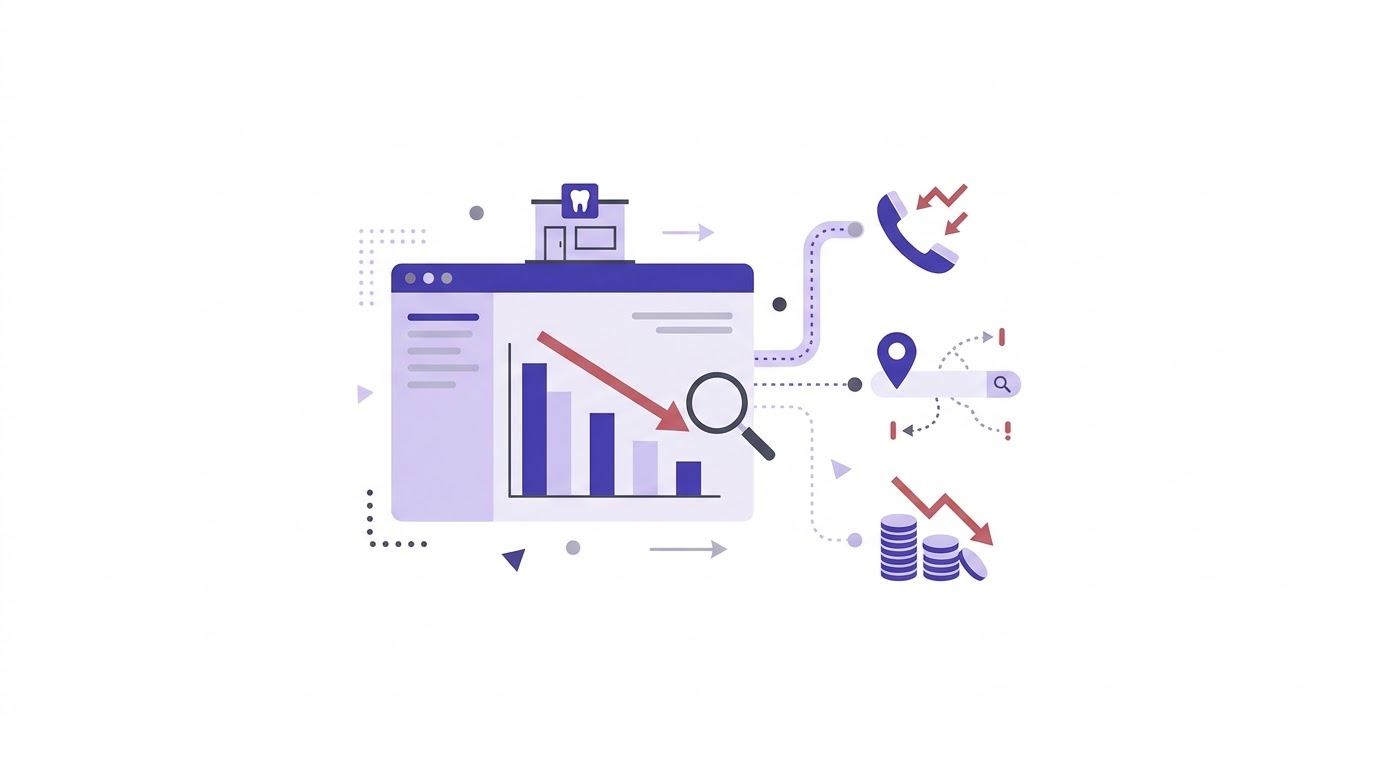
Before any fix makes sense, the starting point needs to be clear. Smile Arc Dental was not a failing clinic, and the ads were not totally broken. They were quietly leaking money in places nobody was looking. This section lays out who the business was, what the account looked like, and what the audit found.
The Business Behind the Numbers
Smile Arc Dental is a three-chair clinic in Kothrud, a crowded residential pocket of Pune where a quick Google Maps search shows dozens of dental clinics within a few kilometres. Two dentists, one receptionist, one assistant. Dr. Meera Kulkarni, the owner, had nine years of practice behind her and had opened the clinic four years earlier.
For most of those four years, growth came from referrals. Happy patients told their neighbours, and that brought in about 35 new patients a month. Nice, but flat. It had stopped moving the year before, and her goal was clear: more patients for braces, clear aligners, implants and root canals, since those treatments pay the bills and a routine cleaning does not.
Here is the detail that matters for everything that follows. The clinic could comfortably handle about 120 new patients a month, so capacity was never the problem. Demand was. And the average new patient was worth around ₹6,000 in the first month of treatment. When a business has room to grow and a decent ticket size, Google Ads can make sense. That checklist comes back near the end.
What the Old Google Ads Account Looked Like
The account had been set up eight months earlier by a freelancer on a ₹8,000 monthly retainer. It had exactly one campaign, called “Dental Clinic Pune,” with one ad group and one ad. The daily budget was ₹2,000. Bidding was set to Maximize clicks, which tells Google to get as many clicks as possible for the money, whether those clicks are good or terrible.
Keywords were broad match. Broad match means Google can show your ad for searches it considers loosely related, so a keyword like “dentist” could trigger on almost anything with the word teeth in it. The targeting was the entire city of Pune, and the setting was left on the default that also includes people who merely show interest in Pune.
That last detail is easy to miss. Someone sitting in Mumbai reading about Pune dental colleges could see the ad and click it. And the only conversion being counted was any tap on the phone number, including accidental ones. So the dashboard looked healthy, with clicks, calls and a conversion count that kept climbing, while the actual chair schedule stayed thin.
The Numbers Before Anything Changed
Month zero is where every honest case study starts, so here it is. Spend was ₹60,000. The ads got 2,000 clicks at an average cost per click (CPC) of ₹30. Calls and form fills together came to 70 leads, a conversion rate of 3.5%. Of those, only 32 were what the clinic called qualified, meaning a real person in the right area asking about a real treatment.
Out of 32 qualified leads, 20 booked an appointment. That puts the cost per booked appointment at ₹3,000. With roughly ₹6,000 of first-month revenue per new patient, the ads brought in about ₹1,20,000. On paper that is a return of 2x on ad spend.
Look at that 2x more carefully though. Revenue is not profit. Dentist time, materials, lab bills for aligners, rent and staff all come out of that ₹1,20,000. After those costs the ads were basically breaking even, and a campaign that only breaks even is a campaign that eats the owner’s patience. That is exactly where Dr. Kulkarni was sitting.
Why the Owner Almost Quit Google Ads
By month eight, Dr. Kulkarni was close to pulling the plug. Her cousin, who runs a gym, had told her Google Ads does not work for clinics because “it just brings time wasters.” She was half inclined to believe him. The spend felt like gambling, and she had no way to tell which part of the bill was doing anything.
Honestly, that reaction is normal and not even wrong. If nobody can show you what each rupee is doing, cutting the budget is a sensible instinct. The problem is the diagnosis. Cutting spend on a broken account does not fix the account. It just gives you a smaller broken account.
So instead of pausing, she gave it one more shot with a deal: 90 days, the same ₹60,000 budget, and a proper audit before touching a single keyword. If the audit showed the model could not work, the ads would stop. That deal is worth copying. Set a time limit, set a budget limit, and make the decision from evidence, not from mood.
The Audit That Found the Leaks
The audit took one afternoon and used four reports inside Google Ads. First, the Search terms report for the last 90 days, sorted by cost. Second, the Locations report showing where clicks came from. Third, the Conversions settings page to see what was being counted. Fourth, the call details report to see how many calls were answered.
The findings were ugly. About 38% of spend, roughly ₹23,000 a month, went to searches like “dentist salary,” “BDS admission Pune,” “dental college fees” and “free dental camp.” Another 24% of clicks came from areas more than 15 kilometres away, like Hinjewadi and Pimpri-Chinchwad, where nobody was crossing the city for a checkup. And 29% of calls from the ads went unanswered.
The tracking was the cherry on top. Every tap on the phone number counted as a conversion, and the account had no idea whether anyone booked. So Google’s bidding system was being trained on junk. Add a Quality Score of 4 out of 10 on the main keywords, which meant paying more per click for worse positions, and the picture was clear. The ads were not failing. The setup was.
Rebuilding the Campaign Structure and Keywords Around Buying Intent
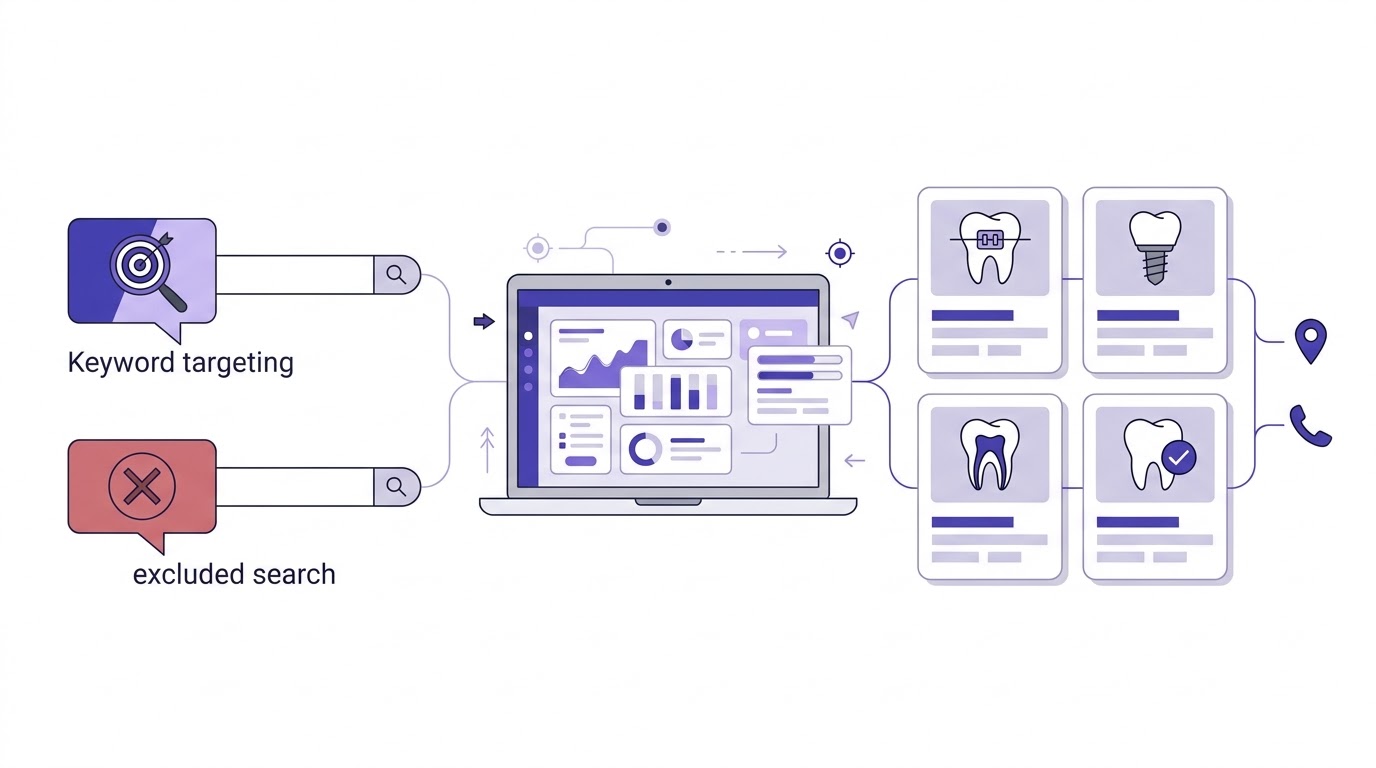
Structure sounds boring until you see what it does. One campaign for every treatment means one budget fighting itself, one set of ads trying to speak to everyone, and no way to see what is paying off. This section covers the rebuild: how the account was split, which keywords went in, which were banned, how ads were written, and which assets were switched on.
Splitting One Campaign into Service-Based Campaigns
The first structural move was to kill the single campaign and build four. Braces and aligners got ₹24,000 a month (40%). Implants got ₹15,000 (25%). Root canal and tooth pain got ₹12,000 (20%). General checkups and cleaning got ₹9,000 (15%). The split followed what each treatment was worth to the clinic, not how many people searched for it.
Why bother? Because a person searching “braces cost in Kothrud” wants a very different page and a very different message than someone with a toothache at 11 pm. When everything sits in one campaign, the winners and losers hide inside the same average. Separate campaigns let each treatment prove itself, and let the owner move budget toward whatever is actually booking.
Inside each campaign, ad groups were built by theme, like “braces cost,” “metal braces” and “clear aligners,” with a small tight set of keywords each. The mistake to avoid here is going extreme with one keyword per ad group, which was a popular trick years ago and now creates a maintenance headache for almost no gain. Three to five tightly related keywords per ad group is plenty for a local account.
Building Keyword Lists Around Buying Intent
Buying intent means the search itself tells you the person is close to acting. “Braces cost in Kothrud” is high intent. “Dentist in Kothrud open now” is high intent. “Root canal treatment cost Pune” is high intent. “How do braces work” is curiosity, and “dentist” alone is a coin flip. The new list leaned hard on the first kind, with treatment, price or location words attached.
Google Keyword Planner was used for volume checks. It shows ranges instead of exact numbers, like 1,000 to 10,000 searches a month, and that is fine for a local account. The goal was not finding the biggest keyword. It was finding enough specific ones that together could produce 120 to 150 leads a month.
Match types were set to phrase and exact only. Phrase match shows your ad when the search includes your keyword’s meaning in the same order, and exact match stays close to the keyword itself. Broad match was left out for the first few months, because broad match plus thin conversion data is how Smile Arc got into trouble in the first place. Broad can be tested later, once the account has enough real conversions to guide it.
The Negative Keyword List That Saved ₹17,000 a Month
Negative keywords tell Google which searches should never trigger your ad. The first list had about 110 terms: salary, jobs, course, college, admission, BDS, MDS, NEET, training, books, instruments, supplies, wholesale, home remedies, camp, and a handful of competitor clinic names. It went in as a shared list across all four campaigns.
Within two weeks, wasted spend on irrelevant searches fell from roughly 38% of the budget to about 7%. That is the difference between ₹23,000 and ₹4,000 a month, so around ₹17,000 saved, and that money moved straight into keywords that bring patients. Easiest win in the whole project.
The habit matters more than the list. Every week, someone spends 20 minutes opening the Search terms report, sorting by cost, and adding new negatives. Careful with the word “free,” though. Blocking it kills “free dental camp” junk but also “free first consultation” leads from people who might be perfect patients. Check before you block, and use phrase or exact negatives when a broad block would hurt.
Writing Ads That Local Patients Actually Click
Google’s responsive search ads let you write up to 15 headlines (30 characters each) and 4 descriptions (90 characters each), and Google mixes them. The trick for a local business is giving every headline a job: location, treatment, proof, or action. Smile Arc used headlines like “Braces in Kothrud, Pune,” “Dr. Meera Kulkarni, 9 Years,” “Same Day Appointments,” and “EMI Plans Available.”
Only one headline was pinned: the one with the treatment and location, locked to position one so the searcher instantly sees the ad matches what they typed. Pinning more than that cuts Google’s ability to test combinations, so it should be used sparingly. Each ad group ran two ad variations so there was always something to compare.
Ad Strength, the little meter inside the editor, got ignored as a goal. It is a rough guide, not a score that earns you money. What mattered was click through rate and booking rate. Click through rate on the main campaigns went from 2.1% to 4.6%, mostly because the ads finally said what people were searching for. A better CTR also lifts Quality Score, which lowers the price per click over time.
Using Assets for Calls, Location and Price
Google now calls the old ad extensions “assets.” Smile Arc switched on a call asset using a Google forwarding number, a location asset linked to the clinic’s Google Business Profile, four sitelinks (Book Appointment, Braces Cost, Implants, Patient Reviews), callouts like “Open Till 8 PM,” and price assets showing starting prices for consultations and aligner plans.
The location asset only works if the Business Profile is verified and accurate, which is why local SEO and paid ads cannot be treated as separate worlds. The basics of getting that profile right are covered in the local SEO fundamentals on this site. During the project, the clinic went from 86 reviews at 4.3 stars to 210 reviews at 4.7, simply by sending a WhatsApp review link to happy patients after treatment.
Those reviews showed up right beside the ads and the map pin, and that pushed more people to tap. Assets are free to add and take up more of the screen. Most local accounts skip half of them, which is like having a shop with a signboard but leaving the door painted shut.
Fixing Conversion Tracking, Landing Pages and Call Handling Before Spending More
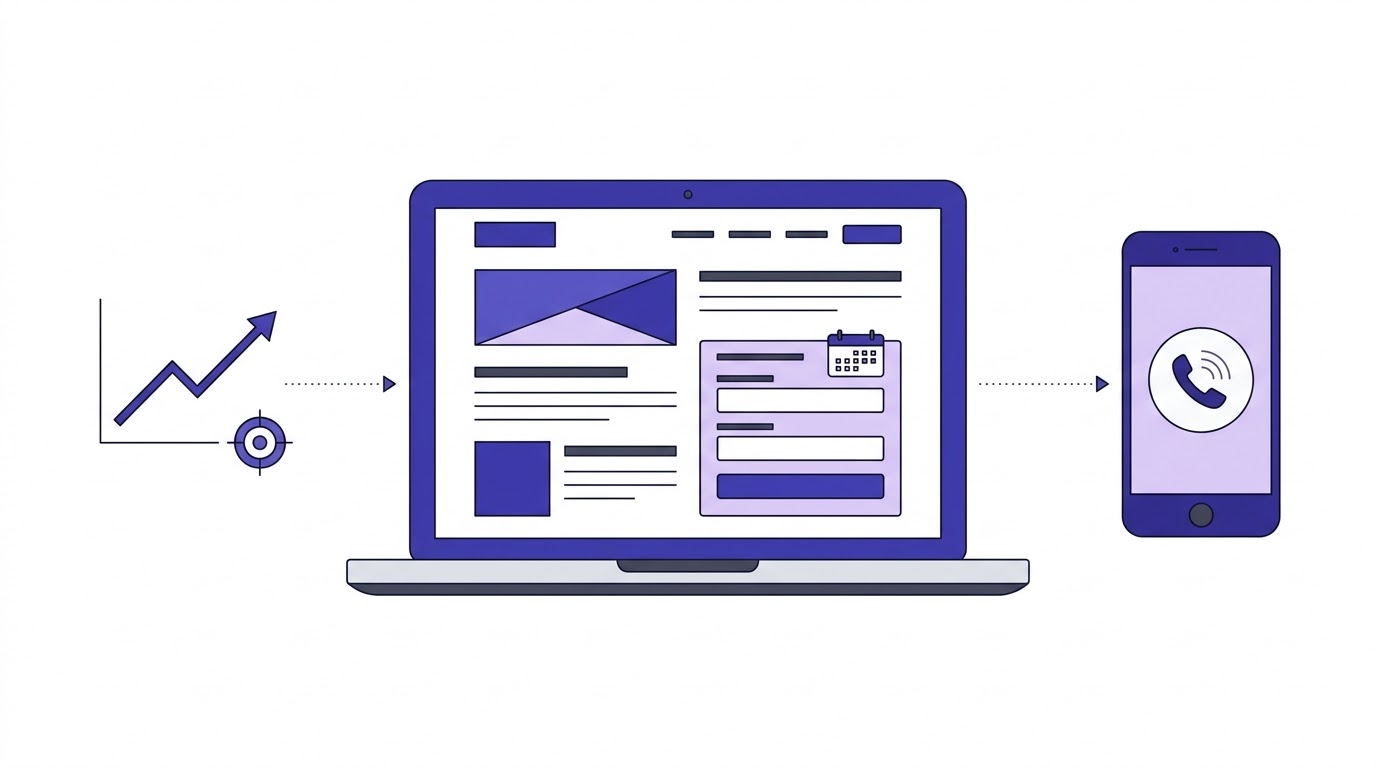
Here is the part most guides rush past. Better ads send better people to a website and a phone line, and if either of those is broken, the improvement vanishes. This section covers the unglamorous work: honest tracking, landing pages built for one treatment each, a phone process that answers, and a way to teach Google who actually became a patient.
Setting Up Conversion Tracking That Counts Real Patients
A conversion is any action you tell Google Ads is valuable. Smile Arc’s old setup counted every tap on the phone number, which meant accidental taps and people who hung up after three seconds counted the same as a booked braces consultation. That is how an account can look busy and bleed money at the same time.
The new setup used four conversion actions. Calls from ads (the Google forwarding number on the call asset) counted only when the call lasted 60 seconds or longer. Calls from the website, tracked through a click on the number plus a minimum duration. Form submissions on the appointment form. And WhatsApp button clicks, which were set as secondary because a tap is not a promise.
That primary versus secondary distinction matters. Primary conversions are the ones Google’s bidding learns from. Secondary ones get reported but do not steer the algorithm. Everything went through the Google tag, with GA4 connected for reporting and enhanced conversions switched on for form leads. Checking that each action fired took two hours of test calls and test forms, and it was the best two hours of the whole project.
Building a Landing Page for Each Service
The old ads all pointed to the clinic’s homepage. Homepages try to talk to everyone, so they talk to nobody. A person who clicked “braces cost in Kothrud” landed on a page about teeth whitening, a team photo, and a menu with eleven items. Many just left.
The fix was four simple landing pages, one per campaign. The braces page opened with the exact promise from the ad, a price range, a short block on metal versus ceramic versus aligners, three patient reviews, a clear “Book a free consultation” form and a sticky call button on mobile. Nothing else. No blog links, no footer maze.
Speed got fixed too. Mobile load time in Google’s PageSpeed Insights was 4.2 seconds, mostly because of a huge image slider, and it dropped to 1.9 seconds once the slider was replaced with one compressed photo. Slow pages quietly raise your cost per lead, because paid clicks bounce before the page even finishes loading. If your site needs deeper fixes, the web development basics covered on this site walk through hosting, speed and analytics setup. Conversion rate on the braces page went from 3.5% to 6.1%.
Fixing the Phone Problem at the Front Desk
This one stings. The call details report showed that 29% of ad calls went unanswered. Not because the receptionist was lazy, but because she was alone, handling walk-ins, billing and the phone, all at once. Every missed call was a paid click that had already been bought and then thrown away.
Three changes fixed most of it. First, a simple call script: greet, ask which treatment and which area, offer two appointment slots, confirm by WhatsApp. Second, a rule that every missed call gets a callback within ten minutes, and the clinic’s own log showed that callbacks inside ten minutes booked roughly twice as often as callbacks after an hour. Third, a second phone line forwarded to the assistant during peak hours.
Unanswered calls dropped from 29% to 6% in six weeks. Nothing in Google Ads changed, and yet it improved bookings more than any bid tweak. Here is the line worth remembering: you can spend a lot of money to create a lead and then lose it in thirty seconds. Always check what happens after the click.
Teaching Google Who Actually Became a Patient
Even with better tracking, a form lead is not a patient. Some leads were price shoppers, some were wrong numbers, and some booked and did not turn up. So the clinic added a step: each form captured Google’s click ID (GCLID) in a hidden field, and the receptionist marked leads as qualified or booked in a simple sheet.
Once a week, those results were uploaded into Google Ads as offline conversions, with the conversion time and a value of ₹6,000 for booked first visits. Now Smart bidding could learn from outcomes, not just enquiries. Over a few weeks the system started favouring searches and audiences that turned into real bookings.
One caution on privacy. Health is a sensitive area and Google restricts how health-related data can be used for advertising, so only the click ID, the time and a value went back, with no names, phone numbers or treatment details. Keep patient information out of ad platforms. A reasonable rule: if you would not want it printed on a poster in your waiting room, it does not go into an ad account.
Local Targeting, Bidding and Budget Scaling That Tripled Bookings
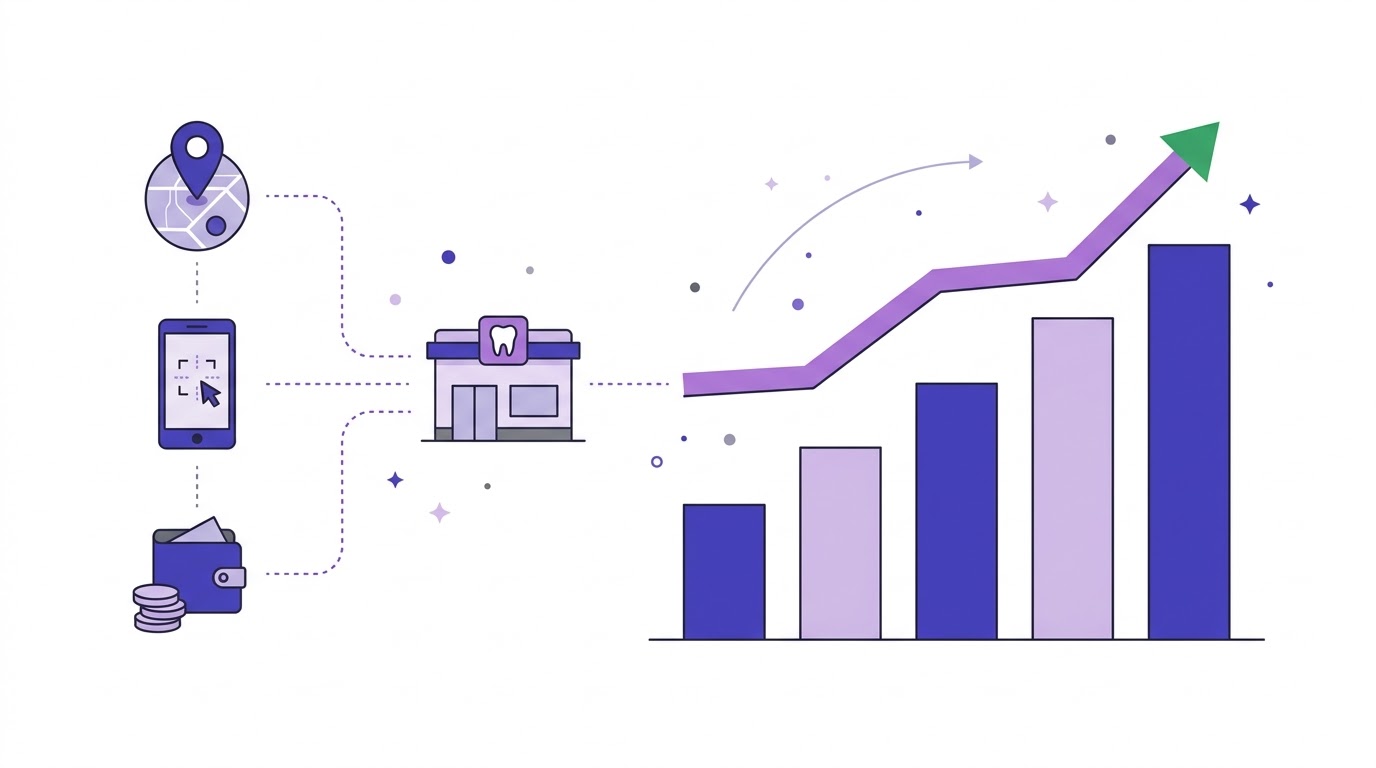
With the structure and tracking fixed, the next job was deciding where, when and how much to bid. This section covers location settings, the ad schedule, the move from manual bidding to Smart bidding, the budget increases, and the month by month results that make up the 200% growth in this story.
Location Targeting and the Radius Mistake
Google Ads has a setting most beginners never open: location options. The default targets people in your area and also people showing interest in it. For a local clinic, that default is a trap. The change was to “Presence: people in or regularly in your targeted locations,” which stops ads from showing to someone in another city who just read about your neighbourhood.
The target also shrank from all of Pune to a 7 kilometre radius around the clinic. Smile Arc then added location bid adjustments: +20% in Kothrud itself, +10% in Karve Nagar and Bavdhan, 0% on the outer edge, and Hinjewadi and Pimpri-Chinchwad excluded entirely. People rarely cross a city for a checkup, but they will walk or ride ten minutes.
Here is the opinionated bit. Many local owners fear a small radius will starve the campaign. In practice, it did the opposite. Clicks from far-away areas that never became patients were replaced by clicks from people who could realistically sit in the chair. Cost per click did not fall, but cost per booked patient did. Always judge targeting by patients, not by traffic.
Ad Schedule and Device Settings
The clinic is open from 9 AM to 8 PM Monday to Saturday and half day on Sunday. Running call-driven ads at midnight meant paying for clicks and getting voicemail. So call assets were set to show only during opening hours, while form-based ads kept running in the evening with bids lowered by 30% after 10 PM.
Device data told its own story: about 80% of clicks came from phones. That made the mobile experience the whole game. Mobile bids stayed neutral, the landing page was built phone-first, and the sticky call button was tested on three cheap Android phones, not just on a developer’s laptop.
A useful habit is looking at the Day and hour view inside Google Ads once a month. Smile Arc found that Monday mornings and weekday evenings after 6 PM brought the most bookings per rupee, and Sunday afternoons brought lots of clicks and almost no appointments. Bids went up in the strong windows and down in the weak ones. Small stuff, but it adds up on a limited budget.
Moving from Manual Bids to Smart Bidding
Smart bidding means Google’s system sets bids automatically for each search, using signals like device, location, time and query. It needs data to work. When Smile Arc’s tracking was fixed, the account moved from Maximize clicks to Maximize conversions in month two, because there were finally real conversions to learn from.
About 30 or more conversions a month is a comfortable minimum before putting a target on the system. In month four, the braces and implant campaigns switched to Target CPA (cost per acquisition) at ₹900 per lead, which Google then tried to hit on average. The new account structure helped here, since each campaign had its own target based on its own value.
One rule saved the account from itself: after any bidding change, leave it alone for at least two weeks. Smart bidding has a learning period where performance wobbles, and the worst thing an owner can do is panic and change settings every three days. If you want a broader view of how ad platforms like Google Ads, Meta and others fit together, the digital marketing basics hub covers the wider picture.
How the Budget Grew from ₹60,000 to ₹90,000
Budget did not jump. It crept. Whenever a campaign held its target cost per lead for two straight weeks, its daily budget went up by about 20%, and no more. If the cost per lead slipped past the target, the budget froze. That rule kept scaling boring and predictable, which is exactly what scaling should be.
Over seven months the total monthly budget moved from ₹60,000 to ₹90,000, a 50% increase. Remember that daily budgets in Google Ads are averages: on a given day Google may spend up to twice the daily budget, and over a month the total is capped at roughly 30.4 times the daily figure. So the monthly number is what to plan around.
The interesting part is where the extra ₹30,000 went. Most of it landed in the braces and aligners campaign and the implants campaign, since those had the highest value per patient. General checkups got almost none. This is the quiet power of separate campaigns: money follows value, not habit.
The Month by Month Results
The first month looked bad, and that is worth saying out loud. Leads dropped from 70 to 48 because negative keywords and a tight radius cut traffic, and Smart bidding was learning. Booked appointments were 14. Dr. Kulkarni nearly panicked. The agreement from the start, though, was a 90 day window, so the account was left to settle.
Month two reached 19 bookings, month three 27, month four 35, month five 44, month six 52 and month seven 60. The 20 to 60 jump is the 200% growth that gives this story its name. By month seven, spend was ₹90,000 with 2,500 clicks at ₹36 each, 125 leads at a 5% conversion rate, 90 qualified leads and 60 booked appointments. Cost per booked appointment: ₹1,500, half of the old ₹3,000.
With average first-month revenue per new patient up to ₹7,500 (more people were booking aligners and implants), the ads brought in about ₹4,50,000 on ₹90,000 of spend. That is a return of 5x, versus 2x before. For more breakdowns in this style, the case studies section collects real campaign write-ups.
Mistakes to Avoid and How to Copy This Local Google Ads Playbook
A clean success story hides the messy parts, so here are the messy parts. This section covers the mistakes that nearly broke the account, the cases where Google Ads is the wrong move for a local business, a 30 day plan to copy the work, and the tools that made the process faster.
The Mistakes That Nearly Broke the Account
Mistake one: trying Performance Max too early. In month three, a Performance Max campaign was tested because Google kept recommending it. In three weeks it spent ₹11,000, brought mostly low-quality form leads, and gave almost no control over search terms. It was paused. It can work for local businesses later, with strong assets and real conversion data, but not as a starting point.
Mistake two: reacting to the month one dip. Leads fell from 70 to 48 and the owner wanted to undo the negative keywords. Wrong move. The fall was waste leaving the account. Mistake three: changing too many things at once. In week two, bids, ads and landing pages were all edited together, and nobody could tell which change helped. After that, one major change at a time became the rule.
Mistake four: chasing a cheap cost per lead. A campaign with a “free whitening” offer brought leads at ₹250 each, and almost none booked. Cheap leads feel great in a report and terrible at the front desk. Judge every campaign by cost per booked patient, since that number is the one the clinic actually pays rent with.
When Google Ads Is the Wrong Move for a Local Business
Google Ads is not for everyone, and saying so plainly saves people money. If the average customer is worth ₹400 and you make ₹100 profit on them, a click that costs ₹30 with a 5% conversion rate will not leave you any margin. Do the math first: ticket size, profit per customer, and likely cost per lead.
Capacity is the second check. If the shop is already full, more leads create angry customers and burned-out staff. Smile Arc could handle 120 new patients a month and had room to grow, which is why the plan worked. A tiny market is the third check: if Keyword Planner shows very few searches in your area, there is simply not enough demand to buy.
For businesses that fail these tests, the cheaper first step is usually a strong Google Business Profile, steady reviews and local SEO. That costs time instead of cash. Some countries also offer Local Services Ads, a pay-per-lead format, but availability depends on location and category, so check Google’s own coverage list before planning around it.
A 30 Day Plan to Copy This for Your Own Business
Week one is audit and tracking. Open the Search terms report, the Locations report and the Conversions settings, write down what you find, and rebuild tracking so calls, forms and WhatsApp taps count properly. Add a rule for who answers the phone and how fast missed calls get returned. No new ads yet. Just clean data.
Week two is structure and keywords. Split campaigns by service, write phrase and exact keyword lists around buying intent, add a first negative list of 80 to 100 terms, and write two responsive search ads per ad group. Week three is landing pages and assets: one page per service, mobile speed under two seconds if possible, and call, location, sitelink and price assets switched on.
Week four is launch and review. Set a 7 kilometre radius, ad schedule and modest bids, then leave things alone for two weeks except for adding negatives. After day 30, open the numbers: cost per qualified lead, cost per booked customer, and calls answered. From there it is the same loop Smile Arc followed, with small budget increases only when the numbers hold.
Tools Worth Using Along the Way
Google Keyword Planner is free inside Google Ads and good enough for checking local search volume. Google Ads Editor, a free desktop app, makes bulk edits and negative keyword uploads much faster than clicking around the web interface. PageSpeed Insights, also free, scores mobile load time and lists exactly which images or scripts are slowing the page.
Looker Studio connects to Google Ads and GA4 for a simple dashboard showing spend, leads and cost per booked customer in one view. A basic shared spreadsheet where the receptionist marks each lead as qualified, booked or no show is worth more than any paid software, because it feeds the offline conversion upload. Keep the stack small. More tools do not fix a weak offer.
One more free tool worth setting up is a Google Business Profile with accurate hours, photos and a steady stream of reviews. It lifts both map visibility and the performance of location assets in ads. If a small business owner only had one afternoon a month to spend on marketing, a review request routine and a weekly search terms check would beat nearly anything else.
[Screenshot: Looker Studio dashboard connected to Google Ads showing monthly spend, qualified leads and cost per booked appointment in one table]
Final Thoughts on How a Local Business Grew 200% with Google Ads
So what actually happened here? Nothing magical. A clinic stopped paying for clicks that could never become patients, counted real calls instead of button taps, answered its phone, sent each treatment to its own page, and let Google’s bidding learn from real bookings. That is how a local business grew 200% with Google Ads: by fixing the boring parts in the right order.
The next step is small and specific. Open your own Search terms report for the last 90 days, sort by cost, and write down every search you would never want to pay for. Then add them as negatives today. If you want the full structured path behind this kind of work, the Alpha Marketer Foundation Program covers Google Ads, SEO, analytics and campaign strategy from the ground up.
Frequently Asked Questions
How much does it cost to run Google Ads for a local business?
There is no fixed price, because you pay per click and set your own budget. Many small local businesses start between ₹20,000 and ₹60,000 a month in India, depending on the city and the service. The case study here began at ₹60,000 and settled at ₹90,000 once results were steady. Start with an amount you can afford to lose while learning.
What is a good starting budget for a small local business?
A good starting budget is enough to collect roughly 30 conversions a month, since that is where Smart bidding starts working properly. Divide your target cost per lead into 30 to see the minimum. If leads cost about ₹800, that means around ₹24,000 a month. Starting lower is possible, but data builds slowly.
How long does it take to see results from Google Ads for a local business?
Expect a first read within two to four weeks and real momentum in two to three months. In this case, month one dipped, month three showed clear growth, and month seven reached 60 bookings. Smart bidding needs a learning period of about two weeks after each major change, so patience is part of the strategy.
Can Google Ads really grow a local business by 200%?
Yes, when the starting point is poor and the business has room to grow. Smile Arc went from 20 to 60 booked appointments because waste was removed and tracking was fixed, not because spend tripled. A business already running tight, well-tracked campaigns will see smaller gains. Growth of this size usually means the old setup was leaking badly.
What is a good conversion rate for local business Google Ads?
It varies by industry, offer and landing page, so any single number is a rough guide. Many local service campaigns land somewhere between 3% and 10%. In this case, the landing page rate rose from 3.5% to 6.1% after pages were built per service. Compare yourself with your own past results first, and improve step by step.
Should a local business use Performance Max or Search campaigns?
Search campaigns are the safer starting point, because they show exactly which searches triggered your ads and let you block bad ones. Performance Max can work later, once you have real conversion data and strong assets. In this story, an early test spent ₹11,000 in three weeks and mostly brought weak leads, so it was paused.
What is the difference between Google Ads and Google Business Profile?
Google Business Profile is a free listing that shows your address, hours, photos and reviews on Search and Maps. Google Ads is paid advertising where you bid to appear above or alongside results. They work together: a verified Business Profile powers location assets in ads, and strong reviews make paid clicks more likely to turn into calls.
How do you stop wasting money on irrelevant clicks?
Open the Search terms report weekly, sort by cost, and add irrelevant searches as negative keywords. Common local examples include jobs, salary, course, free and competitor names. Pair that with phrase and exact match keywords and a tight location radius. In this case, waste fell from about 38% of spend to 7% in two weeks.
Is it better to hire an agency or run Google Ads yourself?
It depends on budget and time. Running it yourself costs hours, but teaches you the business. An agency or freelancer costs a monthly fee, and fits owners with no time. Either way, ask for access to the account, a clear report on cost per booked customer, and proof that tracking counts real calls.
What keywords should a local business target?
Target searches that show buying intent: service plus location, service plus price, and phrases like “near me” or “open now.” For a dental clinic, that means terms like braces cost in Kothrud or root canal treatment cost Pune. Avoid single broad words like dentist, because they bring research traffic and job seekers.
How do you track phone calls from Google Ads?
Use call assets with a Google forwarding number, which reports call duration and counts calls above a minimum length you choose. For calls from your website, set up website call conversions tied to a click on the phone number. Review the call details report regularly, and listen for how many calls go unanswered.
Why are my Google Ads getting clicks but no customers?
Usually one of four things: irrelevant search terms, a landing page that does not match the ad, tracking that counts the wrong actions, or calls that go unanswered. Check the Search terms report first, then load your landing page on a phone, then review call handling. Most click-without-customer problems sit after the click.
When should you increase your Google Ads budget?
Increase the budget when cost per qualified lead has stayed at or under your target for about two weeks, and when you have capacity to serve more customers. Raise it in steps of around 20%, not all at once. If cost per lead rises past the target, freeze the budget and look for the cause.