

You spent two hours on an email. Rewrote the subject line four times, argued with yourself about the hero image, checked the link twice, and sent it to 6,000 people. Then the report came in. A handful of clicks, three unsubscribes, and not one sale. So you blame the timing, or the list, or the algorithm, and next week you do the exact same thing again.
Here’s the thing though. Most marketing emails don’t fail because email is “dead” or because the audience is bad. They fail because they were written for nobody in particular, asked for five things at once, and never gave the reader a reason to care. That’s fixable. And honestly, it’s one of the most fixable problems in marketing, because email is a channel you own. No feed decides who sees your message. Nobody can throttle your reach overnight because they changed a ranking formula. If someone gave you their address, you get to show up in their inbox, and what happens next is mostly down to how well you write.
This guide walks through the whole thing from a blank page to the send button. You’ll learn what a marketing email actually is, what “results” should mean before you write a single word, how to plan, structure and write every part of the email, which frameworks make the drafting easier, how different email types change the copy, and the stuff behind the copy (deliverability, compliance, testing) that decides whether anyone sees your work at all. Learning how to write a marketing email isn’t about memorizing tricks. It’s about making a series of small, sensible decisions, and by the end you’ll know what every one of them is.
Key Takeaways
- One email, one goal, one primary call to action.
- The subject line and preheader work as a pair, so write them together.
- Write to one specific reader, not to “the list.”
- Benefits beat features almost every time.
- Deliverability and compliance decide whether your copy ever gets seen.
- Judge success on clicks and conversions, not opens.
What Is a Marketing Email?
A marketing email is a message a business sends to people who agreed to hear from it, with the aim of promoting something, teaching something, or getting the reader to take a specific action. That’s it. A newsletter, a sale announcement, a webinar invite, a “we miss you” note to someone who hasn’t bought in six months. All marketing emails.
Sounds obvious. But beginners trip over this all the time, because there are a few other kinds of email that look similar and need completely different writing. Mix them up and you end up with a receipt that reads like an ad, or a cold sales pitch dressed up like a glossy newsletter. Neither works.
Marketing Email vs Transactional Email vs Sales Email
The quickest way to tell them apart is to ask why the email exists. A marketing email exists because you want something from the reader. A transactional email exists because the reader did something and needs confirmation. A one-to-one sales email exists because a person wants to start a conversation with another person.
| Type | Purpose | Example | Needs consent? | Copy style |
|---|---|---|---|---|
| Marketing email | Promote, educate, nurture | Newsletter, sale announcement | Yes | Persuasive, in your brand voice |
| Transactional email | Confirm an action the user took | Order receipt, password reset | Usually no | Clear and functional |
| One-to-one sales email | Start a direct business conversation | Outreach to a specific prospect | Depends on the country | Personal, usually plain text |
A few practical things fall out of this table:
- Transactional emails get a pass on consent in most places, but only if they stay transactional. Stuff a big promo banner into an order confirmation and in some regions it starts getting treated as marketing.
- Sales emails should look like a person wrote them. The moment they look like a campaign, reply rates tend to drop, because the reader can tell it went to 4,000 people.
- Marketing emails are where brand voice lives. This is the type this guide is about.
Why Marketing Emails Still Work in 2026
Every couple of years someone declares email dead. Yeah, it never happens. And the reason is pretty simple.
- You own the audience. Your social following belongs to the platform. Your list belongs to you. If a platform changes how much reach a post gets, your followers stay put on paper but stop seeing you in practice. An email list doesn’t have that problem.
- People check email on purpose. Scrolling a feed is passive. Opening your inbox is a choice, often several times a day, and usually with a bit more attention than a thumb flicking past posts.
- It works across the whole funnel. The same channel can welcome a new subscriber, teach a prospect, close a sale, and bring back someone who drifted away. Very few channels do all four.
So the channel is fine. What usually isn’t fine is the writing. Let’s fix that.
What “Results” Actually Means for a Marketing Email
Everybody wants an email that “gets results.” Ask what those results are, though, and you’ll often hear something like “engagement” or “awareness.” That’s not a result. That’s a mood.
Before you write, you need to decide what success looks like for this specific email. Not the campaign, not the quarter. This one email. That decision quietly shapes every other choice you’ll make, from the subject line to the button text.
Choose One Goal Per Email
Look at what actually happens when an email tries to do three things. The reader gets a product update, a blog link, a survey request and a discount code. Each competes for the same few seconds of attention, and the reader ends up doing none of them. Two goals don’t give you double the results. They usually give you half of each.
- Vague goal: “Engage our subscribers this month.”
- Clear goal: “Get 50 people to register for Thursday’s webinar.”
- Vague goal: “Promote the new collection.”
- Clear goal: “Get existing customers to buy from the new collection before the launch discount ends on Sunday.”
The clear version tells you who the email is for, what they need to do, and when. Once you have that, writing gets a lot easier.
Key Idea: If you can’t finish the sentence “After reading this email, the reader should ___,” you’re not ready to write it yet.
Match Each Goal to the Right Metric
Once the goal is set, you need one number that tells you if it worked. Different goals need different numbers, and using the wrong one leads to bad decisions. A sales email can have a great click rate and still sell nothing if the landing page is broken. You’d never know if you only looked at clicks.
| Email goal | Primary metric | Supporting metric |
|---|---|---|
| Drive traffic to content | Click-through rate | Time on page |
| Sell a product | Conversion rate or revenue per email | Click-through rate |
| Get registrations | Sign-ups | Click-to-open rate |
| Re-engage cold subscribers | Clicks or replies | Unsubscribe rate |
| Build the relationship | Replies and forwards | Clicks |
A quick glossary for beginners:
- Click-through rate (CTR): the share of delivered emails that got at least one click.
- Click-to-open rate (CTOR): clicks divided by opens. Useful for judging the body and CTA separately from the subject line.
- Conversion rate: the share of people who completed the actual goal, like buying or registering.
- Revenue per email: total revenue from the send divided by emails delivered. Handy for comparing sends of different sizes.
Why Open Rate Is No Longer a Reliable Success Metric
For years, open rate was the headline number. It’s still sitting at the top of most email dashboards. But it’s become pretty unreliable, and here’s why.
In 2021, Apple launched Mail Privacy Protection with iOS 15. When it’s switched on, Apple Mail downloads email content in the background, including the tiny invisible image that email tools use to track opens. So the email gets marked as “opened” whether the person read it or not. A huge chunk of people read email on iPhones using Apple Mail, so your open rate ends up inflated by a margin you can’t measure precisely.
What that means in practice:
- Don’t call a campaign a success because the open rate looks great. It might just be Apple’s servers opening it.
- Opens are still okay as a rough signal when you’re comparing two subject lines sent at the same time to similar groups, because the inflation hits both versions.
- Judge real success on clicks, conversions, replies and revenue. Those require a human to actually do something.
Before You Write: The 4 Foundations of a Strong Email
Most bad emails go wrong before the first sentence. Someone opens their email tool, stares at a template, and starts typing “We’re excited to announce…” That’s writing without a plan, and it shows.
These four foundations take maybe fifteen minutes. They’ll save you an hour of rewriting, and they’ll make the difference between an email that reads like it was written for someone and one that reads like it was written for everyone.
Foundation 1: Know Exactly Who You’re Writing To
“Our subscribers” isn’t an audience. It’s a spreadsheet. Before writing, narrow it down. Who’s actually getting this? New sign-ups from last week? Customers who bought twice? People who downloaded a guide but never bought anything? Each group knows different things and wants different things.
A trick that works well: picture one real person from that group. Give them a name if it helps. Then write to them, the way you’d write a message to a colleague. The email goes to thousands, but each person reads it alone, so it should feel like it was written to one.
The other big thing to know is how aware the reader is. Copywriter Eugene Schwartz laid out five stages of awareness in his 1966 book Breakthrough Advertising, and the idea still holds up because it describes how people actually think about buying.
| Reader awareness stage | What they know | What your email should do |
|---|---|---|
| Unaware | Doesn’t see the problem yet | Lead with a relatable story or insight |
| Problem-aware | Feels the pain, no solution yet | Name the problem and make it feel real |
| Solution-aware | Knows solutions exist | Show why your approach is different |
| Product-aware | Knows your product | Handle objections and add proof |
| Most aware | Ready to buy | Give the offer and a direct CTA |
Here’s why this matters. Send a “20% off, buy now” email to someone who’s unaware they even have the problem, and it means nothing to them. Send a long educational story to someone who’s already got the product in their cart, and you’re wasting their time. Same product, totally different email.
Foundation 2: Define the Single Action You Want
You picked a goal in the last section. Now get even more specific about the action. What exactly will the reader do with their thumb or mouse?
- Click to read an article
- Reply with an answer
- Buy a product
- Register for an event
- Book a call
- Update their preferences
Pick one. Every paragraph, every image and every link in the email should push toward it. If a sentence doesn’t help the reader get to that action, it’s probably decoration, and decoration is the first thing to cut.
Foundation 3: Find Your Angle (Why This, Why Now, Why Them)
Your angle is the reason the email deserves to be opened today instead of next week, or never. Without an angle, an email is just “here’s some stuff.” With one, it has a point.
Ask yourself three questions:
- Why this? What’s the one thing in this email worth paying attention to?
- Why now? Is there a deadline, a season, a launch, a problem that’s especially sharp right now?
- Why them? What makes this relevant to this specific segment?
A few angle types that work well:
- A real deadline: the offer ends Friday, the event is Thursday.
- A problem solved: “How to stop losing leads between the form and the follow-up.”
- A new insight: something you learned from your own data or customers.
- A story: what happened to a customer, or what went wrong on a project and what you changed.
Notice “we have a new feature” isn’t on that list. It can be the topic, sure. But the angle is what that feature lets the reader do.
Foundation 4: Set Your Brand Voice and Tone
Voice is who you are. Tone is how you adjust depending on the situation. A brand can have one voice but sound a bit different in a cheerful sale email versus an apology for a shipping delay.
A simple way to pin down voice is to place yourself on a few spectrums.
| Voice dimension | One end | Other end |
|---|---|---|
| Formality | Casual | Formal |
| Energy | Calm | Enthusiastic |
| Humor | Playful | Serious |
| Expertise | Friendly guide | Technical authority |
There’s no right answer. A legal software company probably sits toward formal and serious. A snack brand can go casual and playful. What matters is that you choose, write it down, and stay consistent so readers recognize you before they even see the logo.
Pro Tip: Write a one-sentence email brief before drafting: “This email tells [reader] about [thing] so they [action] because [benefit].” If you can’t fill in all four blanks, go back to the foundations.
The Anatomy of a High-Performing Marketing Email
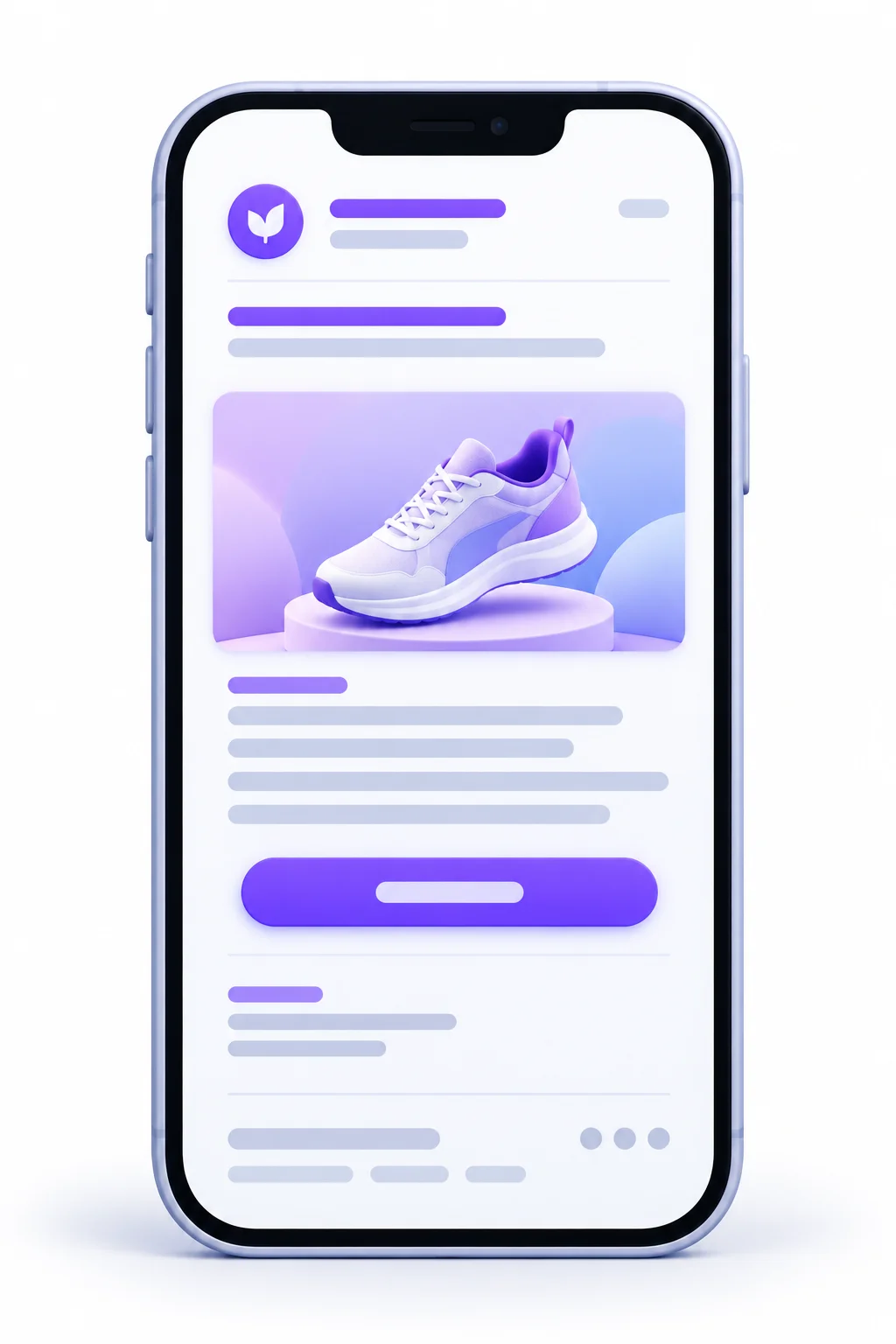
Before learning to write each part, it helps to see all the parts together. Think of it like learning the parts of a car before learning to drive. Every marketing email, from a two-line founder note to a long product launch, is built from the same pieces. Some get more space, some get less, but each one has a job.
| Element | Its job | Best practice | Common mistake |
|---|---|---|---|
| Sender name | Build instant trust | A recognizable person or brand | Using “noreply” |
| Subject line | Earn the open | Specific, clear, short | Clickbait the body doesn’t deliver |
| Preheader | Support the subject line | Adds new info, doesn’t repeat | Leaving “View in browser” as the preview |
| Opening line | Earn the second line | Get to the point or hook fast | A long company introduction |
| Body copy | Make the case | Benefit-led and scannable | Dumping every feature |
| CTA | Drive the action | One clear primary action | Five competing buttons |
| Sign-off and PS | Add warmth, restate the offer | Human sign-off, PS with the deadline | “Regards, Team” |
| Footer | Compliance and trust | Address and unsubscribe link | A hidden or missing unsubscribe |
Here’s how those pieces sit inside an actual email:
FROM:      Priya at Plotline                    <- Sender name
SUBJECT:   Your Monday report, done in 10 mins  <- Subject line
PREVIEW:   Live walkthrough this Thursday, 4 PM <- Preheader
-----------------------------------------------------------
Hi Sam,                                         <- Personalized greeting

Monday mornings shouldn't start with three      <- Opening line
spreadsheets and a cold coffee.

[2 to 4 short paragraphs on the problem,        <- Body copy
 the fix, and what the reader gets]

        [ Save my seat ]                        <- CTA button

Talk Thursday,                                  <- Sign-off
Priya

P.S. Only 200 seats, and last month filled up   <- PS line
by Wednesday.
-----------------------------------------------------------
Plotline, 21 Example Street, Your City          <- Footer
Update preferences | Unsubscribe
(Plotline is a made-up project tool. We’ll keep using it as the running example in the next section.)
A couple of things worth noticing. The sender name, subject line and preheader all show up before the email is even opened. That’s three chances to earn attention, and most people waste at least one of them. And the footer isn’t just legal filler. A clear unsubscribe link actually protects you, which we’ll get into in the deliverability section.
How to Write a Marketing Email Step by Step
This is the core of the whole guide. If you only read one section, make it this one. Below is how to write a marketing email from the brief to the final edit, ten steps in order. Each step explains what to do and why, and shows weak versus strong examples.
We’ll build one email the whole way through so you can watch it come together. The scenario: Plotline, a made-up project management tool, is running a free 45-minute live webinar on Thursday at 4 PM showing small agency owners how to automate their weekly client reports. The email goes to free-trial users who signed up in the last 30 days but haven’t set up reporting yet.
Step 1: Write a Short Email Brief
A brief is just a few lines that lock in your decisions before you start writing. It stops you from drifting halfway through. It also makes reviews faster, because if someone on your team disagrees with the email, you can check whether they disagree with the brief or with the writing.
What goes in a brief:
- Audience: who exactly is getting this
- Goal: the one result you want
- Angle: why this, why now
- Offer: what the reader gets
- CTA: the exact action
- Deadline: if there is one
Here’s the brief for our Plotline email:
| Brief field | Plotline webinar email |
|---|---|
| Audience | Trial users, signed up in the last 30 days, haven’t set up reporting |
| Goal | 150 webinar registrations |
| Angle | Weekly client reporting eats Monday mornings, and they haven’t tried the feature that fixes it |
| Offer | Free 45-minute live walkthrough plus a ready-made report template |
| CTA | Register for the webinar |
| Deadline | Thursday, 4 PM (200 seats) |
Step 2: Choose Your Sender Name and From Address
The sender name is the first thing people look at in the inbox, often before the subject line. If they don’t recognize it or don’t trust it, the subject line doesn’t matter.
You’ve basically got three options:
- Brand name only (“Plotline”): recognizable, safe, a bit corporate.
- Person name only (“Priya”): feels personal, but confusing if the reader doesn’t know who Priya is.
- Person plus brand (“Priya at Plotline”): personal and recognizable. Usually the best of both.
And please, skip the “noreply@” address. It tells the reader you don’t want to hear back, and replies are actually a good signal for your sender reputation. Use a real address that someone checks.
Whatever you pick, stay consistent. If your emails come from “Plotline” one week, “Plotline Team” the next and “Priya Sharma” the week after, people stop recognizing you.
For our example: Priya at Plotline.
Step 3: Write a Subject Line That Earns the Open
The subject line has one job. Get the email opened by the right people. Not everyone. The right people.
Some rules that hold up well:
- Clarity beats cleverness. A clever pun the reader has to decode loses to a plain line that tells them what’s inside. Every time.
- Front-load the important words. Mobile inboxes often cut subject lines off after roughly 30 to 40 characters, so the first few words carry the weight.
- Promise only what the email delivers. If the subject says “free template” and the template is buried under three paragraphs and a form, people feel tricked. They don’t open the next one.
- Easy on the emojis. One relevant emoji can help a line stand out. Three random ones look like spam, and some just show up as empty boxes on older devices.
- Avoid spammy habits. ALL CAPS, multiple exclamation marks, and “FREE!!!” make you look like the emails people delete without thinking.
Here are some formulas to get you unstuck:
| Subject line formula | Example |
|---|---|
| Direct benefit | Cut your reporting time in half |
| Curiosity gap | The welcome email mistake almost everyone makes |
| Question | Still writing emails nobody opens? |
| Urgency (real deadline) | Registration closes tonight |
| Personal or plain | Quick question about your next campaign |
| Number or list | 5 subject lines we’re stealing this month |
Now our Plotline example:
- Weak: “Plotline Webinar Announcement” (says nothing about the reader)
- Okay: “Join our reporting webinar on Thursday” (clear, but flat)
- Strong: “Your Monday report, done in 10 minutes” (benefit first, specific, about them)
Pro Tip: Write 10 subject lines for every email, then pick the best two for an A/B test. The first three you write are usually the obvious ones. The good ones tend to show up around number six or seven.
Step 4: Write Preheader Text That Completes the Subject Line
The preheader is the little grey line of text that shows up next to or under the subject line in most inboxes. If you don’t set it, the inbox grabs the first text in your email, which is often something useless like “View this email in your browser” or “Having trouble seeing this?”
Think of the subject line and preheader as one sentence split in two. The subject line hooks. The preheader adds the detail that makes the reader decide.
| Version | Subject line | Preheader |
|---|---|---|
| Weak | Your Monday report, done in 10 minutes | View this email in your browser |
| Okay | Your Monday report, done in 10 minutes | Your Monday report, done in 10 minutes |
| Strong | Your Monday report, done in 10 minutes | Free live walkthrough Thursday, 4 PM. 200 seats. |
The weak one wastes the space. The okay one repeats itself, so the reader learns nothing new. The strong one adds the who, when, and the scarcity. Now the reader knows exactly what’s inside before they tap.
Step 5: Write an Opening Line That Earns the Second Line
Once the email is open, you’ve got about one line to prove it was worth it. The opening line’s only job is to get the second line read.
A few opening styles that work:
- The direct opener: gets straight to the point. “Thursday at 4 PM, we’re showing you how to build a client report in 10 minutes.”
- The problem opener: names something the reader feels. “Monday mornings shouldn’t start with three spreadsheets and a cold coffee.”
- The question opener: “How long did last week’s client report take you?”
- The observation opener: “Most agency owners we talk to spend more time reporting on the work than doing it.”
And the openers to retire for good:
- “Hope this email finds you well.” (Nobody believes it, and it delays the point.)
- “We’re excited to announce…” (The reader doesn’t care how you feel. They care what they get.)
- “As a valued customer…” (Feels like a form letter, because it is.)
For Plotline we’ll go with the problem opener, since our readers are problem-aware. They signed up for a reporting tool, after all, they just haven’t used the feature yet.
Step 6: Write Body Copy That Focuses on the Reader
This is where most marketing emails fall apart. The writer knows the product inside out, gets excited, and lists every feature. The reader skims, sees nothing about their own life, and leaves.
Write about “you,” not “we.” Count how many times your draft says “we,” “our,” and “us” versus “you” and “your.” If “we” is winning, rewrite. “We’ve built a new reporting dashboard” becomes “You can now build your client report in one click.”
Turn features into benefits. A feature is what the product does. A benefit is what the reader gets from it. People buy benefits.
| Feature (what it is) | Benefit (what the reader gets) |
|---|---|
| 24/7 support | Get help the moment something breaks |
| Automated reports | Stop spending Monday mornings in spreadsheets |
| 50+ templates | Launch a campaign in minutes, not days |
A useful test: after every feature, ask “so what?” Keep asking until you hit something the reader actually cares about. “Automated reports.” So what? “Reports build themselves.” So what? “You get your Monday morning back.” There it is.
Make it scannable. People don’t read emails top to bottom. They skim, then decide whether to read properly.
- Keep paragraphs to one to three sentences.
- Use a short subheading if the email runs long.
- Bold one or two key lines, not ten.
- Use a short bullet list when you’re listing three or more things.
Get the length right. So how long should a marketing email be? Long enough to make the case, no longer. That depends on the goal and how aware the reader is. Someone ready to buy needs a few lines and a button. Someone who doesn’t even know they have the problem needs more context, maybe a story. A promo for a known product might be 50 words. A newsletter teaching something useful might be 500. Both can be right.
Here’s the body for Plotline:
Monday mornings shouldn’t start with three spreadsheets and a cold coffee.
But for most agency owners, that’s exactly what happens. You pull numbers from four tools, paste them into a doc, fix the formatting, and send it off two hours later.
You’ve already got the fix sitting in your Plotline account. You just haven’t turned it on yet.
On Thursday at 4 PM, we’ll walk you through it live. In 45 minutes you’ll:
- Connect your client data once
- Build a report that updates itself every week
- Leave with our ready-made client report template
No slides full of features. Just a screen share and your questions answered.
Notice it’s mostly “you.” It names the problem in detail, points out they already have the solution, and lists what they’ll walk away with.
Step 7: Write a Call to Action People Actually Click
The CTA is where the email either works or doesn’t. Everything before it is just building up to this moment.
One primary CTA. You can link to the same destination more than once, and you can have small secondary links if they support the same goal. But there should be one main thing you’re asking for. Five different buttons going to five different places means the reader picks none.
Write button copy in the first person, and make it specific. “Get my template” tends to feel more personal than “Get your template.” And specific beats generic every time.
| Weak CTA | Strong CTA |
|---|---|
| Click here | Save my seat |
| Submit | Get the free template |
| Learn more | See how it works in 2 minutes |
| Buy now | Claim 20% off before Friday |
Placement depends on the reader. For a warm reader who already knows what they want, like someone who’s most aware, put the CTA near the top so they don’t have to hunt for it. For a colder reader who needs convincing, put it after you’ve made the case. Asking someone to buy before you’ve told them why is like proposing on a first date.
Make buttons look like buttons. A clear shape, decent size, enough contrast to stand out, and easy to tap with a thumb on a phone.
For Plotline: a button that says Save my seat.
Strategy: Repeat the same CTA two or three times in longer emails, but never change what it asks for. Same action, same destination, just more chances to click.
Step 8: Add a Human Sign-Off and a PS Line
A sign-off from a real person makes the email feel less like a broadcast. “Talk Thursday, Priya” lands very differently from “Best regards, The Plotline Team.”
Then there’s the PS. It sounds old-fashioned, but it works because it sits apart from the body, so skimmers often land on it. Use it to restate the offer, the deadline, or the one thing you want the reader to remember.
- Restate the deadline: “P.S. Registration closes Wednesday night.”
- Add scarcity, if it’s real: “P.S. We cap it at 200 seats so we can answer questions.”
- Add a small bonus: “P.S. Everyone who attends gets the report template, even if you can’t stay for the whole thing.”
For Plotline:
Talk Thursday, Priya
P.S. We cap these at 200 seats so there’s time for questions. Last month’s session filled up by Wednesday.
(Only use that last line if it’s true. Fake scarcity is easy to spot and burns trust fast.)
Step 9: Personalize Beyond the First Name
“Hi {FirstName}” isn’t personalization anymore. Everyone does it, readers know it’s automated, and it does very little by itself. Real personalization means the content changes based on who’s reading.
Ways to personalize that actually matter:
- Behavior: what they bought, what they browsed, which emails they clicked, which features they’ve used.
- Lifecycle stage: new subscriber, trial user, first-time buyer, loyal customer, lapsed customer.
- Location: time zone for event times, local currency, relevant stores or events.
- Dynamic content blocks: one email template where certain sections change depending on the segment.
For Plotline, the whole email is already personalized by behavior, because it only goes to trial users who haven’t set up reporting. That’s stronger than any first-name tag.
One more thing. Always set fallback values for personalization tags. If someone’s first name field is empty, you don’t want the email to say “Hi ,” or worse, “Hi {FirstName}.” Set a fallback like “Hi there.”
Step 10: Edit Ruthlessly Before You Send
Your first draft is almost always too long. That’s fine. First drafts are for getting it down. Editing is where the email actually gets good.
- Cut 20 to 30 percent on the second pass. Hunt for sentences that repeat a point, warm-up lines that delay the point, and adjectives doing no work.
- Read it out loud. If you stumble, the reader will too. If it sounds like a brochure, rewrite it until it sounds like a person.
- Check the brief. Does the email still serve one goal and one CTA? Did a second idea sneak in?
- Ask “so what?” of every paragraph. If you can’t answer, cut it.
- Check links, names, dates, and times. A wrong date in a webinar email is a disaster you can’t unsend.
Here’s the finished Plotline email, all steps combined:
FROM:      Priya at Plotline
SUBJECT:   Your Monday report, done in 10 minutes
PREVIEW:   Free live walkthrough Thursday, 4 PM. 200 seats.
-----------------------------------------------------------
Hi Sam,

Monday mornings shouldn't start with three spreadsheets
and a cold coffee.

But for most agency owners, that's exactly what happens.
You pull numbers from four tools, paste them into a doc,
fix the formatting, and send it off two hours later.

You've already got the fix sitting in your Plotline
account. You just haven't turned it on yet.

On Thursday at 4 PM, we'll walk you through it live.
In 45 minutes you'll:

  - Connect your client data once
  - Build a report that updates itself every week
  - Leave with our ready-made client report template

No slides full of features. Just a screen share and your
questions answered.

            [ Save my seat ]

Talk Thursday,
Priya

P.S. We cap these at 200 seats so there's time for
questions. Last month's session filled up by Wednesday.
-----------------------------------------------------------
Plotline, 21 Example Street, Your City
Update preferences | Unsubscribe
Short, clear, about the reader, one ask. That’s the whole game.
Copywriting Frameworks That Make Marketing Emails Easier to Write
A blank page is the worst part of writing anything. Copywriting frameworks fix that. They give you a structure to fill in, so instead of wondering what to say first, you just follow the order. If you’re still figuring out how to write a marketing email that flows naturally from start to finish, frameworks are the training wheels that get you moving.
None of these are magic formulas. They’re patterns that copywriters have used for decades because they match how people make decisions: notice something, care about it, want it, act.
| Framework | Structure | Best for |
|---|---|---|
| AIDA | Attention, Interest, Desire, Action | Promotions and launches |
| PAS | Problem, Agitate, Solution | Pain-driven offers and cold audiences |
| BAB | Before, After, Bridge | Transformation-based products |
| FAB | Features, Advantages, Benefits | Product-aware readers |
| 4 Ps | Promise, Picture, Proof, Push | High-ticket offers that need trust |
| Star, Story, Solution | Character, journey, resolution | Newsletters and nurture emails |
You don’t need to master all six. Get comfortable with the first three and you’ll cover most emails you’ll ever write.
AIDA With an Example
AIDA is the oldest and probably the most flexible. Grab attention, build interest, create desire, ask for action.
- Attention: a line that stops the skim.
- Interest: a detail that makes them want to know more.
- Desire: what their life looks like with the thing.
- Action: the CTA.
Here’s AIDA for a running shoe launch:
Attention: Your knees will notice the difference by kilometer three.
Interest: The new Stride 2 has a midsole that’s softer on landing but still springs back, so it doesn’t feel like running on a pillow.
Desire: Imagine finishing your long Sunday run and actually wanting to go again next weekend.
Action: [Find my size]
Why it works: it moves from a physical feeling the reader recognizes to a specific product detail, then to a picture of their own weekend, before asking for anything.
PAS With an Example
PAS is great when your product solves a clear, annoying problem. Name the problem, twist the knife a little, then offer the fix.
- Problem: state the pain plainly.
- Agitate: show what it’s costing them.
- Solution: present your fix.
Here’s PAS for an invoicing tool:
Problem: Three clients still haven’t paid last month’s invoice.
Agitate: So now you’re writing awkward follow-up emails, checking your bank app twice a day, and wondering if you should’ve asked for a deposit.
Solution: Billwise sends polite reminders automatically, so you get paid without chasing anyone. [Start my free trial]
Why it works: the agitate part is specific and real. Checking the bank app twice a day is something freelancers actually do. That specificity is what makes the reader feel understood.
BAB With an Example
BAB paints two pictures, life now and life after, then shows how to get from one to the other.
- Before: where the reader is right now.
- After: where they’d like to be.
- Bridge: your product or offer.
Here’s BAB for a meal-planning app:
Before: It’s 7 PM, you’re staring into the fridge, and dinner is going to be toast again.
After: Picture opening the fridge and already knowing what you’re cooking, with everything you need right there.
Bridge: Mealmap plans your week and builds the grocery list in five minutes. [Plan my week]
Why it works: the “before” is a scene almost everyone has lived. The “after” is easy to picture. The bridge is short, because by then the reader already wants it.
Tip: Frameworks are scaffolding. Once the draft exists, remove anything that sounds like a template. If a reader can spot the framework, it’s too obvious.
How to Write Each Type of Marketing Email
Not every marketing email does the same job, so they shouldn’t all be written the same way. A welcome email and an abandoned cart email are both marketing emails, but one is a first handshake and the other is a gentle tap on the shoulder. Here’s a quick overview, then a closer look at each.
| Email type | Main goal | Typical length | Tone | CTA example |
|---|---|---|---|---|
| Welcome | Set expectations, give a first win | Short to medium | Warm | Start here |
| Newsletter | Educate, keep attention | Medium to long | Conversational | Read the full guide |
| Promotional | Drive a sale | Short | Energetic, direct | Shop the sale |
| Product launch | Build excitement, get first sales | Medium | Confident | See what’s new |
| Lead nurture | Move toward purchase | Medium | Helpful | Book a demo |
| Abandoned cart | Recover the sale | Short | Gentle reminder | Complete my order |
| Re-engagement | Win back or clean the list | Short | Honest | Keep me subscribed |
| Event or webinar | Registrations and attendance | Short to medium | Inviting | Save my seat |
Welcome Emails
This is the email people are most likely to actually read, because they just signed up. They’re paying attention right now. Don’t waste it with a generic “Thanks for subscribing!” and nothing else.
- Confirm what they signed up for, and deliver anything you promised (a discount code, a download).
- Set expectations: what you’ll send, and roughly how often.
- Give one quick win: a useful tip, your best article, or the one feature to try first.
- Subject line example: “Here’s your guide (plus what happens next)”
Newsletters
Newsletters are where you earn trust over time. The biggest mistake is turning them into a pile of links with no point of view.
- Lead with one main story or idea, not ten equal items.
- Add your take. A link with “worth reading” teaches nothing. A link with why it matters is useful.
- Keep a consistent format so readers know where things are each time.
- Subject line example: “The pricing page change that doubled our demos”
(Only use a result like that in a subject line if it actually happened to you.)
Promotional and Sale Emails
These are the most direct emails you’ll send. The reader should understand the offer in about three seconds.
- Put the offer up front: what it is, how much, and until when.
- Make the deadline clear and real.
- Keep the copy short. One or two lines on why it’s worth it, then the button.
- Subject line example: “20% off everything ends Sunday night”
Product Launch Emails
A launch email needs to explain what’s new and why the reader should care, without turning into a feature list.
- Lead with the problem it solves, not the product name.
- Show it, with a short GIF, a screenshot, or a quick before and after.
- Give early customers a reason to act if you can, like launch pricing or early access.
- Subject line example: “You asked for bulk editing. It’s here.”
Lead Nurture Emails
Nurture emails go to people who are interested but not ready to buy. The job is to be useful enough that when they are ready, you’re the obvious choice.
- Teach something, one idea per email.
- Answer the questions people ask before buying: pricing, setup time, results, objections.
- Use a soft CTA like a guide, a case study, or a demo, not “buy now.”
- Subject line example: “What onboarding actually looks like (week one)”
Abandoned Cart Emails
Someone put something in their cart and left. Maybe they got distracted, maybe they had a question, maybe the shipping cost surprised them. Your job is to remind, not to nag.
- Show the exact items they left, with images.
- Make returning one click.
- Answer a likely doubt, such as shipping, returns, or sizing.
- Don’t open with a discount unless that’s your strategy. Otherwise people learn to abandon carts on purpose.
- Subject line example: “Still thinking it over?”
Re-Engagement Emails
These go to people who haven’t opened or clicked in a long time. The honest approach works best: acknowledge the silence and give them an easy choice.
- Be upfront: “Looks like you haven’t opened our emails in a while.”
- Offer options: stay subscribed, get fewer emails, or unsubscribe.
- Make staying easy, with one clear button.
- Actually remove people who don’t respond. We’ll get to why in the deliverability section.
- Subject line example: “Should we stop emailing you?”
Event and Webinar Invitations
You saw a full example with Plotline. The basics are simple.
- Lead with what attendees get, not the event title.
- Make the date, time, and time zone impossible to miss.
- Keep registration to one click where you can.
- Plan follow-ups: a reminder the day before, one an hour before, and the recording afterward.
- Subject line example: “Your Monday report, done in 10 minutes”
Idea: Many of these work best as short sequences, not single sends. A three-email welcome series or a two-email cart reminder usually does more than one email trying to do everything.
Formatting and Design That Support Your Copy
Design in email isn’t there to impress anyone. It’s there to make the copy easier to read and the CTA easier to tap. If a design choice makes the email prettier but harder to read on a phone, it’s the wrong choice. This isn’t a design course, just the stuff that affects whether your words get read.
Format for Mobile First
A lot of email gets read on phones, often with one thumb, often while doing something else. Design for that first, then check that desktop looks fine.
- Use a single column. Side-by-side layouts often break or get squashed on small screens.
- Make buttons big enough to tap without accidentally hitting something else.
- Use a readable font size, so nobody has to pinch and zoom.
- Keep lines and paragraphs short. A paragraph that looks fine on desktop becomes a wall on mobile.
- Test on a real phone, not just the preview in your email tool.
Plain Text vs HTML Emails
There are two basic styles. Plain text looks like a normal email someone typed. HTML has layout, colors, images and buttons. Neither is better overall. They’re good at different things.
| Plain text | HTML | |
|---|---|---|
| Feels like | A personal note | A branded campaign |
| Best for | Nurture, founder notes, B2B | Promotions, product-heavy emails |
| Deliverability | Typically simpler | Fine if the code is clean |
| Tracking | Limited | Full |
A middle option that a lot of brands use: a “lightly designed” email. Mostly text, a small logo, one button. It feels personal but still lets you track clicks properly.
Balance Images and Text
Images can help, especially for products people want to see. But many email apps block images by default until the reader allows them, and some readers just never do.
- Your email should still make sense with images turned off. If the whole offer is inside one big image, a lot of people see a blank box.
- Never send an email that’s just one image. Spam filters tend to get suspicious of emails with almost no real text.
- Always add alt text. That’s the short description that shows when an image doesn’t load, and it’s what screen readers read out to people with visual impairments.
Weak alt text: “image1.jpg.” Strong alt text: “Blue Stride 2 running shoe, side view.”
Design for Dark Mode and Accessibility
Lots of people use dark mode now. Different email apps handle it differently. Some flip your colors fully, some only partly, some leave them alone. That can make a nicely designed email look broken.
- Use logos with transparent backgrounds so a white box doesn’t appear around them in dark mode.
- Check text contrast in both light and dark mode.
- Use real text, not text baked into images, so it adapts properly.
Accessibility overlaps a lot with this:
- Strong contrast between text and background.
- Descriptive link text. “Read the reporting guide” instead of “click here,” because screen reader users often jump from link to link.
- Logical structure: proper headings and a sensible reading order.
- Don’t use color alone to carry meaning, since some readers can’t tell certain colors apart.
Deliverability: Making Sure Your Email Reaches the Inbox
Here’s an uncomfortable truth. You can write the best email of your life, and if it lands in spam, it doesn’t exist. Deliverability is about whether your email reaches the inbox at all. It sounds technical, and parts of it are, but the basics make sense once someone explains them plainly.
SPF, DKIM and DMARC Explained Simply
These are three settings on your domain that prove your emails really come from you. Without them, inbox providers can’t tell your real emails apart from someone pretending to be you, so they get cautious and push your mail toward spam.
| Record | What it does | Plain-English analogy |
|---|---|---|
| SPF | Lists the servers allowed to send email for your domain | The guest list at the door |
| DKIM | Adds a digital signature to every email | A wax seal on a letter |
| DMARC | Tells inboxes what to do if the other checks fail | Instructions for the bouncer |
You don’t need to be technical to sort this out. Your email platform will usually give you the exact records to add, and whoever manages your domain (your IT person, developer, or hosting provider) can paste them in. It’s usually a one-time job.
Gmail and Yahoo Bulk Sender Requirements
In February 2024, Gmail and Yahoo started enforcing stricter rules for bulk senders. These are no longer optional extras. Ignore them and your emails can get filtered or rejected.
The main rules for bulk senders (Google defines this as sending more than 5,000 messages a day to Gmail addresses):
- Authenticate with SPF, DKIM and DMARC.
- Offer one-click unsubscribe, so people can leave without logging in or filling out a form.
- Process unsubscribe requests within two days.
- Keep your spam complaint rate low. Google asks senders to stay below 0.3%, and recommends staying under 0.1%.
Even if you send fewer than 5,000 emails a day, follow these anyway. They’re good practice, and providers have been tightening rules over time, not loosening them. Since these requirements do get updated, it’s worth checking Google’s and Yahoo’s sender guidelines every so often.
Copy Habits That Hurt Deliverability
The way you write can hurt you too. Spam filters look at patterns, and some writing habits look a lot like spam.
- Spammy phrasing like “100% FREE,” “ACT NOW,” “Risk-free!!!” all piled together
- ALL CAPS subject lines or body text
- Too many exclamation marks
- Image-only emails with barely any real text
- Link shorteners, which spammers use to hide where links go
- Way too many links in a short email
- Misleading subject lines, which also drive up spam complaints
None of these single-handedly sends you to spam. But stack enough of them together and you’re making it easy for the filter.
Keep Your List Clean
Your list’s health directly affects whether you reach the inbox. Sending to dead addresses and people who never open tells providers your emails aren’t wanted.
- Remove hard bounces right away. These are addresses that don’t exist. Most email platforms do this automatically.
- Sunset inactive subscribers. If someone hasn’t opened or clicked in, say, six months, try a re-engagement email, then remove them if they don’t respond.
- Use double opt-in if you’re getting a lot of fake or mistyped sign-ups. That means people confirm their address before being added.
- Never buy email lists. Ever.
Warning: Buying an email list is the fastest way to damage your sender reputation, and in many regions it also breaks consent laws. Those people never asked to hear from you, so they ignore you, mark you as spam, or the addresses don’t even work.
Legal and Compliance Basics Every Email Writer Should Know
Email marketing laws exist to stop people from getting buried in messages they never asked for. You don’t need to be a lawyer, but you do need to know the basics, because breaking these rules can cost real money and damage trust. Here’s a simple overview of four major laws. Which ones apply depends on where your subscribers are, not just where your business is.
| Law | Region | Consent model | Main requirements |
|---|---|---|---|
| CAN-SPAM | USA | Opt-out | Honest sender info and subject lines, a valid physical postal address, a working unsubscribe honored within 10 business days |
| GDPR | EU and UK | Opt-in | Consent that’s freely given, specific, informed and clear (no pre-ticked boxes), plus the right to have data deleted |
| CASL | Canada | Opt-in | Express or implied consent, clear sender identification, unsubscribe processed within 10 business days |
| DPDP Act, 2023 | India | Consent-based | Clear notice of what data is collected and why, free and specific consent, and withdrawing consent must be as easy as giving it |
What this means for you day to day:
- Get clear permission. The safest approach everywhere is opt-in: people actively choose to subscribe. Pre-ticked checkboxes don’t count as consent under GDPR.
- Make unsubscribing easy. One click, clearly visible, honored quickly.
- Be honest in your sender name and subject lines. Don’t pretend to be someone else, and don’t promise something the email doesn’t contain.
- Include your business address in the footer.
- Keep records of when and how people subscribed, in case you ever need to prove consent.
India’s DPDP Act is newer than the others, and its rules are being rolled out in phases, so check the current status if you have Indian subscribers. One more thing: this is a general overview, not legal advice. If you have a specific situation, like sending to several countries at once, talk to a lawyer who knows data protection.
How to Test and Improve Your Marketing Emails
Your first email won’t be your best one. Nobody’s is. The writers who get good at this aren’t the ones with natural talent. They’re the ones who test, look at what happened, and adjust. Testing turns guessing into knowing.
What to A/B Test First
An A/B test means sending two versions of an email to two similar groups, changing one thing, and seeing which does better. You can test almost anything, but some things matter way more than others. Start at the top of this list.
| Priority | Element | Why |
|---|---|---|
| 1 | Subject line | Biggest impact on whether the email is seen at all |
| 2 | CTA copy and placement | Directly affects clicks |
| 3 | Offer or angle | Changes the core reason to act |
| 4 | Email length | Matches depth to the audience |
| 5 | Send time | Smaller gains, but real |
Testing button color is fine eventually. But if your subject line isn’t getting the email seen, the button color doesn’t matter.
How to Run a Clean Test
A badly run test is worse than no test, because it gives you false confidence.
- Change one thing at a time. If you change the subject line and the CTA together, you won’t know which one made the difference.
- Decide the winning metric before you send. For subject lines, use opens as a rough signal (remember the Apple issue), or clicks if you can. For CTAs, use clicks. For offers, use conversions.
- Use groups big enough to mean something. If each version goes to 200 people and one gets 9 clicks while the other gets 7, that’s not a winner. That’s noise. Small lists need bigger differences, or several tests before you trust a pattern.
- Send both versions at the same time so timing doesn’t skew the result.
- Wait long enough. Many people open emails hours or a day later. Don’t call it after 30 minutes.
How to Read Your Results and Act on Them
The numbers tell a story if you know how to read them.
- Healthy opens but low clicks: the subject line worked but the body or CTA didn’t. Look at the opening, the offer, and the button.
- Low opens: the subject line, preheader, or sender name isn’t working. Or it’s a deliverability problem and you’re landing in spam.
- Good clicks but few conversions: the email did its job. The problem is likely on the landing page.
- High unsubscribes: the email went to the wrong people, or you’re sending too often, or the content didn’t match what they signed up for.
- Spam complaints climbing: take it seriously. Check where those subscribers came from and whether they actually agreed to hear from you.
Pro Tip: Keep a simple “test log” sheet with the date, what you tested, the two versions, the result, and what you learned. After 10 tests you’ll have your own playbook, which beats any generic benchmark.
A Marketing Email Torn Down Line by Line
Theory only gets you so far. Let’s take a real-looking bad email, figure out exactly what’s wrong with it, and rewrite it. The scenario: a made-up online tea shop called Leafwell is running a weekend sale. The email goes to the whole list.
The “before” version:
FROM:      noreply@leafwell.com
SUBJECT:   LEAFWELL NEWSLETTER - OCTOBER EDITION!!!
PREVIEW:   View this email in your browser
-----------------------------------------------------------
Dear Valued Customer,

We hope this email finds you well! Here at Leafwell, we
are extremely excited to share some amazing news with our
wonderful community. We have been working very hard to
bring you the best teas from around the world, and our
team is passionate about quality and sustainability.

This weekend we are having a sale on many of our products.
We also have a new blog post about brewing temperatures,
and don't forget to follow us on Instagram! Also, we would
love your feedback in our customer survey.

[Shop Now]  [Read Blog]  [Follow Us]  [Take Survey]

Regards,
The Leafwell Team
-----------------------------------------------------------
What’s wrong with it:
- “noreply” sender (Step 2). Feels cold and blocks replies.
- The subject line says nothing (Step 3). “Newsletter, October edition” gives no reason to open. All caps and three exclamation marks look spammy.
- Wasted preheader (Step 4). “View this email in your browser” is the default, not a message.
- “Dear Valued Customer” (Step 9). No personalization, and it sounds like a bank letter.
- The opening is all about Leafwell (Steps 5 and 6). “We hope,” “we are excited,” “we have been working.” The reader doesn’t show up until the second paragraph.
- The actual offer is vague and buried (Step 6). “A sale on many of our products.” How much? Which products? Until when?
- Four goals in one email (Foundation 2). Sale, blog, Instagram, survey. They all compete.
- Four CTAs (Step 7). With four buttons, most people click none.
- Generic sign-off, no PS (Step 8). A missed chance to restate the deadline.
- No footer (compliance section). No address, no unsubscribe link. That’s a legal problem and a deliverability problem.
The “after” version:
FROM:      Meera at Leafwell
SUBJECT:   25% off every loose-leaf tea, ends Sunday
PREVIEW:   Including the Darjeeling that sold out last month.
-----------------------------------------------------------
Hi Anjali,

Your tea shelf is about to get a lot more interesting.

This weekend only, every loose-leaf tea in the shop is
25% off. That includes the first flush Darjeeling that
sold out in four days last month. It's back, and there
isn't much of it.

Not sure what to try? Our three bestsellers are a good
place to start:

  - First Flush Darjeeling: light, floral, a little fruity
  - Masala Chai Blend: bold, spicy, great with milk
  - Jasmine Green: soft and fragrant, perfect for afternoons

The discount applies automatically at checkout. No code
needed.

        [ Shop the sale ]

Happy brewing,
Meera

P.S. The sale ends Sunday at midnight, and the Darjeeling
probably won't last that long.
-----------------------------------------------------------
Leafwell Teas, 14 Example Lane, Your City
Update preferences | Unsubscribe
(The sold-out detail is part of this made-up scenario. In your own emails, only use claims like that if they’re true.)
Side-by-side summary:
| Element | Before | After | Reason for change |
|---|---|---|---|
| Sender | noreply@leafwell.com | Meera at Leafwell | Human, recognizable, allows replies |
| Subject line | LEAFWELL NEWSLETTER – OCTOBER EDITION!!! | 25% off every loose-leaf tea, ends Sunday | States the offer and deadline clearly |
| Preheader | View this email in your browser | Including the Darjeeling that sold out last month. | Adds a reason to open now |
| Greeting | Dear Valued Customer | Hi Anjali | Personal, with a fallback set |
| Opening | About the company | About the reader’s tea shelf | Reader-focused from line one |
| Offer | “A sale on many products” | 25% off all loose-leaf, ends Sunday | Specific and easy to grasp |
| Goals | Four | One | Nothing competes with the sale |
| CTA | Four buttons | “Shop the sale” | One clear action |
| PS | None | Deadline plus scarcity | Catches skimmers |
| Footer | Missing | Address and unsubscribe | Legal and better for deliverability |
The blog post, the Instagram link and the survey aren’t gone forever. They just get their own emails, or go into a newsletter where they belong.
Common Marketing Email Mistakes (and How to Fix Them)
Most email mistakes aren’t dramatic. They’re small habits that quietly pull results down. Here are the ones that show up most, why they hurt, and what to do instead.
| Mistake | Why it hurts | Fix |
|---|---|---|
| Multiple goals in one email | Splits attention, so the reader does nothing | One goal, one primary CTA |
| Subject line overpromises | Breaks trust and raises spam complaints | Make sure the body delivers the promise |
| Starting with “we” | The reader doesn’t feel addressed | Lead with the reader’s problem or benefit |
| Wall of text | Gets skimmed or skipped entirely | Short paragraphs and clear structure |
| Vague CTA | No clear next step | Specific, action-led button copy |
| No mobile check | Broken layout for a large share of readers | Test on real devices before sending |
| Broken personalization tags | Looks careless and automated | Always set fallback values |
| Emailing everyone the same thing | Lower relevance, lower results | Segment by behavior or lifecycle stage |
If you’re going to fix just one, fix the first. One goal per email solves a surprising number of the others on its own. When you only have one thing to say, the email naturally gets shorter, clearer, and more focused on the reader.
Using AI to Write Marketing Emails Without Sounding Generic
AI writing tools are everywhere now, and yeah, they can help. They can also produce emails that sound exactly like every other AI email, which readers are getting very good at spotting. The difference comes down to how you use them.
Where AI actually helps:
- Subject line variations. Ask for 20 options and you’ll often get a few worth testing.
- First drafts. A rough draft is easier to fix than a blank page.
- Tone rewrites. “Make this more casual” or “make this shorter and more direct.”
- Cutting length. “Cut this by 30% without losing the offer.”
Where you need to lead:
- The angle. AI doesn’t know what’s going on in your business this week.
- The offer. You decide what’s on the table.
- Brand voice. AI defaults to a generic, slightly too enthusiastic tone unless you push it.
- Real proof and stories. Customer results, behind-the-scenes details, things only you know. AI will happily invent these, which is exactly why you can’t let it.
A simple prompt structure that works:
Write a marketing email for [audience] who are at the [awareness stage] stage. The goal is to get them to [one action]. Use the [framework] structure. Tone: [voice description]. Length: about [number] words. Offer: [details]. Deadline: [date]. Don’t invent statistics or customer stories.
Then do the edit pass. Remove filler like “in today’s fast-paced world.” Swap generic claims for specifics. Add the details only you know. Read it out loud and rewrite anything that sounds like a robot trying to be your friend.
Strategy: Use AI for volume, then use your judgment for selection. Generate 20 subject lines, keep 2.
Your Pre-Send Checklist
Before you hit send, run through this list. It takes about five minutes and catches most of the mistakes that make people cringe after the email’s already gone out. Copy it somewhere handy and use it every time.
| Check | Done? |
|---|---|
| One clear goal and one primary CTA | ☐ |
| Subject line and preheader work together | ☐ |
| Sender name is recognizable | ☐ |
| Copy focuses on reader benefits | ☐ |
| Personalization tags have fallbacks | ☐ |
| All links tested and tracked | ☐ |
| Images have alt text, and the email works with images off | ☐ |
| Tested on mobile, desktop and dark mode | ☐ |
| Unsubscribe link and address in the footer | ☐ |
| Sent to the right segment | ☐ |
| Proofread and read aloud | ☐ |
Always send yourself a test email first, and ideally one to a colleague too. Fresh eyes catch the typo you’ve read past six times.
Conclusion
Strip away the frameworks, tables and checklists, and good email writing comes down to something pretty simple. Know who you’re writing to. Decide the one thing you want them to do. Then make every line earn the next one, from the sender name all the way down to the PS. Everything else in this guide, the formulas and tests and technical setup, exists to support those three habits.
You don’t need to get all of it perfect before you send your next email. Pick one thing. Maybe it’s writing a proper preheader, or cutting your next email down to one CTA, or finally setting up DMARC. Write your next email using the step-by-step process, run it through the pre-send checklist, and look at what happens. Then do it again with one more improvement. That’s really how to write a marketing email that gets results: not in one perfect send, but through a steady habit of writing, testing, and fixing. And if you’d rather have a team handle your email strategy and copy while you focus on running the business, that’s a perfectly good option too.
Frequently Asked Questions
How long should a marketing email be?
Long enough to make the case and no longer. A promotion for something people already know might need 50 to 100 words. A newsletter that teaches something can run several hundred. Match the length to the goal and to how aware the reader is. Readers who are ready to buy want less. Readers who are new to the problem need more context.
How many CTAs should a marketing email have?
One primary call to action. You can repeat that same CTA two or three times in a longer email, and you can include small secondary links if they support the same goal. What you want to avoid is several different asks competing with each other, because readers who get too many choices often pick none.
What is the best time to send a marketing email?
There’s no universal best time. It depends on your audience: when they work, where they are, and how they use email. Lots of studies suggest weekday mornings, but your own list matters more than any general rule. Test send times with your audience, keep the test going over several sends, and go with what your own data shows.
Should I use emojis in email subject lines?
Sometimes. A single relevant emoji can help a subject line stand out in a crowded inbox, especially for casual, consumer brands. But too many look spammy, they don’t fit every brand voice, and some display as empty boxes on older devices. Test them with your audience instead of assuming they’ll help.
How often should I send marketing emails?
As often as you can send something genuinely useful, and no more. For many businesses that’s weekly or every two weeks, but it varies a lot. Watch your unsubscribe and spam complaint rates. If they climb when you send more often, you’re sending too much. Letting subscribers choose their frequency is a good fix.
Is plain text or HTML better for marketing emails?
Neither is better overall. Plain text feels personal and works well for nurture emails, founder notes and B2B. HTML works better for promotions and product-heavy emails where visuals help. Many brands go with a light HTML style: mostly text with a logo and one button, which gets the personal feel plus proper click tracking.
How to write a marketing email with no copywriting experience?
Start with a one-sentence brief covering who it’s for, what you want them to do, and why they’d care. Then use a simple framework like PAS or AIDA to structure the draft. Write the way you’d talk to a customer, keep it short, use one CTA, and read it out loud before sending. Then test and improve over time.
What is a good click-through rate for marketing emails?
It varies a lot by industry, list quality and email type. Email platforms like Mailchimp and Campaign Monitor publish benchmark reports, and most published averages land in the low single digits. But the most useful benchmark is your own history. Track your click rate over time and aim to beat your own average rather than chasing an industry number.