

Here’s something most business owners don’t want to hear: your website traffic doesn’t matter if nobody’s leaving their email address behind. You can rank on page one, run every paid ad under the sun, post on Instagram three times a day, and still end up with nothing to show for it six months later because everyone who visited just… left. No trace. No way to reach them again. That’s the trap a lot of bloggers, coaches, and small business owners fall into, and it’s exactly why learning how to grow your email list properly, not just adding a “Subscribe” button and hoping for the best, matters so much right now.
Look, asking someone to subscribe to your newsletter used to work back when email itself felt novel. Nobody’s inbox was drowning yet. That’s not the world we’re in anymore. The average person gets somewhere between 100 and 150 emails a day, and most of them go straight to trash without being opened. So when your site says “Sign up for updates,” you’re competing against every other brand asking for the exact same thing, and offering nothing in return. People have gotten smart about protecting their inbox. They’re not handing over their email for nothing.
That’s where a lead magnet, sometimes called a freebie, changes the equation entirely. Instead of asking someone to trust you blindly, you’re giving them something first: a checklist, a template, a short guide, whatever solves a specific problem they’re dealing with right now. It’s a trade, not a request. And when that trade feels fair, people say yes way more often than they would to a plain newsletter signup.
Email, despite everything people say about it being “dead,” remains one of the highest return-on-investment channels in marketing. Depending on which report you look at, businesses see anywhere from $36 to $42 back for every dollar spent on email marketing. Compare that to social media, where your reach depends entirely on an algorithm you don’t control and can change overnight, and it’s easy to see why smart businesses treat their email list as one of their most valuable assets. A follower on Instagram isn’t really yours. The platform owns that relationship. Your email list, on the other hand, is something nobody can take away from you.
This guide walks through the entire process from start to finish: understanding what a lead magnet actually is and why it works on a psychological level, figuring out what your specific audience wants before you build anything, picking the right format for your freebie, designing a landing page that actually converts visitors, automating the delivery so nothing falls through the cracks, and then optimizing the whole system over time so your list keeps growing steadily instead of stalling out after the first few weeks.
What You Will Learn in This Guide
- How to grow your email list using a lead magnet that people actually want, instead of generic newsletter signups nobody clicks.
- The psychological reasons lead magnets convert better than plain subscribe forms, and how to use those principles honestly.
- How to research your audience so the freebie you create solves a real, specific problem instead of guessing.
- The full range of lead magnet formats, from checklists to interactive quizzes, and which ones fit which type of business.
- How to build a landing page, automate delivery, and track the metrics that actually tell you whether your list is growing in a healthy way.
What Is an Email List and Why Does It Matter?
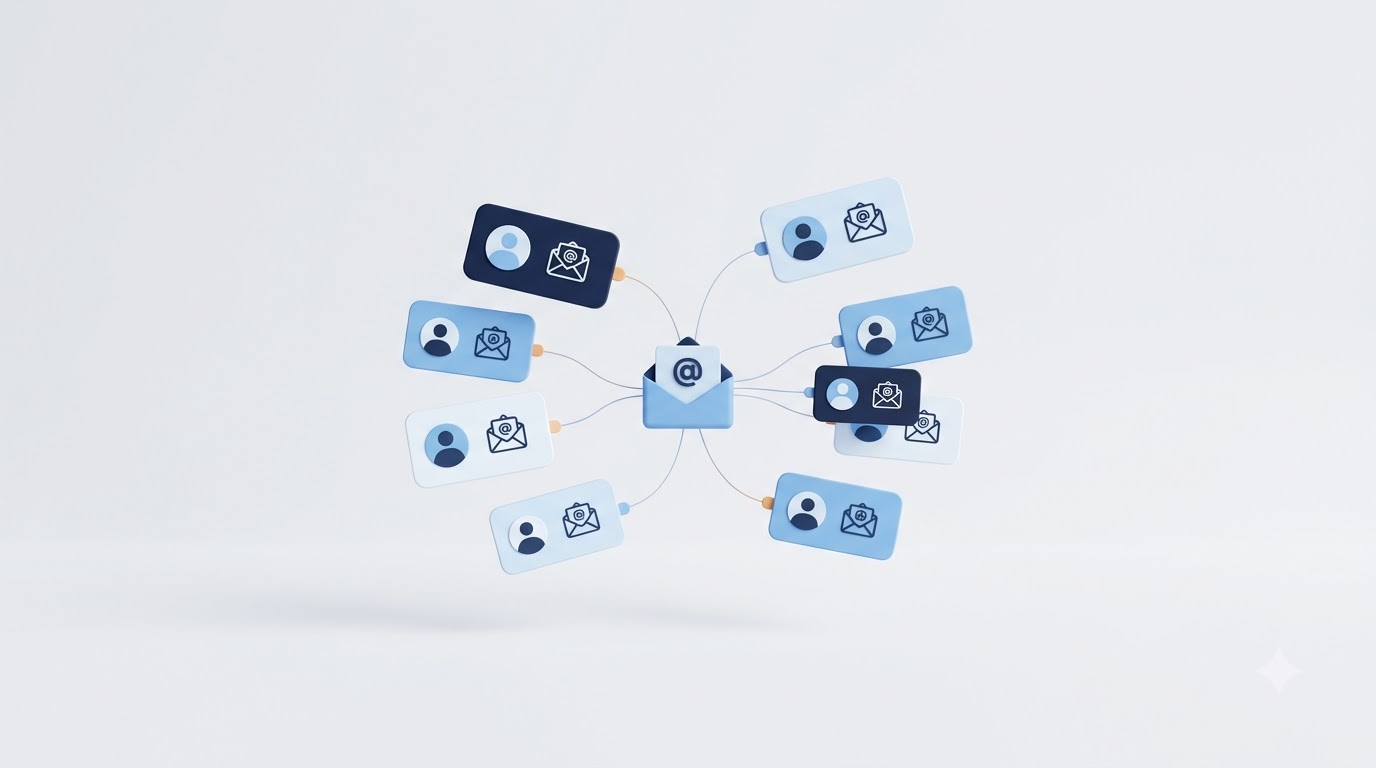
An email list is simply a collection of email addresses from people who’ve given you permission to contact them directly. That’s it at its core. But the value isn’t in the list itself, it’s in what that permission represents: a direct line to someone’s attention that doesn’t depend on an algorithm deciding whether to show them your content.
What is an Email List
There’s a difference between subscribers, leads, and customers, and mixing these up causes a lot of confusion. A subscriber is someone who opted into your list, maybe through a freebie or a newsletter signup, but hasn’t necessarily bought anything yet. A lead is a subscriber who’s shown intent, downloaded a pricing guide, clicked through to a product page, replied to an email. A customer is someone who’s actually paid you. Your email list usually contains all three types at once, and the whole point of a good email strategy is moving people from subscriber to lead to customer over time.
This is where permission-based marketing comes in. Nobody on your list ended up there by accident. They typed their email address in, clicked confirm, and said yes to hearing from you. That consent is what separates email marketing from cold outreach or intrusive advertising. It’s also legally required in most places now, thanks to laws like GDPR and CAN-SPAM, so building your list the right way isn’t optional anymore, it’s the baseline.
There’s also a concept worth understanding here: owned media versus rented media. Your website and your email list are owned media, you control them completely. Your Instagram following, your LinkedIn connections, your YouTube subscribers, that’s rented media. You’re building on land Meta, Google, or LinkedIn owns, and they can change the rules whenever they want. An email list doesn’t have that risk built in.
Why Every Business Needs an Email List
Direct communication is the biggest reason. When you send an email, it lands in someone’s inbox whether an algorithm approves of it or not. Compare that to a Facebook post, where organic reach for business pages sits somewhere around 2% of your total followers according to most recent estimates. That means if you have 10,000 followers, roughly 200 people might actually see your post. An email to 10,000 subscribers, with a healthy list, gets opened by 1,500 to 2,500 of them.
Higher ROI than most other channels is the next reason, and it’s backed by real numbers, not just marketing hype. Litmus and the DMA have both published figures putting email ROI well above social media, paid search, and display advertising combined in terms of dollars returned per dollar spent. Part of why: email doesn’t cost you per click or per impression. Once someone’s on your list, reaching them again costs almost nothing.
Audience ownership matters more than people give it credit for. Platforms change their algorithms, get banned in certain countries, or shut down entirely (remember Vine? Remember when Twitter changed its whole business model overnight?). Your email list survives all of that. It’s portable. You can export it, move it to a new platform, and keep talking to the same people no matter what happens to any single social network.
Better customer relationships come from the fact that email lets you go deeper than a 30-second video or a 280-character post. You can tell a story, explain something complicated, share a personal update, and build trust over a series of messages instead of one shot. Increased sales opportunities follow naturally from that trust. And reduced dependence on algorithms means you’re not gambling your entire reach on whatever Instagram decides to prioritize this quarter.
Email List vs Social Media Followers
| Factor | Email List | Social Media Followers |
|---|---|---|
| Ownership | You own the data completely | The platform owns the relationship |
| Reach | Near 100% delivery to inbox | Roughly 2-6% organic reach |
| Engagement | Higher intent, direct action | Passive scrolling, low intent |
| Cost | Low ongoing cost per contact | Rising ad costs to maintain reach |
| Personalisation | Deep segmentation possible | Limited targeting options |
| Long-term value | Compounds over years | Resets if platform changes rules |
This table isn’t meant to say social media is useless, it’s not, it’s great for discovery and brand awareness. But if you’re relying on it as your only way to reach an audience, you’re building on rented land. Email is where that traffic actually becomes something you control.
What Is a Lead Magnet?
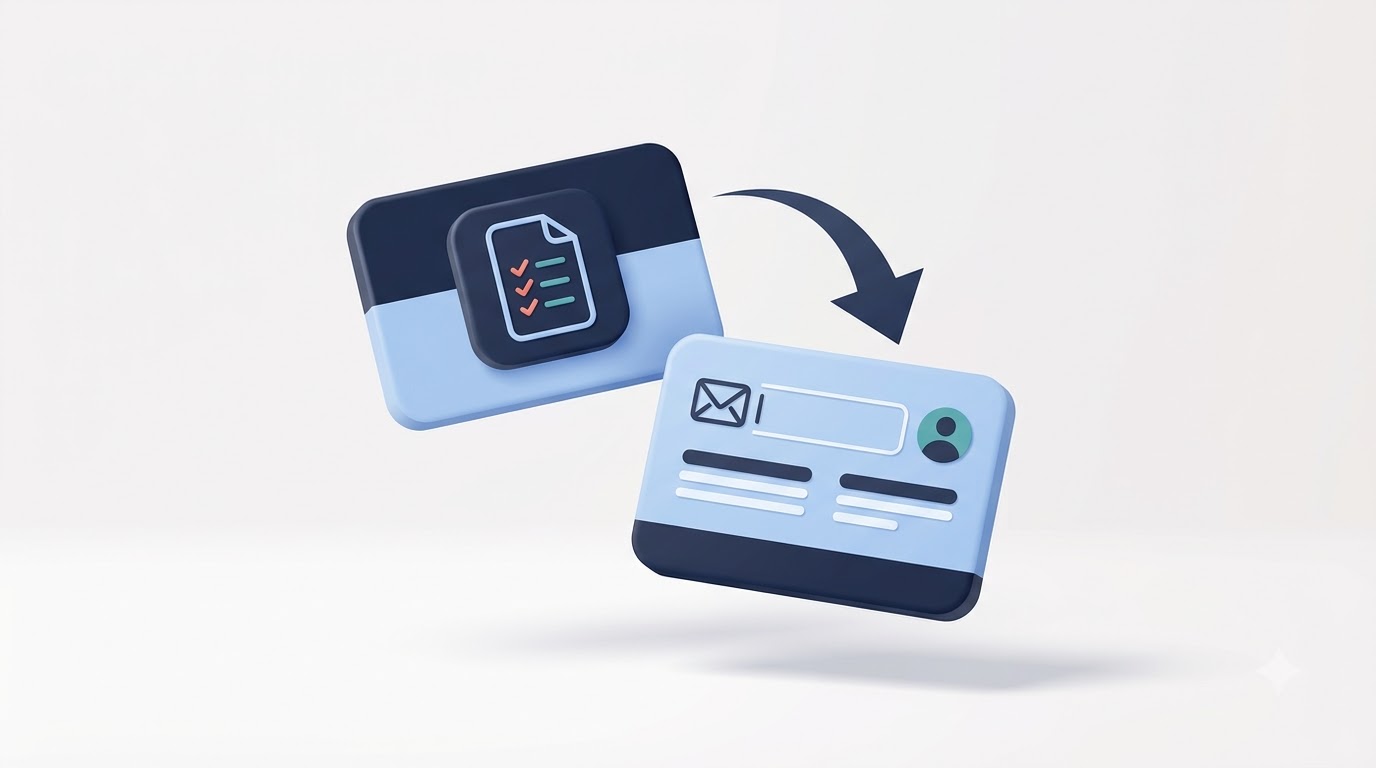
A lead magnet is a free resource you offer in exchange for someone’s email address. It’s the trade at the center of pretty much every successful opt-in form you’ve ever filled out. Instead of a plain “join our newsletter” button, you’re offering something specific: a template, a checklist, a short training video, something the visitor actually wants right now, in this moment, for this specific problem.
The term gets used interchangeably with “freebie,” “opt-in bribe,” or “content upgrade,” but they’re all pointing at the same mechanic. You give value first. The email address is the cost of admission, and honestly, that’s a fair trade when the resource actually solves something.
Why Lead Magnets Work
There’s real psychology behind why this works so much better than a plain signup form, and it’s not just marketing folklore.
Reciprocity is the big one. When someone gives you something useful for free, there’s a natural human instinct to want to give something back. Robert Cialdini wrote about this extensively in “Influence,” and it holds up in practice: give first, and people feel more inclined to trust you, engage with you, and eventually buy from you.
Immediate value matters because people are impatient. A checklist they can use in the next five minutes beats a vague promise of “great content in your inbox every week.” The faster someone can act on what you’ve given them, the more they associate you with actually helping.
Reduced perceived risk plays a role too. Handing over an email address feels riskier than it used to, given how many inboxes get flooded with spam. But when the exchange is clear (give email, get specific resource), that risk feels smaller because the transaction makes sense.
Trust building happens automatically when your freebie actually delivers. If your checklist genuinely helps someone solve a problem, they start assuming your paid stuff is even better. That assumption is doing a lot of the selling for you before you’ve even pitched anything.
Curiosity and problem-solving round out the list. A well-titled lead magnet, something like “The 12-Point SEO Audit Checklist,” taps into a very specific itch someone has right now. They’re not browsing idly, they’re looking for exactly that solution, and your freebie shows up at the right moment.
Characteristics of a High-Converting Lead Magnet
A lead magnet that actually converts shares a few traits, and skipping any of these tends to tank your opt-in rate.
It solves one specific problem, not five vague ones. “The Ultimate Guide to Marketing” sounds impressive but converts terribly because it’s too broad. “5 Email Subject Lines That Get 40%+ Open Rates” converts because it’s narrow and specific.
It’s quick to consume. Nobody wants a 40-page PDF when they just wanted a quick answer. The best lead magnets can be read, watched, or used in under 15 minutes.
It’s actionable. A checklist, template, or swipe file beats a purely theoretical guide because the person walks away with something they can literally use today, not just something to think about.
It’s highly relevant to what brought the visitor to that page in the first place. If someone landed on a blog post about email subject lines, offer them a subject line swipe file, not a generic “grow your business” ebook.
It’s easy to access, meaning no complicated login process, no five-step verification, no waiting 48 hours for a manual email. And it delivers immediate results, meaning the person can see or feel the benefit right away, not months down the line.
Why “Subscribe to Our Newsletter” Rarely Works Anymore
If you’ve ever put a plain “Subscribe to our newsletter” box on your site and watched it convert at basically 0.5%, you’re not alone. This used to work reasonably well ten or fifteen years ago. It doesn’t anymore, and there are a few clear reasons why.
Information overload is the first one. The average person is bombarded with content constantly, blog posts, social feeds, push notifications, texts. Asking them to add “yet another newsletter” to that pile, with zero indication of what they’ll actually get, doesn’t feel worth it anymore. There’s no clear payoff.
Lack of perceived value follows directly from that. “Newsletter” as a word doesn’t tell anyone anything. Will it be weekly? Monthly? Useful? Promotional spam? Nobody knows, so most people scroll right past it. Compare that to “Get the exact email template that landed us 3 new clients last month,” which tells you precisely what you’re getting.
Rising privacy concerns have made people far more protective of their contact information than they were a decade ago. Data breaches make headlines regularly, and people have learned that handing over an email address can mean an endless stream of spam if the exchange isn’t clearly worth it.
Competition for attention has exploded too. Every site you visit is asking for something, your email, a follow, a like, a review. A generic ask blends into that noise. A specific, valuable offer stands out from it.
And user expectations have shifted. People expect value upfront now. They’ve been trained by years of content marketing to expect something concrete before committing, not a vague promise of “updates.”
Lead magnets solve every one of these problems at once because they replace vague promises with something concrete, specific, and immediately useful. That’s the whole reason opt-in rates on lead magnet landing pages routinely hit 20-40%, compared to under 2% for plain newsletter signups.
What is Your Audience Before Creating a Lead Magnet
Here’s a mistake that trips up a lot of people trying to figure out how to grow your email list fast: they build the lead magnet first and figure out the audience later. That’s backwards. If you don’t know exactly who you’re talking to and what’s actually bothering them, you’ll end up with a freebie nobody wants, no matter how nicely it’s designed.
Identify Your Ideal Customer
Building a buyer persona sounds like corporate busywork, but done right, it’s genuinely useful. You’re trying to answer a few concrete questions: Who is this person? What do they do for work? What are they struggling with related to your niche? What have they already tried that didn’t work?
Customer pain points are the heart of this. If you run a fitness coaching business, your audience isn’t “people who want to be healthy,” that’s too vague to build anything useful from. It’s more like “busy parents who can’t find 30 minutes to work out and feel guilty about it.” That specificity is what makes a lead magnet land.
Goals matter just as much as pain points. What does this person actually want to achieve? Not the surface-level goal (“lose weight”) but the underlying one (“feel confident enough to go to the pool with my kids without covering up”). Objections are worth mapping too: why hasn’t this person already solved their problem? What’s stopped them? Understanding that tells you what your lead magnet needs to overcome.
And then there’s the purchase journey: is this person just becoming aware of their problem, actively researching solutions, or ready to buy something right now? A lead magnet for someone at the awareness stage looks completely different from one aimed at someone comparing options.
Research What Your Audience Wants
You don’t have to guess at any of this. There are concrete ways to figure out exactly what your audience wants.
Keyword research is a solid starting point. Tools like Ahrefs, Semrush, or even the free Google Keyword Planner show you what people are actually typing into search engines. If “email subject line examples” gets 8,000 searches a month and “email subject line psychology” gets 200, that tells you something real about demand.
Customer interviews, even just five or six short conversations with people in your target audience, reveal language and pain points you’d never guess sitting at a desk. Surveys, sent to your existing list or posted in relevant communities, work similarly at scale.
Community forums like Reddit and niche Facebook groups are goldmines because people are brutally honest there. Search for your topic on Reddit and read what people are actually complaining about. Social media comments on competitor posts do the same thing, people leave questions and frustrations right there in public.
Competitor analysis matters too. Look at what lead magnets your competitors are offering. If three of them are offering the exact same “Ultimate Guide,” that’s a sign the market’s saturated on that angle, and there’s an opening for something more specific.
Website analytics and Search Console data round this out. Look at which blog posts get the most traffic, and which search queries bring people to your site. That tells you exactly what problems people already associate with your brand, which is exactly where your lead magnet should live.
Matching the Lead Magnet to Search Intent
Different search intents call for different types of freebies, and matching them correctly makes a huge difference in conversion rates.
Informational intent means someone’s trying to learn something, like “how does email automation work.” A lead magnet here might be a beginner’s guide or an explainer video. Commercial intent means they’re comparing options, like “best email marketing software.” Here, a comparison checklist or a “how to choose” worksheet fits well.
Transactional intent means they’re ready to act, like “email template for cold outreach.” A ready-to-use template is perfect here because it matches their exact next step. Navigational intent means they already know what they want and are looking for a specific brand or tool, in which case lead magnets matter less than clear product information.
Types of Lead Magnets That Convert Best
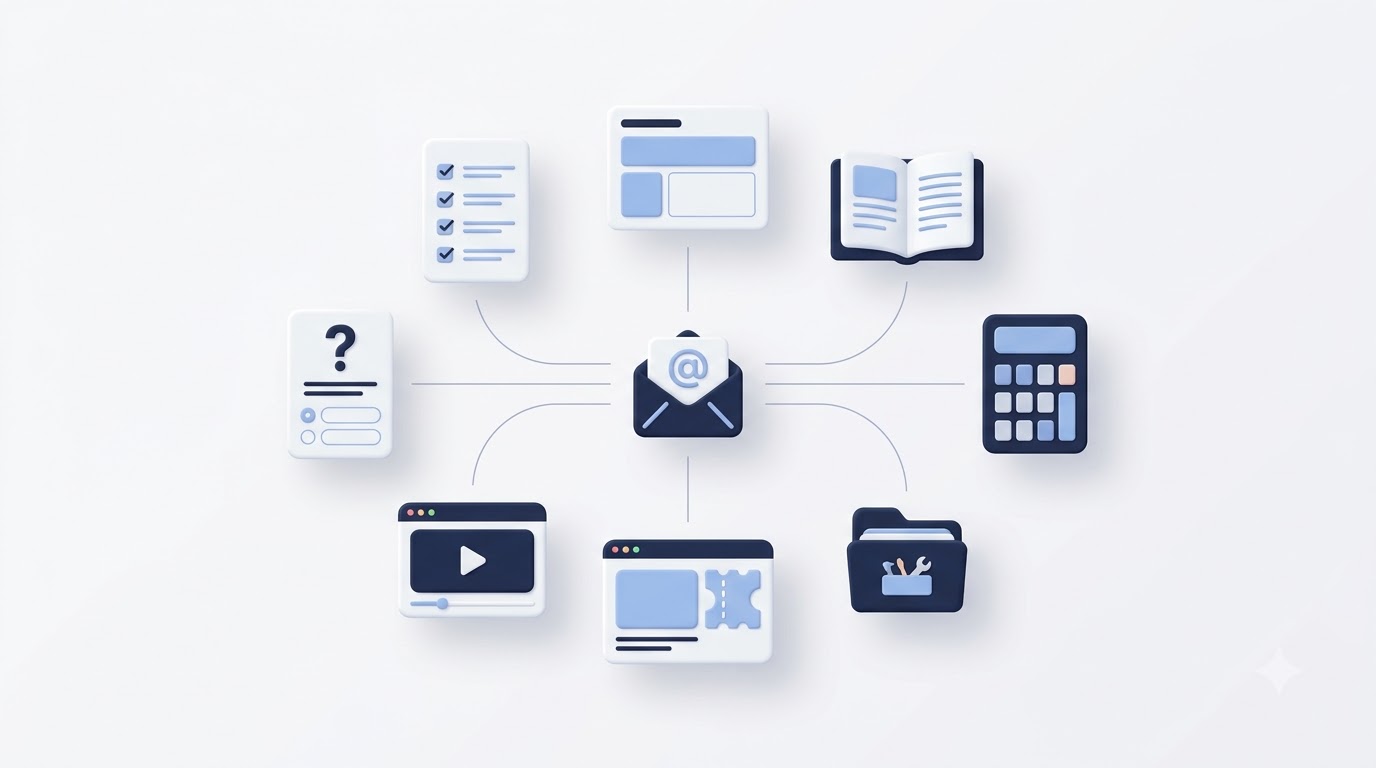
There’s no single “best” lead magnet format, it depends entirely on your audience and your niche. But some formats consistently outperform others because they match how people actually want to consume information. Here’s a rundown of the formats worth considering.
Checklists
Checklists work because they’re fast, visual, and immediately usable. Someone can print one out or keep it open in a tab while they work through a task step by step. They work especially well for processes that have clear, sequential steps, like a pre-launch website checklist or a social media audit checklist. The conversion potential here is high because the value is obvious at a glance.
Cheat Sheets
A cheat sheet condenses complex information into a single reference page. Think of a “SEO on-page cheat sheet” that lists every element to check without the long explanations. These work well for audiences who already understand the basics and just want a quick reference they can pull up anytime instead of digging through a full guide.
Templates
Templates save people time, which is exactly why they convert so well. Email templates for cold outreach, proposal templates for freelancers, social media content calendar templates, or spreadsheet templates for budgeting all fall into this bucket. The appeal is simple: instead of building something from scratch, the person just fills in the blanks.
eBooks
eBooks work when the topic genuinely needs depth, like a full guide to starting an online store. They don’t work when the topic could be covered in a checklist instead, stretching a simple topic into 20 pages just makes people less likely to finish it, which hurts trust rather than building it. Use eBooks sparingly and only when the depth is actually earned.
Guides
A guide sits between a checklist and an eBook in depth. It walks through a process with explanation, not just bullet points. A “beginner’s guide to Google Ads” is a good example, detailed enough to actually help, short enough to finish in one sitting.
Whitepapers
Whitepapers are more common in B2B and SaaS contexts, where the audience expects data-backed, research-heavy content. They work well for decision-makers doing due diligence before a purchase, but they’re overkill for a consumer audience looking for a quick fix.
Case Studies
A case study lead magnet, something like “How We Grew a SaaS Company’s Organic Traffic by 340% in 6 Months,” works because it shows proof, not just theory. People trust results they can see. This format works especially well for agencies and consultants trying to demonstrate credibility.
Resource Lists
A curated resource list, like “50 Free Tools for Content Creators,” saves people the time of researching options themselves. These convert well because compiling a good list takes real effort, and people recognize that value immediately.
Swipe Files
Swipe files, collections of proven examples like high-converting subject lines or ad copy, appeal to people who want inspiration or a starting point rather than a from-scratch template. Copywriters and marketers especially respond well to this format.
Toolkits
A toolkit bundles multiple resources together, templates, checklists, and guides, into one package. These convert exceptionally well because the perceived value is higher (it feels like getting several things at once), even though putting one together takes more upfront work.
Workbooks
Workbooks combine content with interactive exercises, prompts, or fill-in sections. These work particularly well for coaches and consultants because they get the reader actively working through their own problem, which builds a stronger connection to the person who created it.
Calculators
Interactive calculators, like a “how much should I charge as a freelancer” calculator, convert extremely well because they give a personalized answer instantly. The catch is they require more development work, usually a simple web tool rather than a static PDF.
Quizzes
Quizzes tap into curiosity in a way static content can’t. “What’s Your Marketing Personality Type” or “Which Email Strategy Fits Your Business” quizzes get shared more than most other formats because people like sharing personality-style results. They also let you segment your list automatically based on quiz answers.
Webinars
Live or recorded webinars work well for topics that benefit from demonstration or Q&A. They take more effort to produce but tend to attract a highly engaged audience because someone willing to block out 45 minutes is already showing real intent.
Video Training
A short video training series, three to five videos walking through a process, works well for visual learners and topics that are hard to explain in text alone, like software tutorials or physical technique demonstrations.
Mini Courses
A mini email course, delivered as a five-day sequence, keeps people engaged with your brand over multiple touchpoints instead of a single download. This format doubles as both a lead magnet and the start of a nurture sequence, which makes it especially efficient.
Free Trials
For SaaS businesses, a free trial functions as the lead magnet itself. Instead of giving away content, you’re giving away limited access to the actual product, which tends to convert leads into paying customers at a much higher rate than content-based magnets.
Product Samples
Ecommerce brands can use small product samples or trial sizes as their lead magnet, particularly for consumable goods like skincare or food products, where trying before buying removes a major purchase objection.
Discount Coupons
A discount code in exchange for an email address is one of the oldest and still most reliable lead magnets in ecommerce. It works because the value is immediate and directly tied to a purchase decision the visitor is likely already considering.
Community Access
Offering free access to a private Facebook group, Slack channel, or Discord server appeals to people looking for connection and ongoing support, not just a one-time resource. This works especially well for coaches and course creators building long-term relationships.
Email Challenge Series
A short challenge, like a “5-Day Declutter Your Inbox Challenge,” combines the mini-course format with a sense of momentum and accountability. These tend to have high engagement rates because people commit to finishing what they started.
Comparison Table
| Lead Magnet Type | Best For | Creation Difficulty | Conversion Potential | Time to Consume | Ideal Industry |
|---|---|---|---|---|---|
| Checklist | Process-driven tasks | Low | High | Under 5 min | Any |
| Cheat Sheet | Quick reference needs | Low | High | Under 5 min | SEO, marketing |
| Template | Time-saving tasks | Medium | Very High | 5-15 min | B2B, freelancers |
| eBook | Deep topics | High | Medium | 30-60 min | Education, coaching |
| Guide | Step-by-step learning | Medium | High | 10-20 min | Any |
| Whitepaper | Research-backed decisions | High | Medium | 20-30 min | B2B, SaaS |
| Case Study | Proof and credibility | Medium | Medium-High | 5-10 min | Agencies, consultants |
| Resource List | Curated recommendations | Low | High | 5 min | Any |
| Swipe File | Inspiration and examples | Low | High | 5-10 min | Copywriting, marketing |
| Toolkit | Bundled value | High | Very High | Varies | Any |
| Workbook | Interactive self-work | Medium | High | 20-40 min | Coaching |
| Calculator | Personalized answers | High | Very High | Under 5 min | Finance, freelancers |
| Quiz | Engagement and curiosity | High | Very High | 5-10 min | Any |
| Webinar | Demonstration and trust | High | Medium-High | 30-60 min | Coaching, SaaS |
| Video Training | Visual learning | High | High | 15-30 min | Software, DIY |
| Mini Course | Ongoing engagement | Medium | High | 5 days | Coaching, education |
| Free Trial | Product experience | High | Very High | Ongoing | SaaS |
| Product Sample | Try before buy | Medium | Medium | Instant | Ecommerce |
| Discount Coupon | Immediate purchase | Low | Very High | Instant | Ecommerce |
| Community Access | Connection and support | Low | Medium | Ongoing | Coaching, courses |
| Email Challenge | Momentum and habit | Medium | High | 5 days | Coaching, wellness |
How to Create a High-Converting Lead Magnet
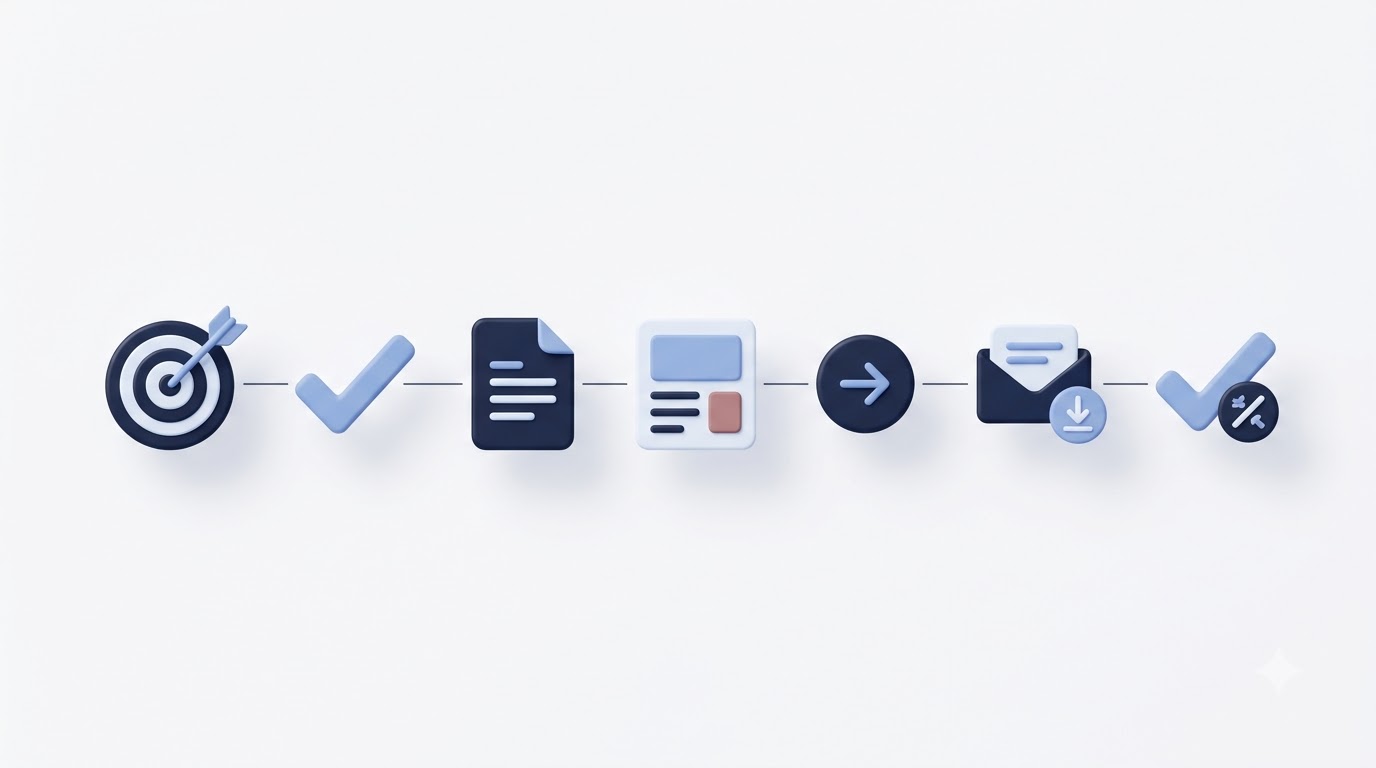
Knowing the formats is one thing. Actually building one that converts is a different skill, and it comes down to a fairly repeatable process.
Step 1: Choose One Specific Problem
Resist the urge to solve everything at once. A lead magnet that tries to cover five topics ends up feeling bloated and unfocused, and people can sense that before they even opt in. Pick the single most pressing problem your audience faces at a specific stage, and build around that one thing only.
Step 2: Promise One Clear Outcome
The title of your lead magnet should tell someone exactly what they’ll walk away with. “5 Email Subject Lines That Got Us 45% Open Rates” is clear. “Email Marketing Tips” is not. Specificity in the title does more for your conversion rate than almost anything else you’ll do in this process.
Step 3: Create Valuable Content
This is where the actual work happens. Whatever format you chose, the content needs to genuinely help. Don’t hold back your best material thinking you’re “saving it” for paid customers. A weak lead magnet actively hurts your brand because it signals your paid stuff probably isn’t much better.
Step 4: Design for Readability
Branding matters here, but not in an over-the-top way. Use your logo, your colors, and consistent fonts so the freebie feels like a natural extension of your brand. Typography should be clean and easy to scan, nobody wants to read a wall of 10-point text. Layout should have breathing room, plenty of white space, clear headers, and short paragraphs. And mobile friendliness is non-negotiable now, since a huge chunk of your downloads will be opened on a phone. Visual hierarchy, meaning the most important information stands out through size, bolding, or color, helps people skim and still get the value even if they don’t read every word.
Step 5: Add Calls-to-Action
Your lead magnet shouldn’t be a dead end. Include a soft call-to-action pointing toward your paid offer, a related blog post, or a way to connect further, like joining your community or booking a call. This isn’t about hard selling inside a free resource, it’s about giving people an obvious next step if they want more.
Step 6: Deliver Instantly
People expect instant gratification now. If someone opts in and doesn’t get their download within seconds, you’ll see abandonment and spam complaints. Automated delivery through your email platform, where the freebie link shows up immediately after signup, is the standard people expect. Manual delivery, even with a 24-hour turnaround, feels broken by comparison.
Step 7: Test Before Launching
Before you push traffic to it, run through the whole flow yourself. Sign up with a test email, click every link, check formatting on both desktop and mobile, and confirm the download or delivery actually works. A broken link on day one can quietly kill weeks of traffic before anyone tells you it’s not working.
How to Create Landing Pages That Maximise Conversions
A lead magnet is only as good as the page asking people to grab it. You can build the best checklist in your niche, but if the landing page is cluttered or confusing, most visitors will bounce before they ever see the offer clearly.
Essential Elements
A headline that states the benefit clearly is the first thing anyone sees, and it needs to work in under three seconds. A subheadline expands on that, adding a bit more context or specificity. A hero image, ideally a mockup of the actual resource (think a 3D-looking PDF cover or a phone mockup of the checklist), makes the offer feel tangible instead of abstract.
Benefits, listed as short bullet points, tell visitors exactly what they’ll get out of downloading. A preview, showing a page or two of the actual content, builds trust by proving the resource is real and not just a bait-and-switch to a sales pitch. Testimonials and social proof, even something as simple as “Over 4,000 marketers have downloaded this,” reduce hesitation because people trust what others have already validated.
The opt-in form itself should be as short as possible, ideally just an email field, maybe a first name if you plan to personalize emails later. Every extra field you add costs you conversions. A clear CTA button, using action language like “Send Me the Checklist” instead of a generic “Submit,” performs noticeably better. And trust signals, like a privacy note (“We’ll never spam you, unsubscribe anytime”), address the unspoken worry every visitor has before handing over their email.
Landing Page Best Practices
Minimal distractions means stripping out your site navigation, footer links, and anything else that gives visitors an easy way to leave without converting. Dedicated landing pages built specifically for a lead magnet consistently outperform embedding the same offer inside a regular blog page.
Mobile optimisation matters because a large share of your traffic, often more than half depending on your audience, will come from phones. Fast loading speed is critical too, every extra second of load time measurably drops conversion rates, so compress images and avoid heavy scripts on this page specifically. Simple forms and clear messaging round this out: say exactly what someone gets, and don’t make them guess.
Common Landing Page Mistakes
Too many fields on the opt-in form scares people off before they even consider your offer. A weak CTA, something vague like “Submit” or “Learn More,” doesn’t create any urgency or clarity about what happens next. Poor design, cluttered layouts, mismatched fonts, low-quality images, signals low effort and makes visitors question the quality of what’s inside.
Lack of trust, meaning no privacy assurance, no social proof, no sense of who’s behind the offer, keeps hesitant visitors from converting. And generic copy, the kind that could apply to literally any lead magnet in any industry, fails to create the specific “this is exactly what I need” feeling that drives someone to actually opt in.
Where to Promote Your Lead Magnet How to Grow Your Email List Fast
Building a great freebie means nothing if nobody sees it. Promotion is where the actual list growth happens, and spreading your efforts across multiple channels tends to work better than relying on just one.
Website Placement
Your homepage should feature your best-performing lead magnet prominently, since it’s often the first page new visitors land on. Blog posts are one of the highest-converting placements because the visitor is already reading content related to your niche, meaning intent is already high.
Content upgrades, a specific lead magnet tied directly to the blog post someone’s reading (like a downloadable version of a recipe, or a template mentioned in the article), convert noticeably better than a generic sitewide popup because the relevance is so tight. Exit-intent popups, which trigger right as someone’s about to leave the page, catch visitors who were about to bounce with nothing to show for the visit. Slide-in forms and sticky bars offer a less intrusive alternative to full popups, appearing gently as someone scrolls rather than interrupting immediately. Sidebar widgets remain useful on desktop, though they’re increasingly less effective as more traffic shifts to mobile, where sidebars often don’t even display.
Social and External Channels
Social media promotion works differently depending on the platform. On YouTube, mentioning your lead magnet in the video and pinning a comment with the link captures viewers while they’re actively engaged. On LinkedIn, sharing insights from your lead magnet as a post, then linking to the full resource, works well for B2B audiences. Facebook groups, especially ones you run yourself or actively participate in, let you share value directly with a warm, engaged audience.
Your Instagram bio link is prime real estate, since it’s often the only clickable link on the platform, so pointing it at your best lead magnet rather than just your homepage tends to convert better. On X (formerly Twitter), threads that build value and end with a link to the full download perform well because they demonstrate expertise before asking for anything. Pinterest works particularly well for niches like recipes, home decor, and planning tools, where pinned images link directly to opt-in pages.
Guest blogging on established sites in your niche puts your lead magnet in front of an audience that already trusts the host site, which transfers some of that trust to you. Podcasts work similarly, mentioning a specific freebie during an interview and giving a memorable URL people can visit afterward.
Paid advertising, particularly through Facebook and Google Ads, can accelerate list growth significantly, though it requires a reasonably tight cost-per-lead to stay profitable. Influencer partnerships, where a relevant creator shares your lead magnet with their audience, can work well when the audience overlap is strong. And online communities, like relevant subreddits or niche Discord servers, can drive traffic when you participate genuinely rather than just dropping links, which usually gets removed by moderators anyway.
How to Automate Lead Capture and Delivery
Once someone opts in, what happens next needs to run without you lifting a finger. This is where a lot of people lose momentum, they build a great lead magnet and landing page, then manually email the resource to each new subscriber, which doesn’t scale and often means delays that hurt the first impression.
Opt-in forms connect directly to your email marketing platform, capturing the subscriber’s information the moment they submit. From there, you choose between double opt-in and single opt-in. Double opt-in requires the subscriber to click a confirmation link in a follow-up email before they’re officially added to your list. This keeps your list cleaner (fewer fake or mistyped emails) and improves deliverability over time, but it does add one extra step that can lose a small percentage of people who don’t confirm.
Single opt-in adds the subscriber immediately without confirmation, which means faster growth numbers but a higher risk of fake addresses and lower engagement rates dragging down your sender reputation. Most established email platforms recommend double opt-in for long-term list health, even though it looks slightly less impressive in the short term.
The welcome email is the very next thing that fires, and it’s arguably the most important email you’ll ever send to a subscriber, since open rates on welcome emails run significantly higher than any other email type, often above 50%. This is where you deliver the lead magnet, set expectations for what emails they’ll receive going forward, and introduce yourself or your brand.
Email automation and drip campaigns take over from there, sending a pre-built sequence of follow-up emails over the following days or weeks. This nurtures new subscribers, builds familiarity, and gradually introduces your paid offers without dumping a hard sales pitch on someone the moment they join.
CRM integration matters if you’re running a business with a sales team, since it lets subscriber data flow into the same system your team uses to track leads and follow up personally. Tagging and segmentation let you organize subscribers based on which lead magnet they downloaded, what they’ve clicked on since, or where they are in the buyer journey, which makes future emails far more relevant and effective.
Lead scoring, assigning point values to specific actions like opening emails or visiting a pricing page, helps larger teams prioritize which leads are sales-ready. And GDPR compliance basics, like clearly stating what you’ll email about, including an easy unsubscribe link, and not sharing data with third parties without consent, aren’t optional anymore if you have subscribers in the EU or UK.
The full workflow looks like this: Visitor lands on your landing page, fills out the opt-in form, gets a confirmation email if you’re using double opt-in, receives the lead magnet immediately after confirming, gets a welcome email introducing your brand, then flows into a nurture sequence designed to build trust and move them toward a purchase over time.
How to Optimise Lead Magnet Conversion Rates
Building the lead magnet and landing page is step one. Getting the conversion rate as high as possible is an ongoing process, not a one-time setup, and small tweaks can add up to a meaningfully bigger list over time.
A/B testing headlines is one of the highest-leverage changes you can make, since the headline is the first thing anyone reads and often determines whether they keep going or leave. Testing two versions against real traffic, even something as small as swapping “Free Guide” for “Free Checklist,” can shift conversion rates by several percentage points.
CTA button optimisation matters more than people expect. Button color, size, and especially the wording (“Get My Free Checklist” versus “Submit”) can noticeably change click-through rates. Form length is another lever: every field beyond email address tends to reduce conversions, so test whether asking for a first name actually helps your personalization enough to justify the drop in signups.
Colour and design choices should support the offer, not distract from it. High-contrast CTA buttons that stand out from the rest of the page tend to perform better than buttons that blend in. Personalisation, like dynamically showing content relevant to where the visitor came from, can lift conversions when done well, though it requires more technical setup.
Social proof, like subscriber counts or short testimonials, reduces hesitation, especially for new visitors unfamiliar with your brand. Urgency and scarcity, used honestly (a genuinely limited-time bonus, for example), can nudge fence-sitters to act now instead of putting it off and forgetting entirely. Overusing fake urgency, on the other hand, damages trust fast once people notice the “limited time” offer has been up for six months.
Mobile optimisation deserves repeated emphasis because so much traffic now comes from phones, and a form that’s awkward to fill out on a small screen loses conversions that would’ve happened easily on desktop. Analytics and heatmaps, using tools that show where people click, scroll, and drop off, reveal exactly where your landing page is losing people, which turns guesswork into a much more targeted fix.
How to Measure Success: Key Metrics to Track
Growing your list isn’t just about getting the number to go up. A list of 10,000 disengaged subscribers is worth less than a list of 2,000 people who actually open and click your emails. Tracking the right metrics tells you whether you’re building something valuable or just inflating a vanity number.
Conversion rate, the percentage of landing page visitors who actually opt in, is your core measure of how well the lead magnet and page are working together. A healthy dedicated landing page typically converts somewhere between 20% and 40%, while sitewide popups or embedded forms usually land closer to 2% to 5%.
Landing page visits and opt-in rate work together to show you the full funnel: how many people saw the offer, and how many of them said yes. Cost per lead matters most if you’re running paid traffic to your lead magnet, calculated simply as total ad spend divided by number of new subscribers gained. A benchmark to aim for varies a lot by industry, but keeping cost per lead well below your average customer value is the general rule.
Email open rate tells you whether your subject lines and sender reputation are working. Industry averages sit somewhere around 20% to 25% across most sectors, though niche and highly engaged lists can run considerably higher. Click-through rate shows how many people who opened actually clicked a link inside, which is a stronger signal of real interest than opens alone.
Welcome email engagement deserves special attention since it’s usually your highest-performing email and sets the tone for the entire relationship. Lead quality, meaning how many of your new subscribers actually match your ideal customer profile versus just curious freebie-seekers, matters more than raw list size. Customer conversion rate, the percentage of subscribers who eventually become paying customers, is ultimately the number that determines whether your whole system is working.
Return on investment, calculated as revenue generated from email divided by the cost of running your list-building efforts, ties everything together into one number leadership actually cares about. A simple formula: ROI = (Revenue from Email – Cost of List Building) / Cost of List Building x 100.
Best Tools for Creating and Delivering Lead Magnets
You don’t need an expensive tech stack to get started, but knowing which tools fit which job makes the whole process faster and less frustrating.
Design Tools
Canva remains the go-to for most small businesses and solo creators because of its huge library of templates and genuinely usable free tier. Adobe Express offers similar functionality with tighter integration if you’re already inside the Adobe ecosystem. Figma is worth learning if you want more design control or plan to create interactive prototypes, though it has a steeper learning curve than the other two.
Landing Page Builders
Leadpages specializes specifically in lead generation pages and comes with built-in A/B testing, which makes it a solid pick if landing pages are your primary use case. Unbounce offers similarly strong conversion-focused features with more advanced dynamic text replacement for paid ad campaigns. Instapage rounds out the group with a focus on personalization at scale, which tends to appeal more to larger marketing teams than solo creators.
Email Marketing Platforms
Mailchimp is often the first stop for beginners thanks to its free tier and simple interface, though its automation features are more limited than dedicated competitors once you scale up. ConvertKit was built specifically with creators in mind and handles tagging, segmentation, and automation particularly well for bloggers and course creators. ActiveCampaign offers the most robust automation and CRM-style features of the group, which suits growing businesses that need more sophisticated workflows.
MailerLite provides a strong middle ground: solid automation features at a lower price point than ActiveCampaign, which makes it popular with small businesses watching costs closely. Brevo (formerly Sendinblue) includes SMS marketing alongside email, which is worth considering if you want to expand beyond just email down the line.
Form Builders
Typeform is known for its conversational, one-question-at-a-time format that tends to feel less overwhelming than a traditional form, which can lift completion rates for longer opt-ins like quizzes. Tally offers a simpler, free alternative with fewer bells and whistles but gets the basic job done well. Google Forms remains the free, no-frills option, functional but visually limited compared to the alternatives.
Analytics & Optimisation
Google Analytics is the standard for tracking traffic sources, landing page performance, and conversion paths across your whole site. Microsoft Clarity offers free heatmaps and session recordings, letting you actually watch how visitors interact with your landing page. Hotjar provides similar heatmap and recording functionality with a slightly more polished interface, though its free tier is more limited than Clarity’s.
Comparison Table
| Tool | Category | Best For | Free Plan | Key Features | Pricing |
|---|---|---|---|---|---|
| Canva | Design | Quick, template-based design | Yes | Templates, drag-and-drop editor | Free / Paid tiers available |
| Leadpages | Landing Pages | Dedicated lead gen pages | No | A/B testing, templates | Paid, monthly plans |
| ConvertKit | Email Marketing | Creators and bloggers | Yes (limited) | Tagging, automation, landing pages | Free / Paid tiers available |
| MailerLite | Email Marketing | Budget-conscious small business | Yes (limited) | Automation, drag-and-drop editor | Free / Paid tiers available |
| Typeform | Form Builder | Interactive quizzes and surveys | Yes (limited) | Conversational forms | Free / Paid tiers available |
| Google Analytics | Analytics | Traffic and conversion tracking | Yes | Full site analytics | Free |
| Microsoft Clarity | Analytics | Heatmaps and session recordings | Yes | Free heatmaps | Free |
Advanced Email List Growth Strategies
Once the basics are in place, a few more advanced tactics can push your growth rate further, especially once you’ve got some traffic and data to work with.
Content upgrades, specific lead magnets tied to individual blog posts rather than a single sitewide offer, consistently outperform generic freebies because the relevance is so tight. If someone’s reading a post about meal prepping, offering a downloadable meal prep template converts far better than pointing them to a generic “newsletter signup.”
Interactive lead magnets, like quizzes and calculators, tend to generate higher engagement than static PDFs because they give the visitor something personalized in return for their information, not just a generic resource everyone gets. Personalised offers, showing different lead magnets to different visitor segments based on where they came from or what they’ve browsed, can lift conversions meaningfully but require more setup on the technical side.
Evergreen funnels, automated sequences that run continuously regardless of when someone joins, mean you’re not manually managing every new subscriber’s journey. Once built, they keep converting new people the same way month after month without additional effort.
AI-powered personalisation is becoming more common, where email content or subject lines adjust automatically based on subscriber behavior and preferences. This is worth exploring once your list reaches a size where manual segmentation becomes impractical.
Referral programmes, where existing subscribers get a bonus for referring friends, can accelerate growth without additional ad spend, though they work best once you already have an engaged base willing to share. Gamification, like unlocking bonus content after completing certain actions, taps into the same psychology that makes challenges and streaks so effective on fitness apps.
Multi-step opt-in forms, which start with a simple engaging question before asking for an email address, often convert better than a single upfront form because they build a small commitment before the bigger ask. Lead magnet bundles, combining several related resources into one package, increase perceived value without significantly increasing your production workload if you’re repackaging existing content.
Progressive profiling, gradually collecting more information about a subscriber over multiple interactions instead of asking everything upfront, keeps your initial opt-in form short while still building a fuller picture of each subscriber over time.
Future Trends in Email List Building
The tactics that work today will keep shifting, and a few trends are already reshaping how list building looks going forward.
AI-generated lead magnets are becoming more common as tools make it faster to produce checklists, templates, and even short guides. The businesses that stand out won’t be the ones just generating generic AI content, though, they’ll be the ones combining AI speed with genuine expertise and specificity.
Interactive experiences, quizzes, calculators, and personalized assessments, are steadily replacing static PDFs as the default expectation, since audiences increasingly expect something tailored to them rather than a one-size-fits-all download. Zero-party data collection, where subscribers voluntarily share preferences (unlike third-party data scraped without explicit consent), is becoming central to good list building as privacy regulations tighten worldwide.
Hyper-personalisation, tailoring not just email content but the entire lead magnet experience based on individual behavior, is moving from “nice to have” to expected among more sophisticated brands. Privacy-first marketing and first-party data strategies matter more every year as third-party cookies phase out and browsers restrict tracking further, making your owned email list even more valuable relative to ad targeting.
Conversational marketing, using chatbots or interactive messaging to guide visitors toward a lead magnet in a more natural, back-and-forth way, is gaining traction, especially on higher-traffic sites. And voice search and lead generation are starting to intersect as more searches happen through voice assistants, which will eventually change how lead magnet titles and descriptions need to be phrased to match spoken queries rather than typed ones.
Conclusion
Growing an email list isn’t really about tricking people into handing over their address, it’s about offering something genuinely worth trading for. A specific, well-made lead magnet paired with a clean landing page and a solid automated follow-up sequence turns casual visitors into people who actually want to hear from you again. That’s the whole game.
Start with one lead magnet. Make it specific, make it fast to consume, and make sure it solves a real problem your audience already has. Launch it, watch the numbers, and adjust based on what the data tells you rather than what you assumed going in. That’s how to grow your email list in a way that actually holds up over time, not just a short-term spike that fades once the novelty wears off.
Frequently Asked Questions
What is a lead magnet?
A lead magnet is a free resource, like a checklist, template, or guide, offered to website visitors in exchange for their email address. It’s the core mechanic behind most modern opt-in forms, replacing vague “subscribe” requests with something specific and immediately useful.
Why are lead magnets effective?
Lead magnets work because they tap into reciprocity: when someone receives real value upfront, they’re more inclined to trust the brand and share their contact information. They also reduce the perceived risk of opting in, since the trade (email for resource) feels fair and transparent compared to a vague newsletter signup.
How do I grow my email list quickly?
The fastest way to grow your email list is to create a highly specific lead magnet tied to a real problem your audience has, place it on a dedicated landing page, and promote it across the channels where your audience already spends time, blog posts, social media, and guest appearances on relevant podcasts or sites.
What is the best lead magnet for beginners?
Checklists and templates tend to be the easiest lead magnets for beginners to create because they require less content production than a full guide or course, while still delivering clear, immediate value that converts well on a landing page.
Should I use single or double opt-in?
Double opt-in generally produces a healthier list over time because it filters out fake or mistyped email addresses and improves deliverability. Single opt-in grows your subscriber count faster in the short term but carries a higher risk of low-quality or disengaged subscribers.
How long should a lead magnet be?
Most effective lead magnets can be consumed in under 15 minutes. Checklists and cheat sheets typically run one to two pages, while more in-depth guides might stretch to 10 or 15 pages, but longer isn’t automatically better since completion rates drop sharply as length increases.
Can I create a lead magnet for free?
Yes. Tools like Canva and Google Forms offer free tiers capable of producing a professional-looking checklist, template, or short guide without any upfront cost, and most email marketing platforms include free plans for smaller subscriber counts to handle delivery.
What makes a high-converting landing page?
A high-converting landing page has a clear, benefit-driven headline, a short opt-in form asking only for essential information, a visual preview of the offer, and no distracting navigation links pulling visitors away before they convert.
How many fields should an opt-in form have?
Ideally just one, the email address. Adding a first name field is common for personalization purposes, but every additional field beyond that tends to reduce your conversion rate, sometimes significantly.
How do I promote a lead magnet?
Promote a lead magnet across multiple channels at once: embed it in relevant blog posts as a content upgrade, link to it from your social media bios and posts, mention it on podcast appearances or guest posts, and consider paid ads once you know your cost per lead is sustainable.
What is a content upgrade?
A content upgrade is a lead magnet specifically tied to an individual blog post rather than offered sitewide. Because it directly matches what the reader is already interested in, content upgrades typically convert at a higher rate than generic, non-specific opt-in offers.
How do I measure lead magnet success?
Track conversion rate (percentage of landing page visitors who opt in), email open and click-through rates for your follow-up sequence, and ultimately how many subscribers from that lead magnet convert into paying customers over time.
How often should I update my lead magnet?
Review and update your lead magnets at least once or twice a year, or sooner if the content references specific dates, statistics, or tools that change frequently. Outdated resources damage trust and hurt conversions once visitors notice the information is stale.
Which email marketing platform is best?
There’s no single best platform, it depends on your needs. ConvertKit suits creators and bloggers well, ActiveCampaign fits businesses needing advanced automation, and MailerLite works well for small businesses on a tighter budget.
What conversion rate is considered good?
A dedicated lead magnet landing page converting between 20% and 40% is considered healthy. Sitewide popups or embedded sidebar forms typically convert lower, often in the 2% to 5% range, since the traffic reaching them is less targeted.
Can AI help create lead magnets?
Yes, AI tools can speed up drafting checklists, templates, and guide outlines significantly. The resources that perform best still combine AI-assisted speed with real expertise and specific, accurate information rather than relying entirely on generic AI output.
How do I segment new subscribers?
Segment new subscribers based on which lead magnet they downloaded, since that tells you what problem they’re focused on, then tag them accordingly in your email platform so future emails and offers stay relevant to their specific interest.
What’s the difference between a freebie and a lead magnet?
The terms are largely interchangeable in everyday use. “Freebie” tends to be used more casually, especially in coaching and creator spaces, while “lead magnet” is the more formal marketing term, but both describe the same core mechanic of trading free value for an email address.
Should every business have a lead magnet?
Most businesses benefit from having at least one lead magnet, since it gives visitors a low-commitment first step before a purchase decision. The exception might be businesses with extremely short, impulse-driven sales cycles, like some fast-moving ecommerce products, where a discount code often works better than a content-based freebie.
How soon should I send the welcome email?
Send the welcome email immediately after signup, ideally through automation rather than manually. Welcome emails have the highest open rates of any email type, often above 50%, so delivering it right away captures that attention while it’s at its peak.